5
–
80
Interior Features
Bluetooth
®
11. Prompt: “XXXXX... (Ex. device C)
(Device tag), is this correct?”
12. Say: [Beep] “Yes”
13. Prompt: “New name saved.”
Bluetooth
®
Audio Preparation
Bluetooth
®
audio device set-up
Bluetooth
®
audio pairing, changes,
deletions, and display of paired device
information can be performed.
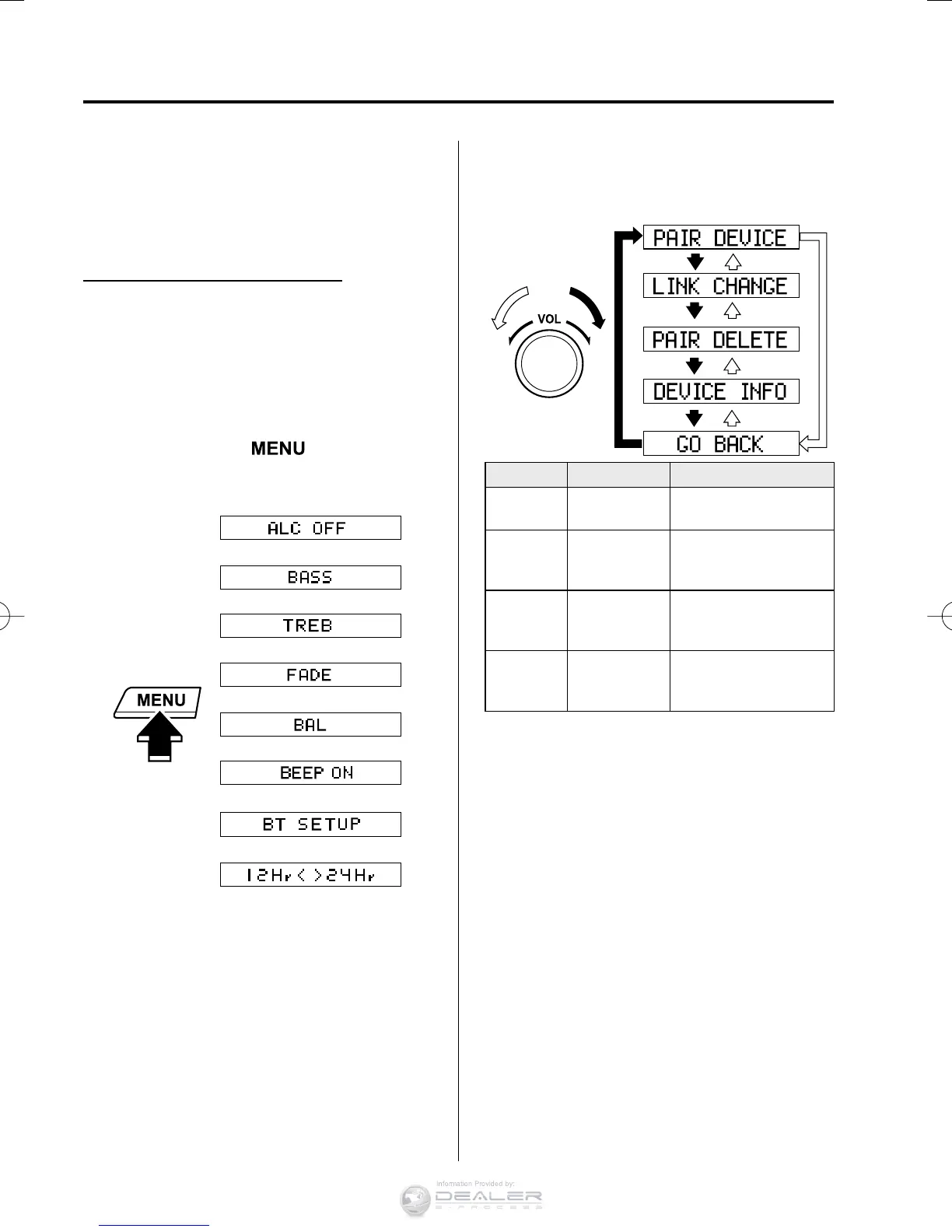
1. The mode changes as follows each time
the menu button (
) is pressed.
Select “ BT SETUP ”.
*
*
* Depending on the mode selected, the
indication changes.
2. Turn the audio control dial and select a
desired mode.
Display Mode Function
PAIR
DEVICE
Pairing mode
Bluetooth
®
audio
device pairing
LINK
CHANGE
Link change
mode
Changing link to
Bluetooth
®
audio
device
PAIR
DELETE
Pairing
deletion
mode
Deleting link to
Bluetooth
®
audio
device
DEVICE
INFO
Device
information
display mode
Displaying vehicle's
Bluetooth
®
unit
information
3. Press the audio control dial to
determine the mode.
Bluetooth
®
audio device pairing
Any Bluetooth
®
audio device must be
paired to the vehicle's Bluetooth
®
unit
before it can be listened to over the
vehicle's speakers.
A maximum of seven devices including
Bluetooth
®
audio devices and hands-
free mobile phones can be paired to one
vehicle.
CX-38EH2-EA-15BEdition1.indb80CX-38EH2-EA-15BEdition1.indb80 2014/12/0910:51:442014/12/0910:51:44



 To Next Page