Black plate (276,1)
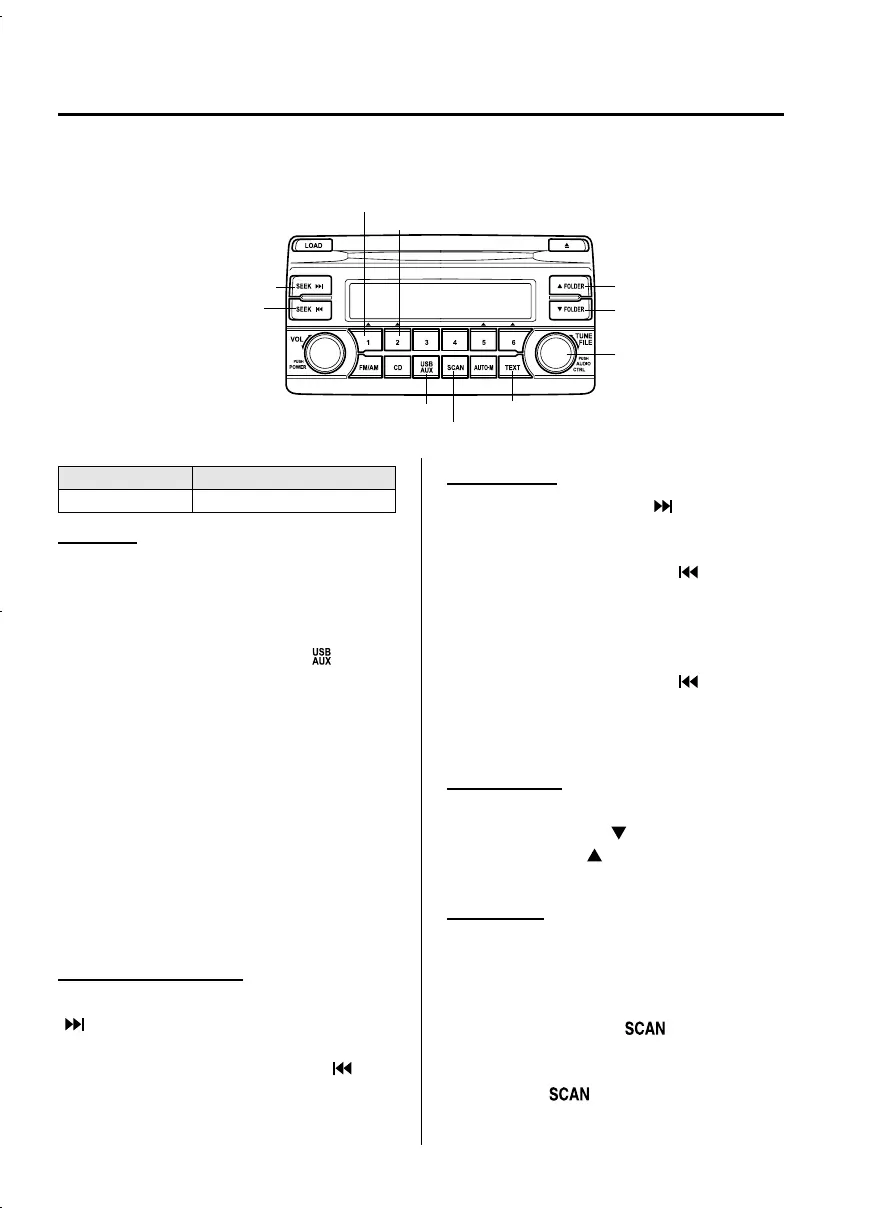
qHow to use USB mode (Type A)
Track up/Fast-forward button
Track down/Reverse button
Repeat button
Random button
Folder down button
Folder up button
Text button
Scan button
USB/AUX button
File dial
Type Playable data
USB mode MP3/WMA/AAC file
Playback
1. Switch the ignitio n to ACC or ON.
2. Press the power/volume dial to turn the
audio system on.
3. Press the USB/AUX button (
)to
switch to the USB mode and start
playback.
NOTE
l
When the USB memory is not connected,
the mode does not switch to USB mode.
l
When there is no playable data in the USB
memory, “NO CONTENTS” is indicated.
l
Playback of the USB memory is in the order
of the folder numbers. Folders which have
no MP3/WMA/AAC files are skipped.
l
Do not remove the USB memory while in
the USB mode. The data may be damaged.
Fast-forward/Reverse
Press and hold the fast-forward button
(
) to advance through a track at high
speed.
Press and hold the reverse button (
)to
reverse through a track at high speed.
Track search
Press the track up button (
) or turn the
file dial clockwise once to skip forward to
the beginning of the next track.
Press the track down button (
) or turn
the file dial counterclockwise within a few
seconds after playback begins to track
down to the beginning of the previous
track.
Press the track down button (
) or turn
the file dial counterclockwise after a few
seconds have elapsed to start playback
from the beginning of the current track.
Folder search
To change to the previous folder, press the
folder down button (
), or press the
folder up button (
) to advance to the
next folder.
Music Scan
This function scans the titles in a folder
currently being played and plays ten
seconds of each song to aid you in finding
a song you want to listen to.
Press the scan button (
) durin g
playback to start the scan play operation
(the track number will flash). Press the
scan button (
) again to cancel scan
playback.
5-62
Interior Features
Audio System
CX-5_8CA5-EA-11L_Edition3 Page276
Friday, June 22 2012 3:46 PM
Form No.8CA5-EA-11L



 To Next Page