34
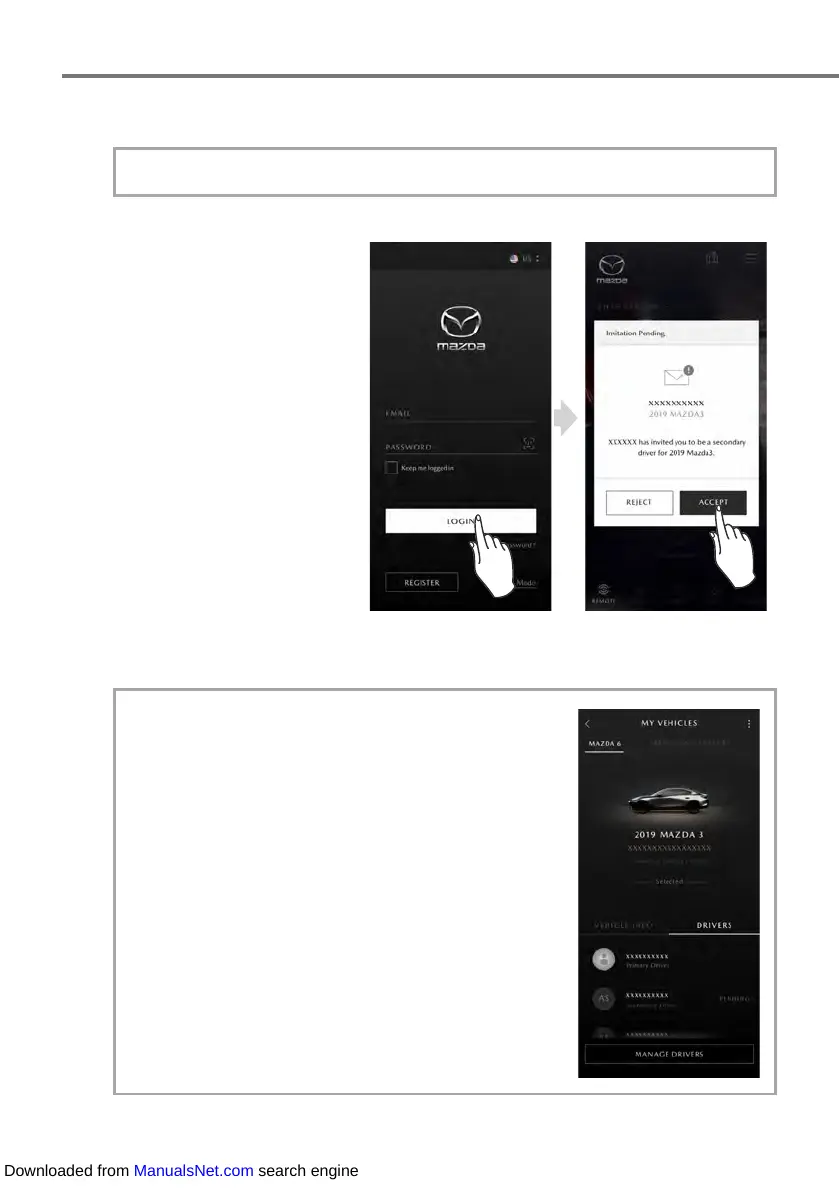
If the MyMazda APP has already been installed, go to Step 4.
4.
When logged into the system,
the invitation information is
displayed.
When the [ACCEPT] or
[REJECT] message is displayed,
select [ACCEPT].
• If the Secondary Driver does not have an account,
login will be available after user registration.
2-2. Registering Your User Information
• If a Primary Driver invites other users, invited
users are displayed in the DRIVERS tab on the
MY VEHICLES screen of the Primary Driver. If an
invited user has not accepted an invitation yet,
[PENDING] is displayed.
2-4. Changing Registered Information (Continued)
Downloaded from ManualsNet.com search engine



 To Next Page