5353
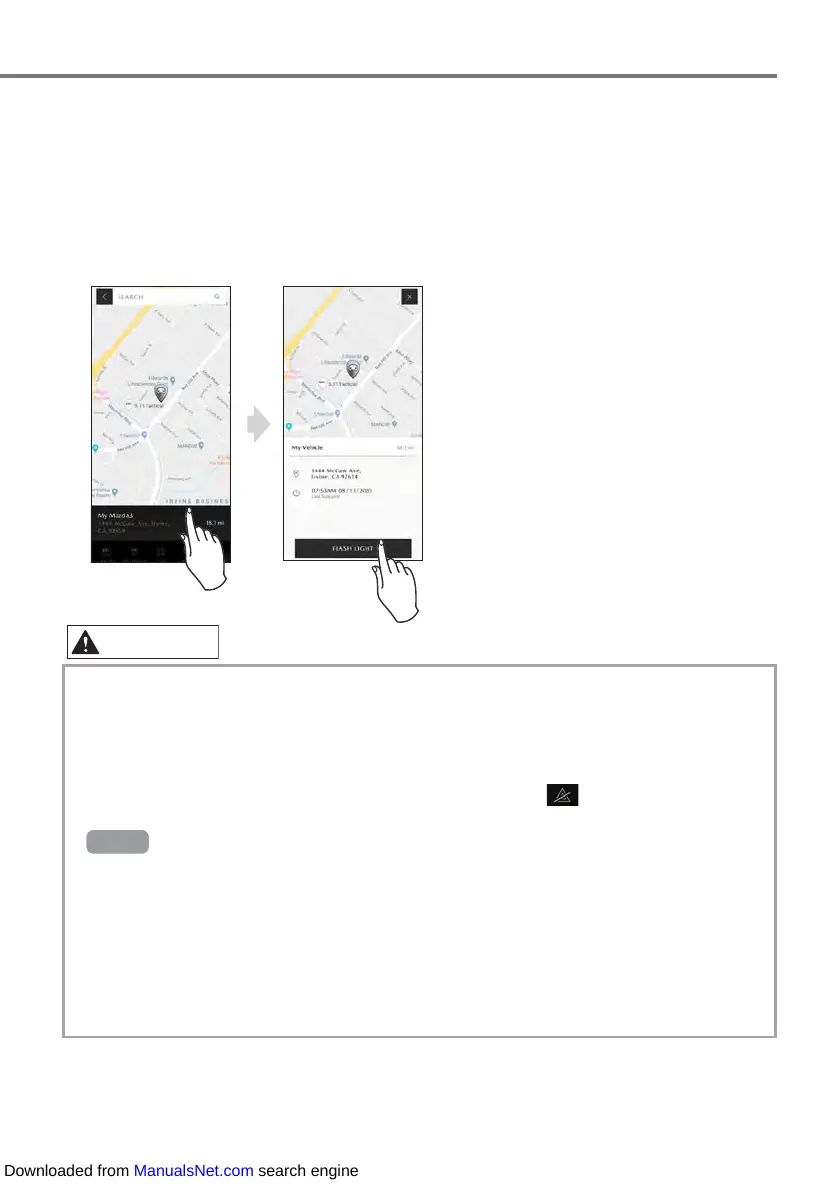
When you touch the position information, the distance of the vehicle from your cell phone
displayed by the MyMazda APP, the address where the vehicle is located, and the parking time
are displayed. When you touch [FLASH LIGHT], the vehicle’s hazard warning lights flash and
the horn sounds 2 times. (The number of times the lights flash diers depending on the vehicle
model)
• When the vehicle is in a location subject to weak radio wave signals, such as an under-
ground parking garage, communication with the system may be dicult, therefore, the
location indication may be incorrect and/or operations may not be able to be performed.
• Vehicle Finder references information when the engine is stopped.
• If the vehicle’s hazard warning light switch is on (lights are flashing), the hazard warning
lights cannot flash using the Vehicle Finder. (Even if you touch
on the cell phone screen
to turn it o, the hazard warning lights cannot flash)
•
TypeA
only
・
Vehicle Finder will not function unless all of the doors, the trunk or the liftgate are closed.
・
The hazard warning light flashing can be stopped by performing any of the following
operations while they are flashing:
-Any door, the trunk or liftgate is opened.
-The ignition is switched ON or the engine is started using the push button start.
・
To prevent adverse eects on medical devices such as pacemakers, this function cannot
be used if the push button start system function and the advanced keyless function are set
not to operate.
Downloaded from ManualsNet.com search engine



 To Next Page