The vehicle speed is about 15 km/h (9.3 mph) or faster after 8 seconds have passed
since pressing the 360°View Monitor switch.
Four minutes and 22 seconds have passed from the point when the vehicle speed was
less than 15 km/h (9.3 mph) after 8 seconds have passed since pressing the 360°View
Monitor switch.
The 360°View Monitor settings can be changed as follows.
Refer to the Settings section in the Mazda Connect Owner's Manual.
Automatic display of the 360°View Monitor when the ultrasonic senor detects an
obstruction.
Automatic display of the 360°View Monitor when the ignition is switched ON.
Screen priority level when the system launches.
Top view/Rear view, Top view/Rear wide view
The top view/rear view, top view/rear wide view displays when all of the following
conditions are met.
The ignition is switched ON.
Selector lever is in R position.
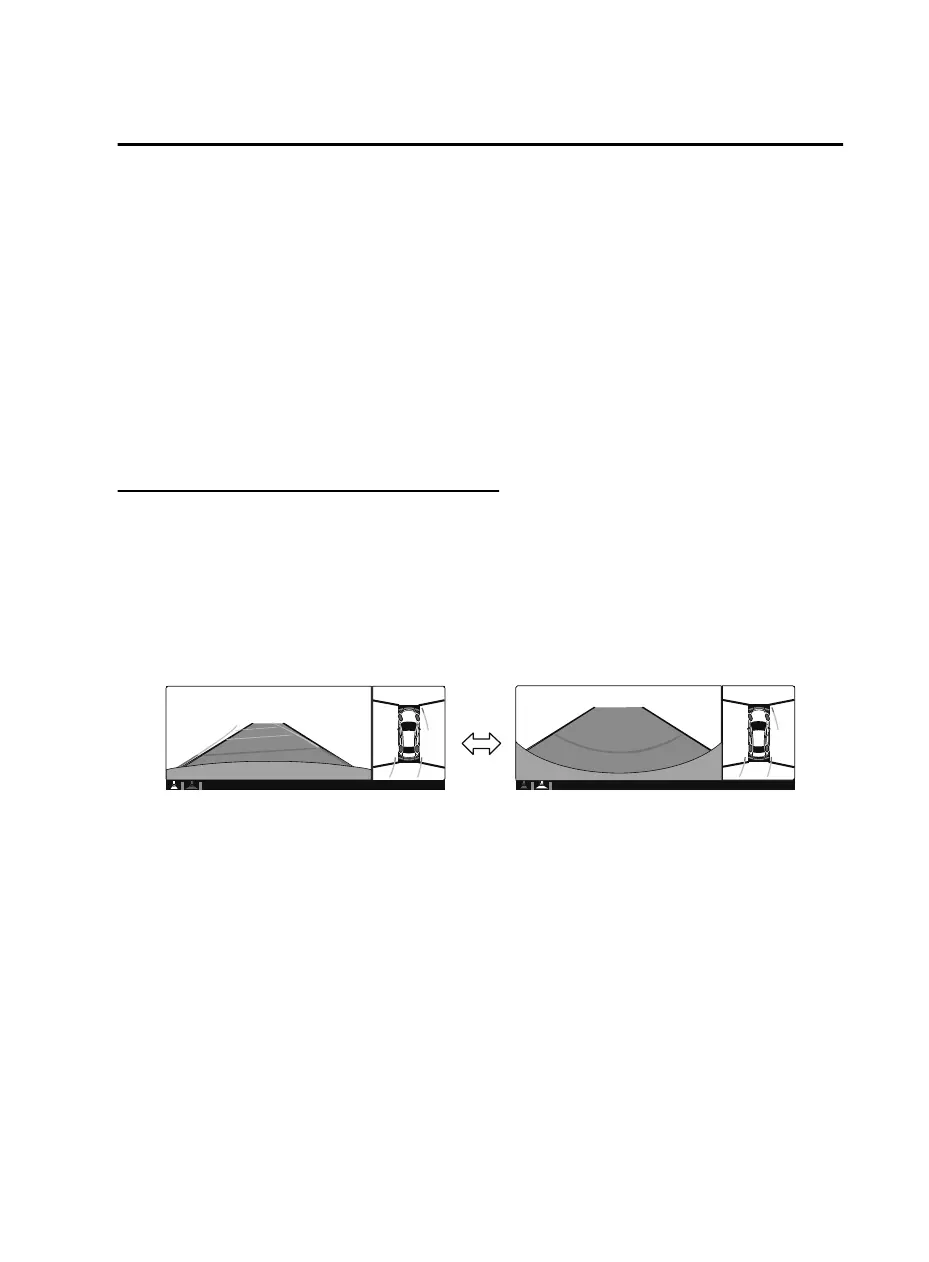
Display switching
The displayed screen can be changed each time the 360°view monitor switch is pressed.
Top view/Rear view Top view/Rear wide view
NOTE
The top view/rear view and top view/rear wide view automatically display whether or not
the 360°View Monitor switch is turned on or off when shifting the selector lever to R
position.
The top view/rear view and top view/rear wide view displays the previously displayed
screen.
The setting can be changed to display the top view/front view when shifting from reverse
to a forward gear without operating the 360°View Monitor switch to check the front of the
vehicle while parallel parking.
Refer to the Settings section in the Mazda Connect Owner's Manual.
When Driving
i-ACTIVSENSE
4-217
CX-5_8JM9-EA-20G_Edition1_old 2020-6-2 16:33:11



 To Next Page