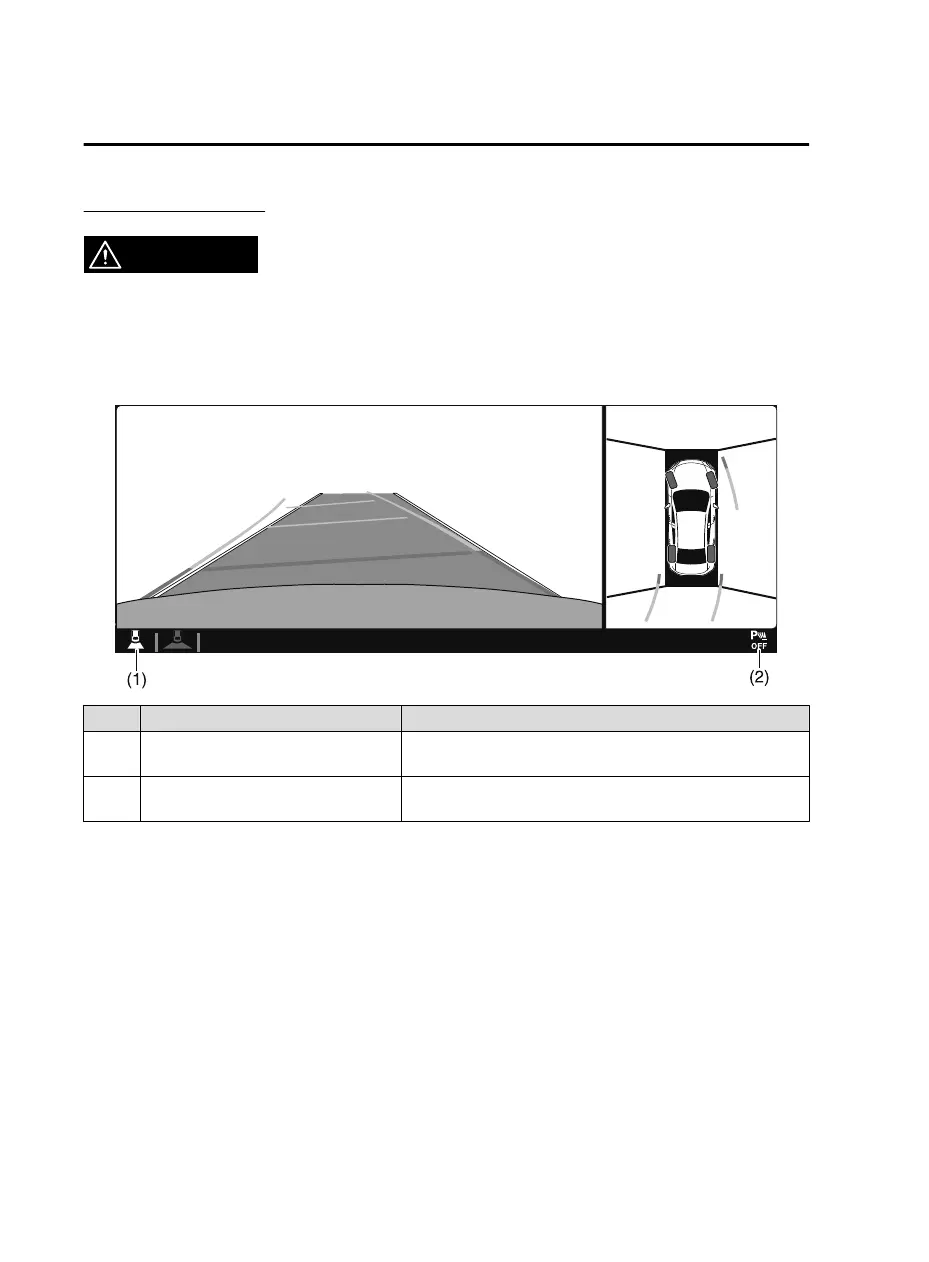
Screen operation/icon
WARNING
Always stop the vehicle when adjusting the 360°View Monitor image quality.
Do not adjust the 360°View Monitor image quality while driving. If you adjust the 360°View
Monitor image quality (such as brightness, contrast, tone, and color density) while driving, it
could lead to an unexpected accident.
Display/Icon Content
(1) View status icon Indicates which image is displayed among the front view/front
wide view/side view/rear view/rear wide view.
(2) Parking sensor status icon Indicates that the parking sensor has a problem or it is switch-
ed off.
▼
Top View/Front View
Use the top view/front view to assist in checking the safety of the surrounding area when
accelerating from a stop, parking, or stopping the vehicle.
When Driving
i-ACTIVSENSE
4-218
CX-5_8JM9-EA-20G_Edition1_old 2020-6-2 16:33:11



 To Next Page