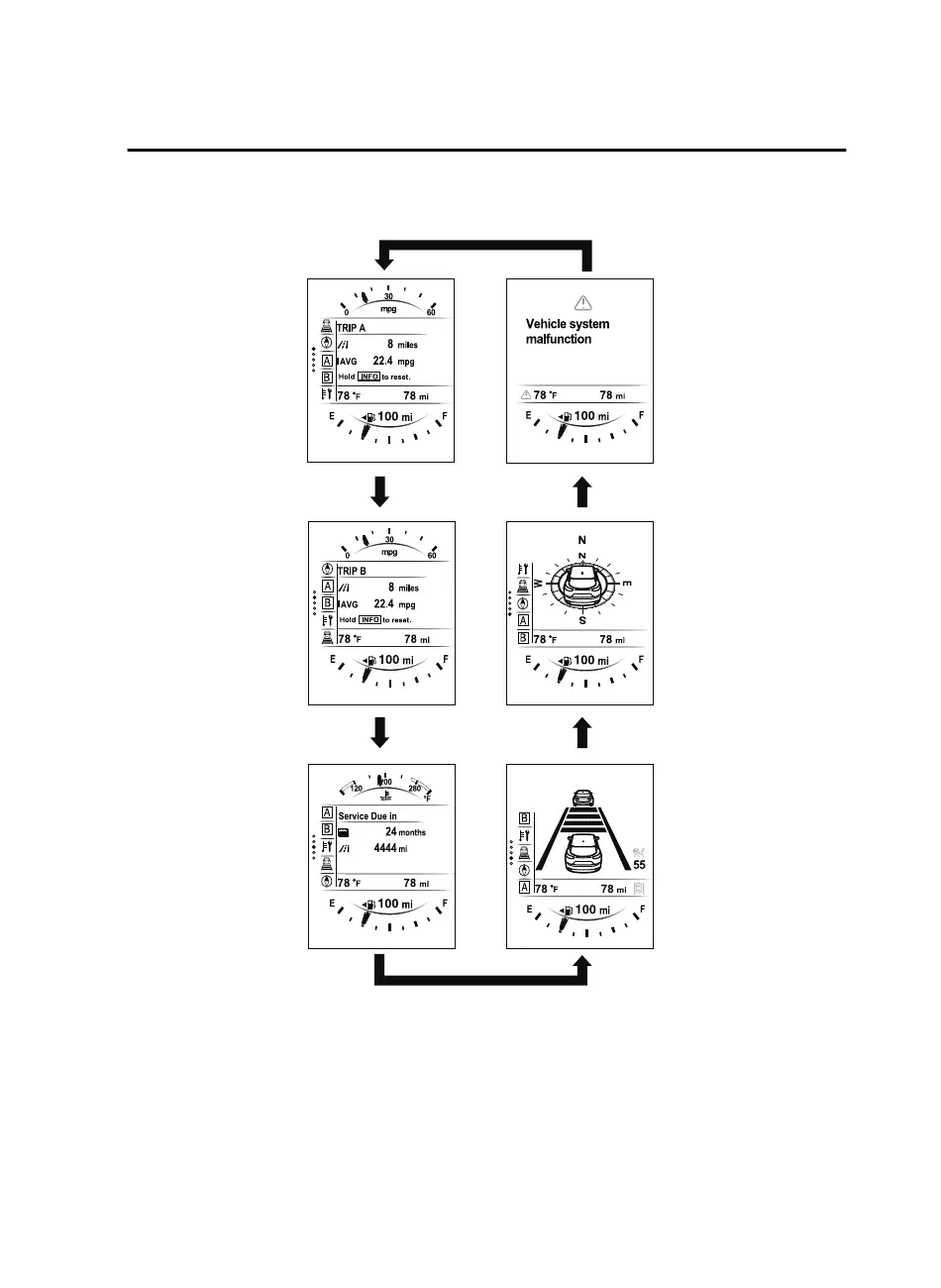
The screen content changes each time the INFO switch is pressed.
Press the INFO switch Press the INFO switch
Press the INFO switch Press the INFO switch
Press the INFO switch
Press the INFO switch
Current Fuel Economy,
Trip Meter A, Average
Fuel Economy, Outside
Temperature,
Odometer,
Distance-to-empty,
Fuel Gauge
Current Fuel Economy,
Trip Meter B, Average
Fuel Economy, Outside
Temperature,
Odometer,
Distance-to-empty,
Fuel Gauge
Engine Coolant
Temperature Gauge,
Maintenance Monitor,
Outside Temperature,
Odometer,
Distance-to-empty,
Fuel Gauge
i-ACTIVSENSE
display, Outside
Temperature,
Odometer,
Distance-to-empty,
Fuel Gauge
Compass, Outside
Temperature,
Odometer,
Distance-to-empty,
Fuel Gauge
Warning message,
Outside Temperature,
Odometer,
Distance-to-empty,
Fuel Gauge
*1
*2
*1:Displayed only when a warning occurs.
*2:Displayed only while vehicle is being driven.
When Driving
Instrument Cluster and Display
4-21
CX-9_8GC3-EA-17G_Edition1 2017-5-29 10:13:38



 To Next Page