▼
Deleting a device
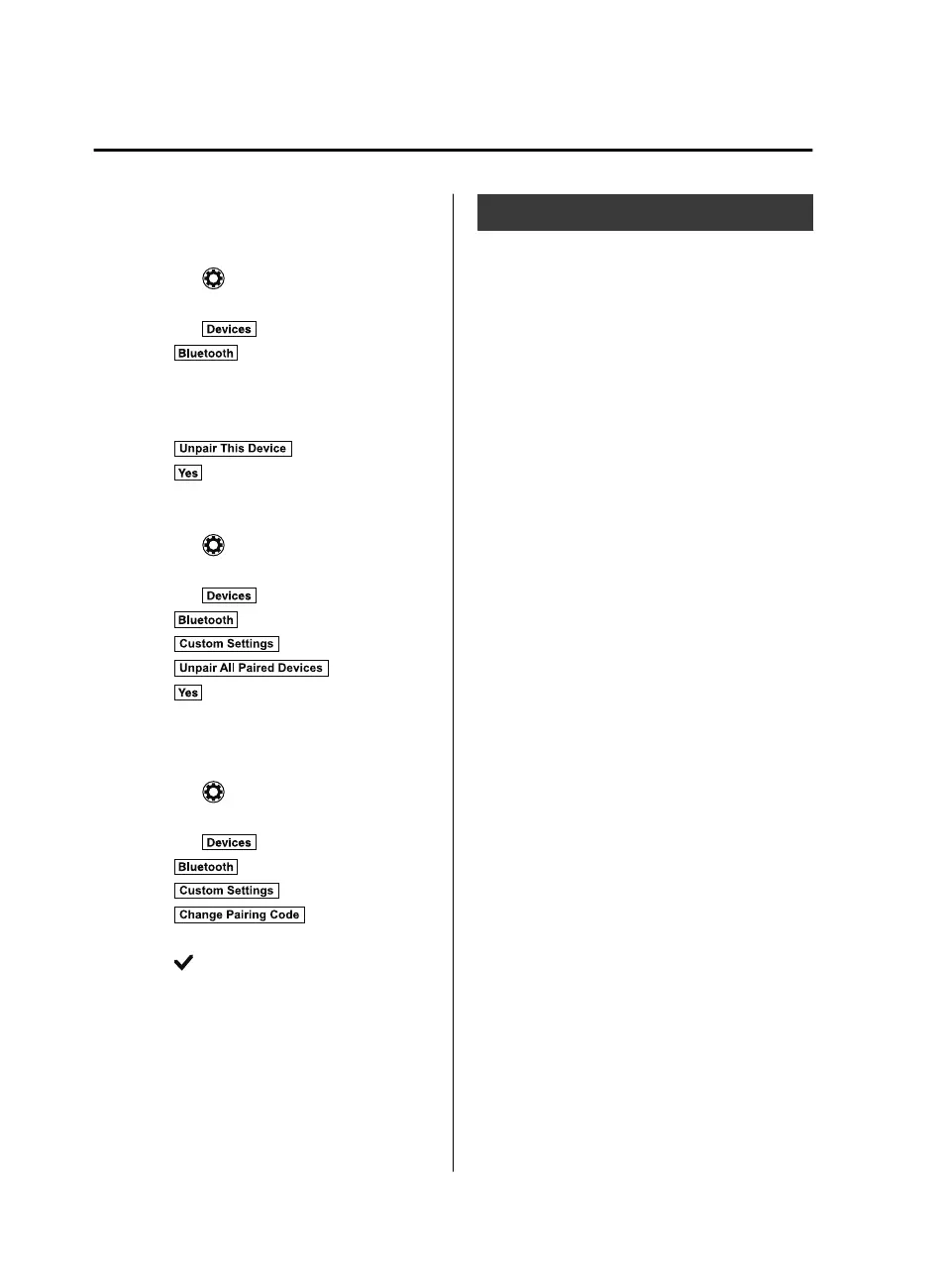
Selecting and deleting devices
1. Select the
icon on the home screen
to display the Settings screen.
2. Select the
tab.
3. Select
.
4. Turn the Bluetooth
®
setting on.
5. Select the device name which you
would like to delete.
6. Select
.
7. Select
.
Deleting all devices
1. Select the
icon on the home screen
to display the Settings screen.
2. Select the
tab.
3. Select
.
4. Select
.
5. Select
.
6. Select
.
▼
Changing PIN code
PIN code (4 digits) can be changed.
1. Select the
icon on the home screen
to display the Settings screen.
2. Select the
tab.
3. Select
.
4. Select
.
5. Select
.
6. Input the new PIN code to be set.
7. Select
.
Available Language
The Bluetooth
®
Hands-Free System
applies to the following languages:
•
English
•
Spanish
•
French
Refer to Settings on page 5-76.
Interior Features
Audio Set
5-48
CX-9_8GC3-EA-17G_Edition1 2017-5-29 10:13:38



 To Next Page