▼
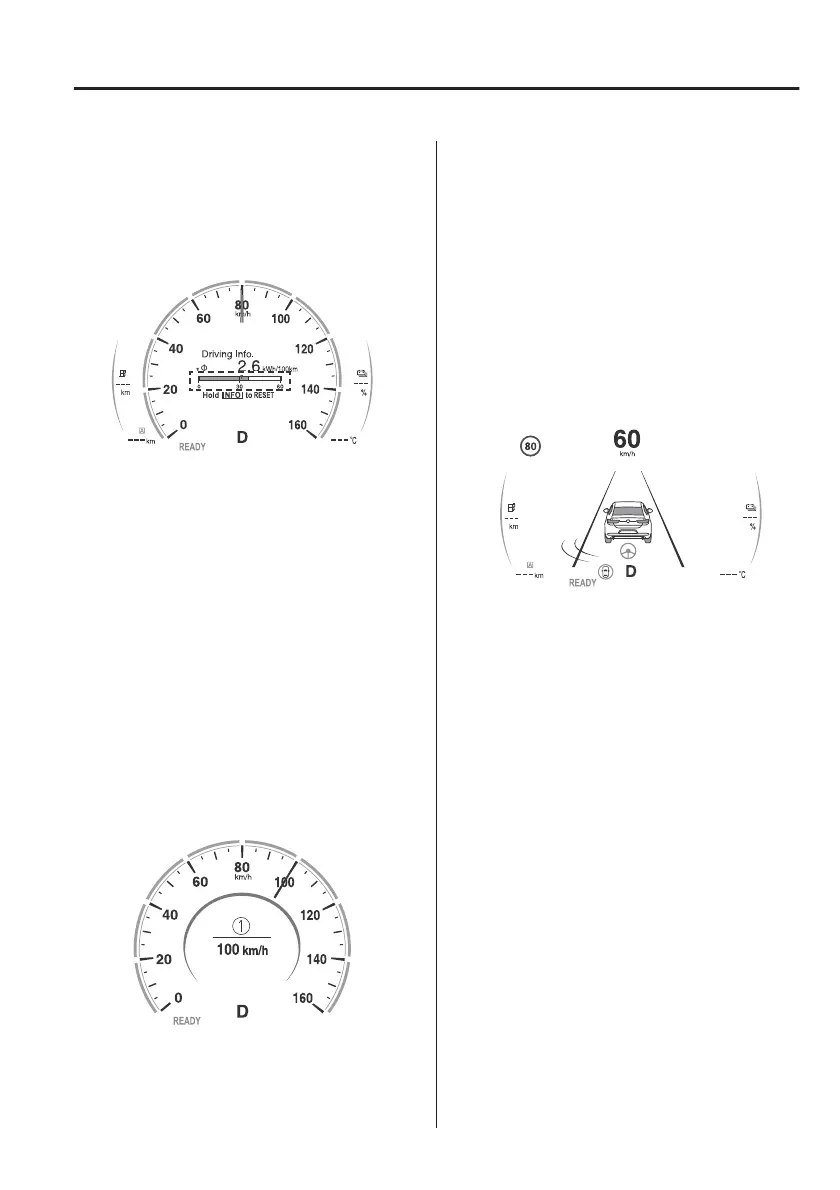
Instantaneous Energy Eciency
The instantaneous energy eciency
while driving the vehicle is calculated
from the electrical power consumption
and displayed.
NOTE
x
Indicates the 0 position when the
vehicle speed is about 5 km/h (3
mph) or slower.
x
The red arrow on the scale indicates
the average energy eciency.
▼
Vehicle Speed Alarm
In this mode, the current setting for the
vehicle speed alarm is displayed. You
can change the vehicle speed setting at
which the warning is triggered.
NOTE
The vehicle speed alarm display is
activated at the same time the beep
sound is heard.
1. “Speed Alert” message is displayed
The vehicle speed alarm can be set
using the centre display.
Refer to the Settings section in the
Mazda Connect Owner's Manual.
NOTE
Always set the vehicle speed according
to the laws and regulations of the
country/city in which the vehicle is
driven. In addition, always verify the
speed of the vehicle using the
speedometer.
▼
i-ACTIVSENSE Display
Displays the system status.
x
Refer to Lane Departure Warning
System (LDWS) on page 4-90.
x
Refer to Blind Spot Monitoring
(BSM) on page 4-94.
x
Refer to
Trac
Sign Recognition
System (TSR) on page 4-100.
x
Refer to Distance & Speed Alert
(DSA) on page 4-105.
x
Refer to Driver Attention Alert (DAA)
on page 4-106.
x
Refer to Driver Monitoring (DM) on
page 4-108.
x
Refer to Front Cross
Trac
Alert
(FCTA) on page 4-109.
x
Refer to Mazda Radar Cruise Control
with Stop & Go function (MRCC
with Stop & Go function) on page
4-117.
x
Refer to Cruising & Trac Support
(CTS) on page 4-125.
x
Refer to Lane-keep Assist System
(LAS) on page 4-134.
x
Refer to Emergency Lane Keeping
(ELK) on page 4-135.
When Driving
Instrument Cluster and Display
4-19



 To Next Page