▼
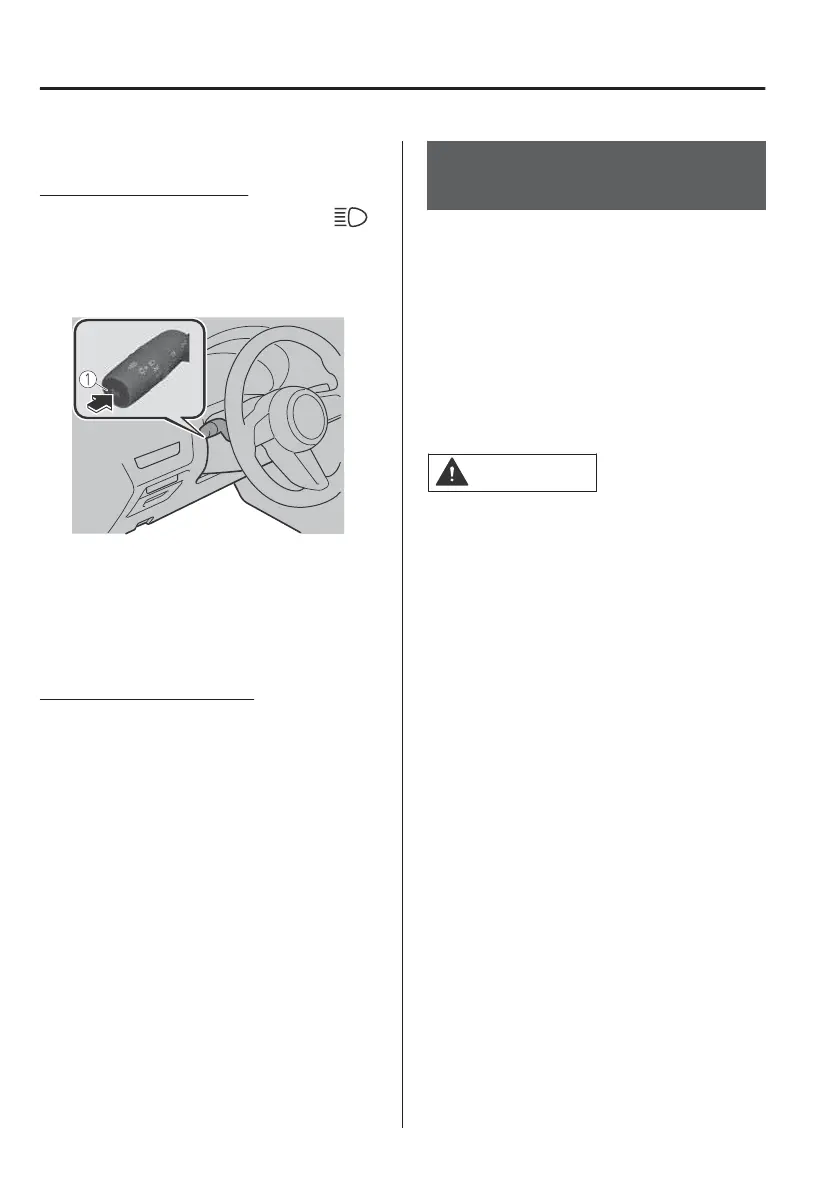
Manual Switching
Switching to low beams
Switch the headlight switch to the
position, or press the high beam
control switch.
The HBC indicator light (green) turns
o.
1. High beam control switch
If the HBC is turned o using the high
beam control switch, press the high
beam control switch again to turn the
HBC back on.
Switching to high beams
Shift the lever to the high beam
position.
The HBC indicator light (green) turns
o and the headlight high-beam
indicator light is illuminated.
Adaptive LED Headlights
(ALH)
*
▼
Adaptive LED Headlights (ALH)
The ALH are a system which uses the
Forward Sensing Camera (FSC) to
determine the situation of a vehicle
ahead or a vehicle approaching in the
opposite direction while driving at
night to automatically switch the
illumination range of the headlights,
the illuminated area, or the
illumination brightness.
CAUTION
Do not rely excessively on the ALH and
drive the vehicle while paying sucient
attention to safety. Switch the
headlights between the high beams
and low beams manually if necessary.
NOTE
x
The distance in which the ALH can
detect objects varies depending on
the surrounding conditions.
x
The Forward Sensing Camera (FSC)
may not be able to detect target
objects correctly, and the system may
not operate normally.
Refer to Forward Sensing Camera
(FSC) on page 4-74.
The ALH are controlled between high
and low beams as follows to assure the
driver’s visibility without dazzling a
vehicle ahead or a vehicle approaching
in the opposite direction.
When Driving
i-ACTIVSENSE
4-86
*Some models.



 To Next Page