▼
How to Use the System
Top view/Front view, Top view/Front wide view, Side view
Indication
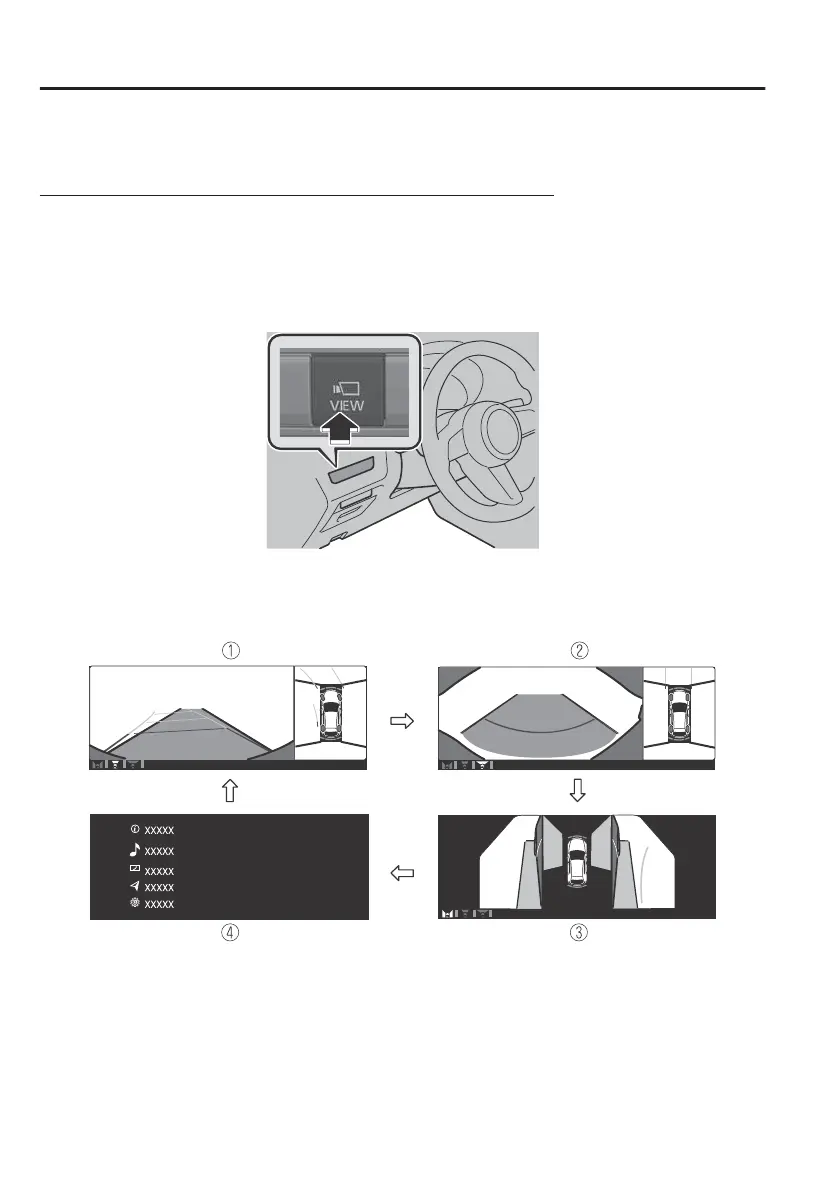
Images are displayed on the screen when the 360°View Monitor switch is pressed
with all of the following conditions met.
x
The power switch is switched ON.
x
The selector lever is in a position other than R.
Display switching
The displayed screen can be changed each time the 360°view monitor switch is
pressed.
1. Top view/Front view
2. Top view/Front wide view
3. Side view
4. Home screen
NOTE
x
When the selector lever is in R position, the displayed screen does not switch to
the top view/front view, top view/front wide view, or the side view.
When Driving
i-ACTIVSENSE
4-166



 To Next Page