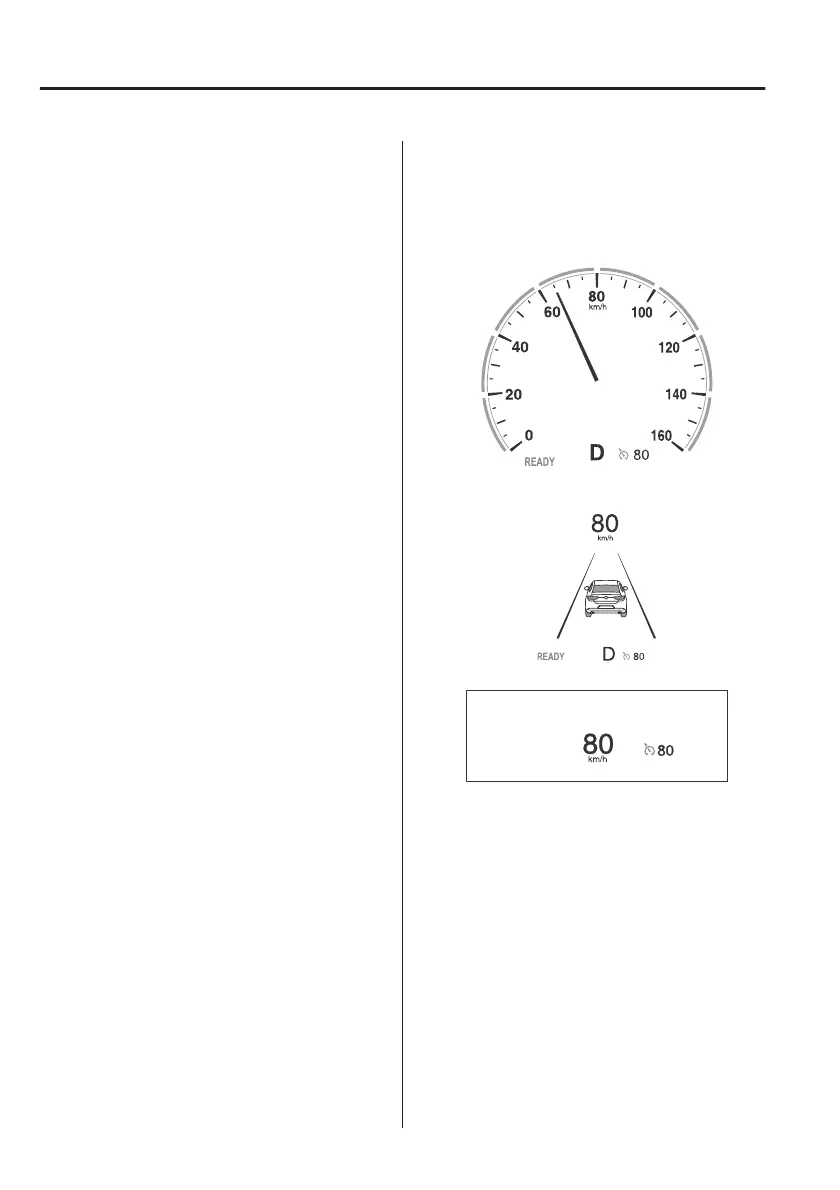
▼
To Set Speed
1. Activate the cruise control system
by pressing the cruise switch. The
cruise standby indication (white)
turns on.
2. Accelerate to the desired speed,
which must be more than 25 km/h
(16 mph).
3. Adjust the system to the desired
vehicle speed using the accelerator
pedal. Press the RES switch up (SET
+) or down (SET) to start cruise
control. The cruise control
indication (green) in the instrument
cluster turns on at the same time.
Quickly release the switch when the
cruise control indication (green)
turns on.
NOTE
x
If the RES switch is operated up (SET
+) or down (SET) while the vehicle
speed is between 25 and 30 km/h
(16 to 19 mph), the set speed is set
to 30 km/h (19 mph).
x
The cruise control speed setting
cannot be performed under the
following conditions:
x
Any of the doors is opened.
x
The driver's seat belt is unfastened.
x
The brake pedal is depressed.
x
The parking brake is applied.
x
The selector lever is in the P, N, or
R position.
x
On a steep grade, the vehicle may
momentarily slow down while
ascending or speed up while
descending.
x
The cruise control will cancel if the
vehicle speed decreases below 20
km/h (12 mph) when the cruise
control is activated, such as when
climbing a steep grade.
The vehicle speed preset using the
cruise control is displayed in the
instrument cluster and the active
driving display (vehicles with active
driving display).
Instrument cluster (Basic display)
Instrument cluster (i-ACTIVSENSE
display)
Active driving display
When Driving
Cruise Control
4-192



 To Next Page