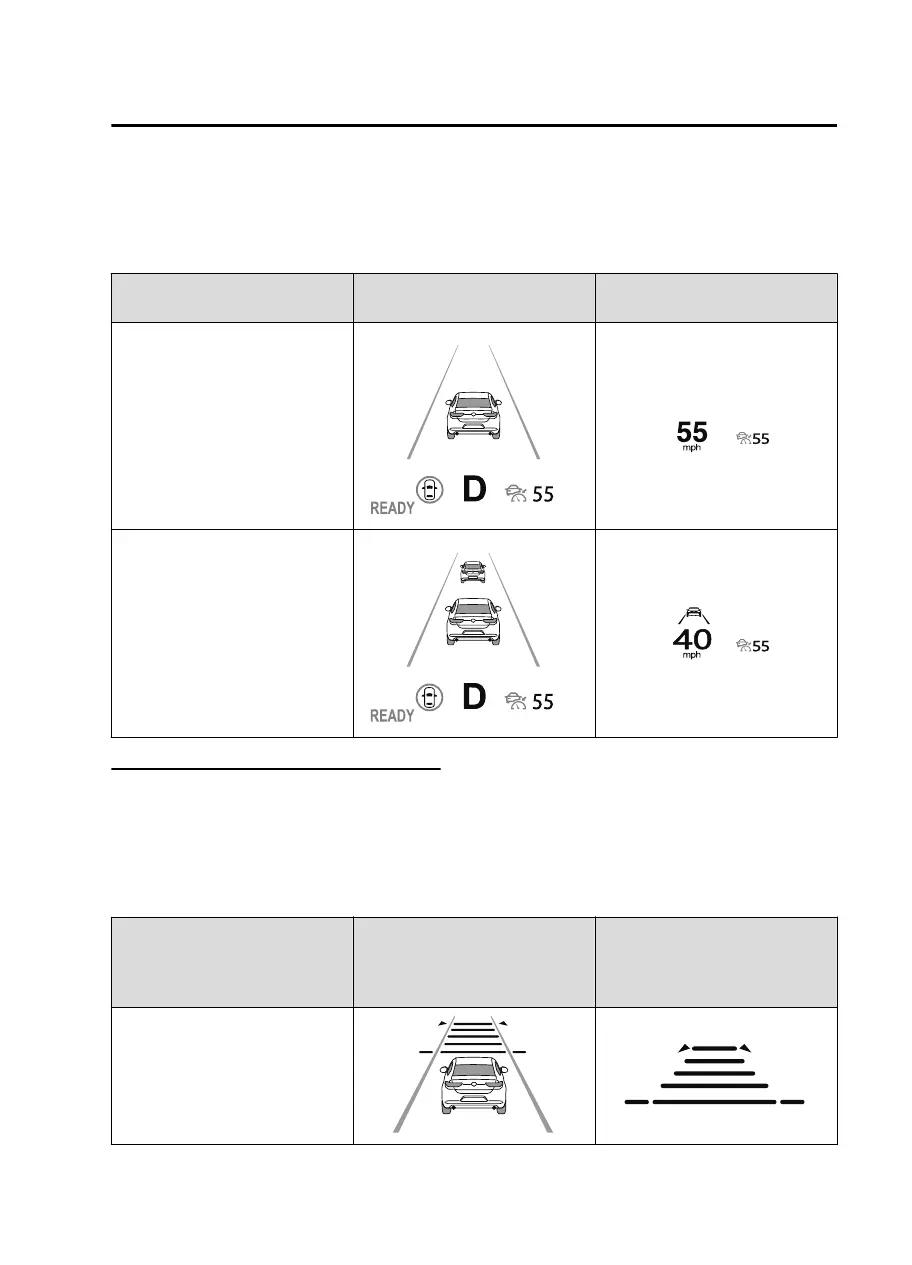
When the vehicle speed is set, the set vehicle speed is displayed on the displays
and the MRCC standby indication (white) changes to the MRCC set indication
(green).
The minimum speed setting is 30 km/h (19 mph).
Travel status
Indication on multi-information
display
Indication on active driving dis-
play
During travel at constant speed
During travel under headway
control
Setting the distance between vehicles
The distance between vehicles is set to a shorter distance by pressing the CANCEL
switch down, and to a longer distance by pressing the CANCEL switch up. The
distance between vehicles can be set to 4 levels: Long, medium, short, and
extremely short distance.
The distance between vehicles increases or decreases depending on the vehicle
speed.
Distance-between-vehicles
guideline
(at 80 km/h (50 mph) vehicle
speed)
Indication on multi-information
display
Indication on active driving dis-
play
*1
Long (about 50 m (164 ft))
When Driving
i-ACTIVSENSE
4-115
MX30_8JD4-EA21G_Edition4_new 2021-8-5 15:25:29



 To Next Page