3. “Check surroundings for safety.” message is displayed
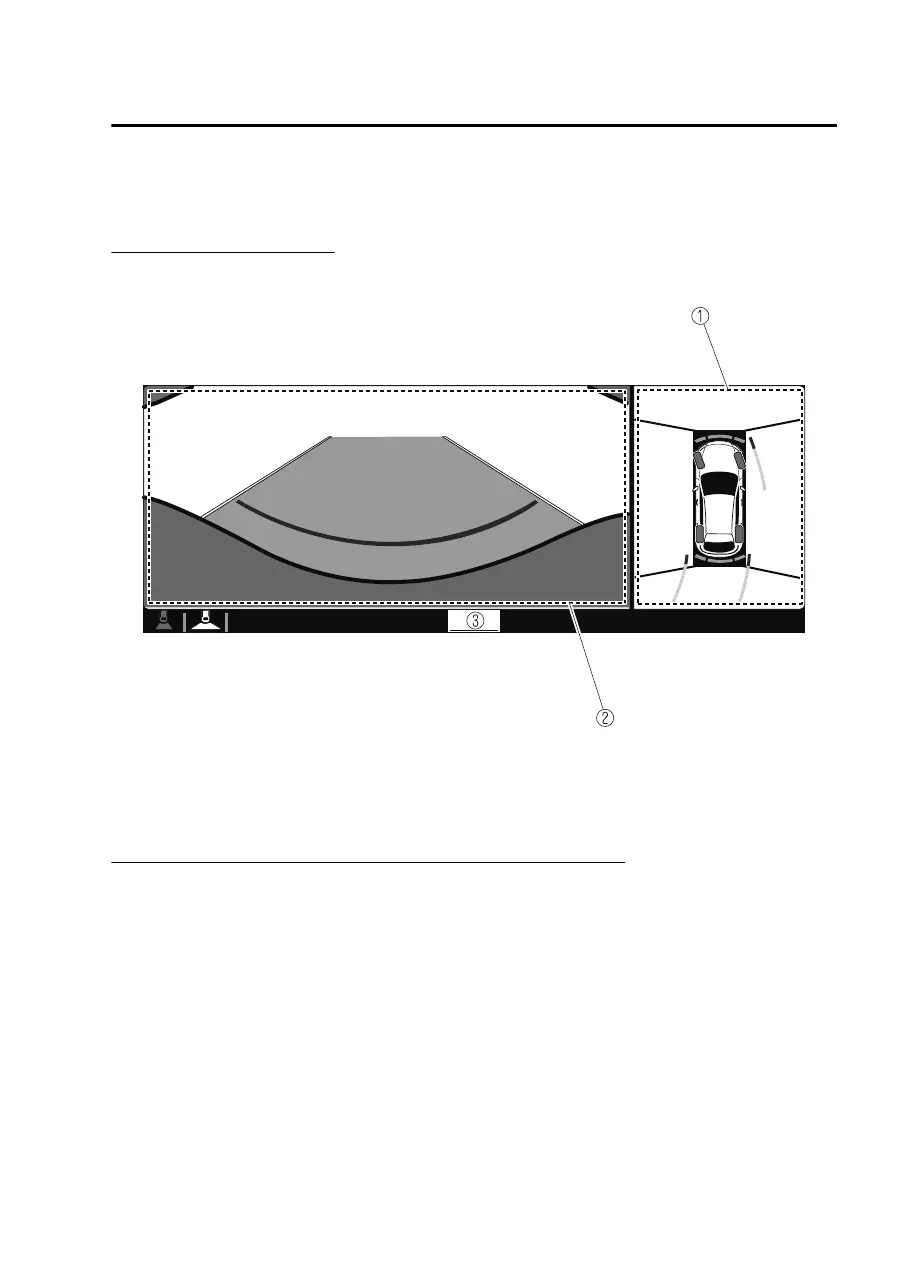
Top view/Rear wide view
Displays the image of the area around the vehicle and the rear of the vehicle
(wide-area).
1. Top view screen
2. Rear wide view screen
3. “Check surroundings for safety.” message is displayed
▼
How to Use the System
Top view/Front view, Top view/Front wide view, Side view
Indication
Images are displayed on the screen when the 360°View Monitor switch is pressed
with all of the following conditions met.
The power switch is switched ON.
When Driving
i-ACTIVSENSE
4-151
MX30_8JD4-EA21G_Edition4_new 2021-8-5 15:25:29



 To Next Page