Edit
The Climate Control Timer settings can
be edited.
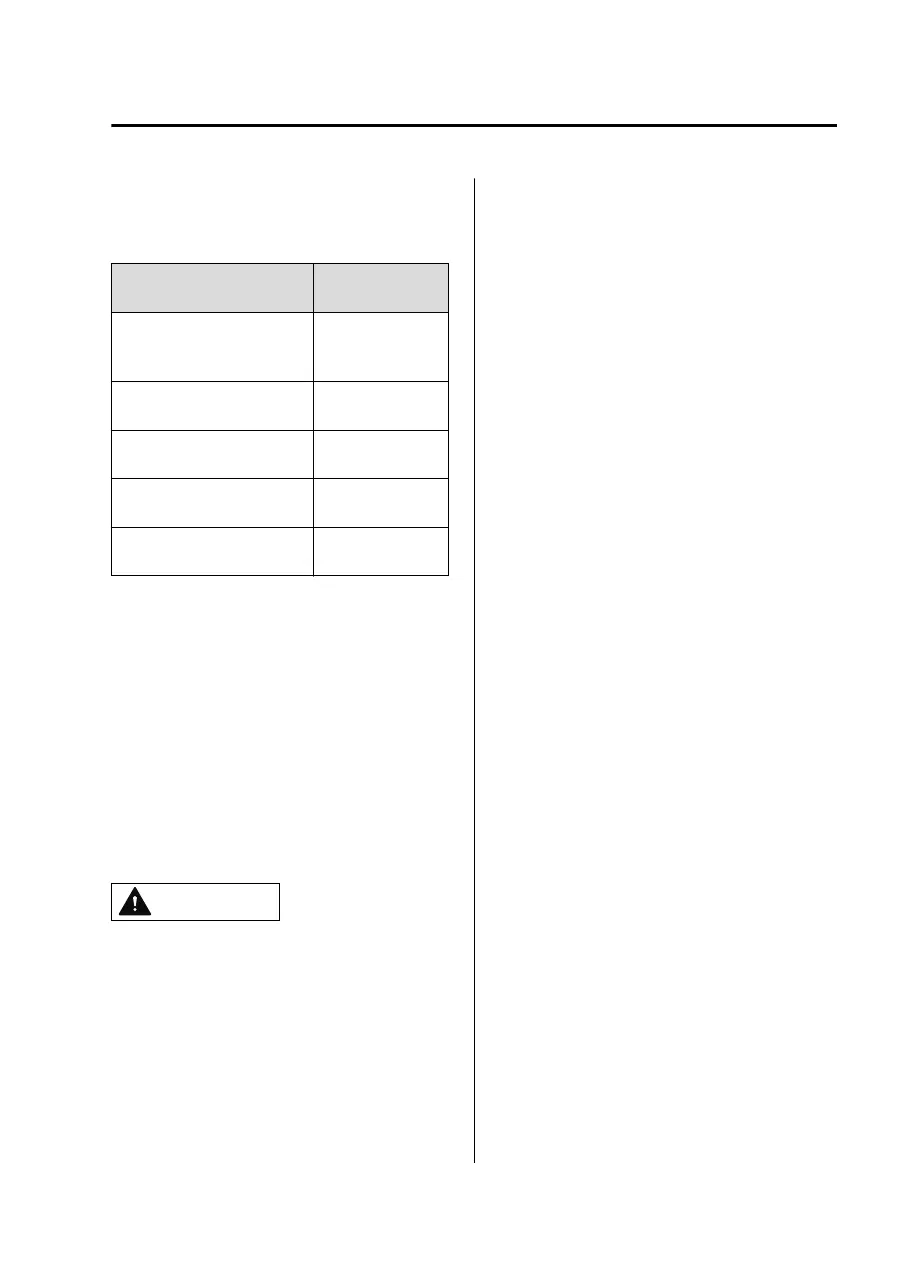
Function
Available setting
changes
Departure Time
Time
(10-minute inter-
vals)
Repeat
Monday ― Sun-
day
Temperature
15.5℃ (61 ℉) ―
28.5℃ (83 ℉)
Front Defroster
Enable,
Disable
Rear Defroster
Enable,
Disable
▼
Turning On the Climate Control
System from A Remote Location
(Remote Climate Control)
Using your Smartphone, you can turn
on the climate control system remotely
before departing. You can check the
cabin temperature and the setting
status using your Smartphone while the
remote climate control is operating.
To operate the remote climate control,
switch the power switch OFF.
Please refer to local Mazda website for
more Connected Service information.
CAUTION
To use the remote climate control, it
is necessary to subscribe to
Connected Service.
The remote climate control can be
used when your Smartphone is
connected to your vehicle using the
Connected Service.
The remote climate control may not
be available depending on the
model of the Smartphone you are
using. Please check in advance.
Interior Features
Climate Control System
5-13
MX30_8JD4-EA21G_Edition4_new 2021-8-5 15:25:29



 To Next Page