No. Item Explanation
1
Talk/Pick-up button:
When the button is pressed, the voice recognition top screen is dis-
played and the voice recognition is activated.
(While voice guidance is being announced)
Press the button to skip the voice guidance.
2
Hang-up button:
Press the button to end the voice recognition.
Voice recognition activation
When the talk/pick-up button on the audio remote control switch is pressed, top
screen of the voice recognition will be displayed.
NOTE
When an Apple CarPlay™ or Android Auto™ compatible device is connected, the
Mazda Connect voice recognition system is disabled to allow the use of Siri
®
or
Android Auto™ voice recognition at any time with the talk/pick-up button.
Commands usable at any time
“Help” - Can be used to check for usable voice commands.
“Back” - Returns to the previous screen. When a voice command is spoken while on
the telephone number input screen, the content that was previously input is deleted.
“Cancel”- The voice recognition is ended.
Ending voice recognition
Do any one of the following operations:
Press the hang-up button.
Press and hold the talk/Pick-up button.
Say the word, “Cancel”.
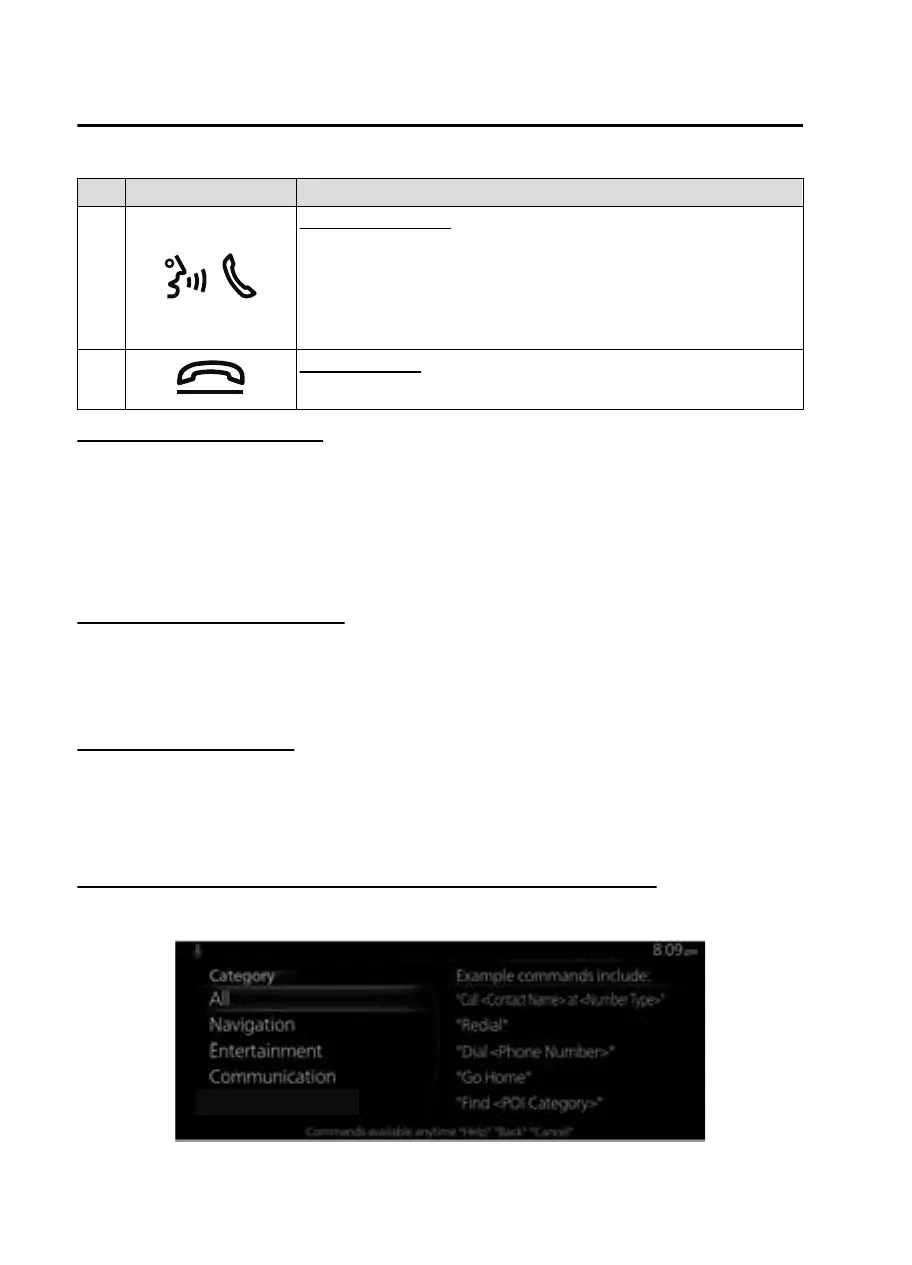
Convenient operating tips for using the voice recognition function
Examples of eective voice commands in various categories are displayed on top
screen of the voice recognition.
Interior Features
Mazda Connect
5-24
MX30_8JD4-EA21G_Edition4_new 2021-8-5 15:25:29



 To Next Page