Black plate (220,1)
qOperating the Radio
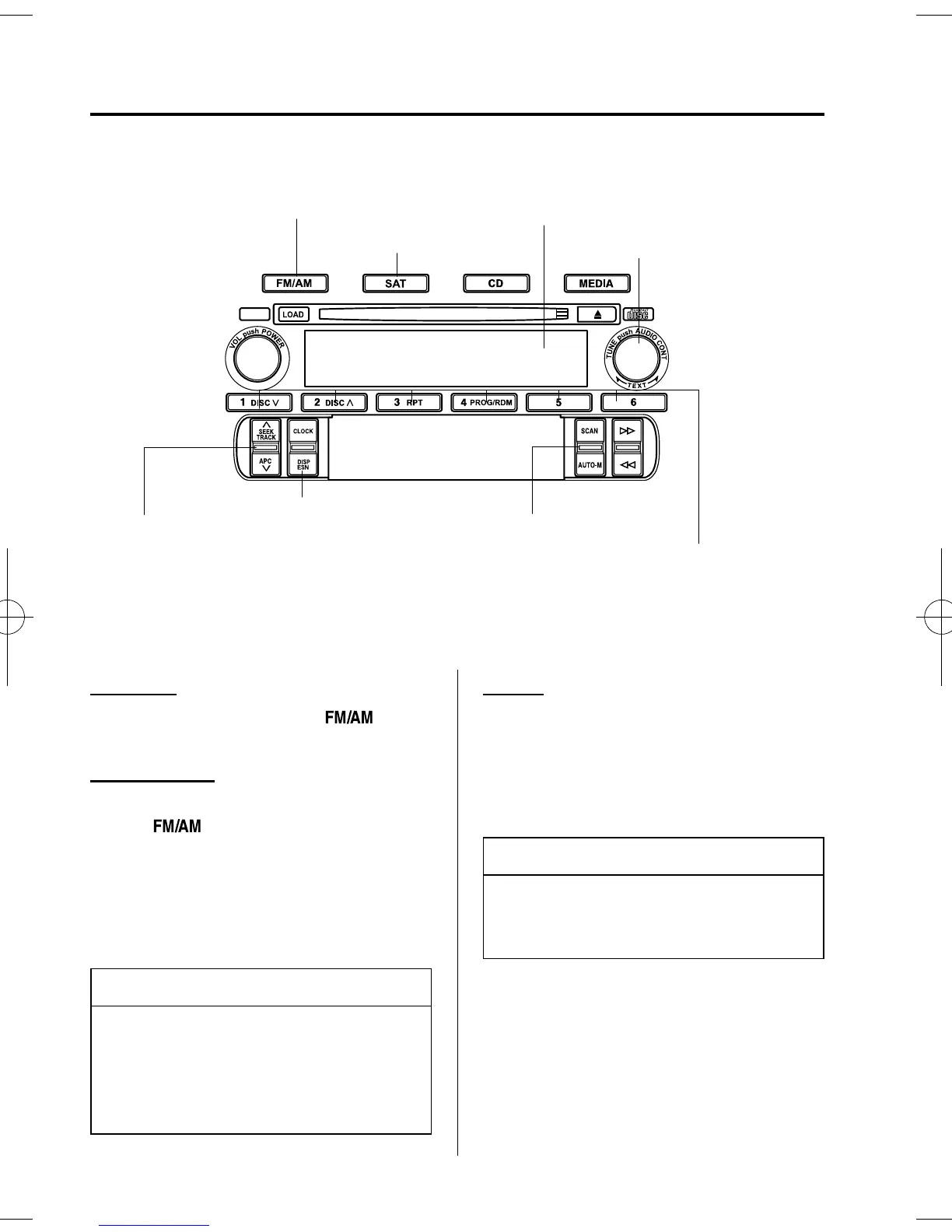
Band selector button
Display
Manual tuning dial
Channel preset switches
Satellite button*
Electric serial number switch*
Scan/Auto memory switch
Seek tuning/APC switch
*For reception of optional SIRIUS digital satellite radio.
Used on vehicles equipped with the separately sold SIRIUS digital satellite radio unit.
For information on use, read the manual accompanying the SIRIUS unit.
Subscri
tion of SIRIUS di
ital satellite radio service is available in the U.S. (Exce
t Alaska and Hawaii).
Radio ON
Press a band selector button (
)to
turn the radio on.
Band selection
Successively pressing the band selector
button (
) switches the bands as
follows: FM1 →FM2→AM.
The selected mode will be indicated. If
FM stereo is being received, “ST” will be
displayed.
NOTE
If the FM broadcast signal becomes
weak, reception automatically changes
from STEREO to MONO for reduced
noise, and the “ST ” indicator will go
out.
Tuning
The radio has the following tuning
methods: Manual, Seek, Scan, Preset
channel, and Auto memory tuni ng. The
easiest way to tune stations is to set them
on preset channels.
NOTE
If the power supply is interrupted (fuse
blows or the battery is disconnected),
the preset channels will be canceled.
Manual tuning
Turning the manual tuning dial will
change the frequency higher or lower.
6-26
Interior Comfort
Audio System
MX-5_8U35-EA-05F_Edition2 Page220
Tuesday, June 14 2005 2:32 PM
Form No.8U35-EA-05F












 To Next Page