When connecting a device to the
auxiliary jack or USB port, noise may
occur depending on the connected
device. If the device is connected to the
vehicle's accessory socket, the noise can
be reduced by unplugging it from the
accessory socket.
▼
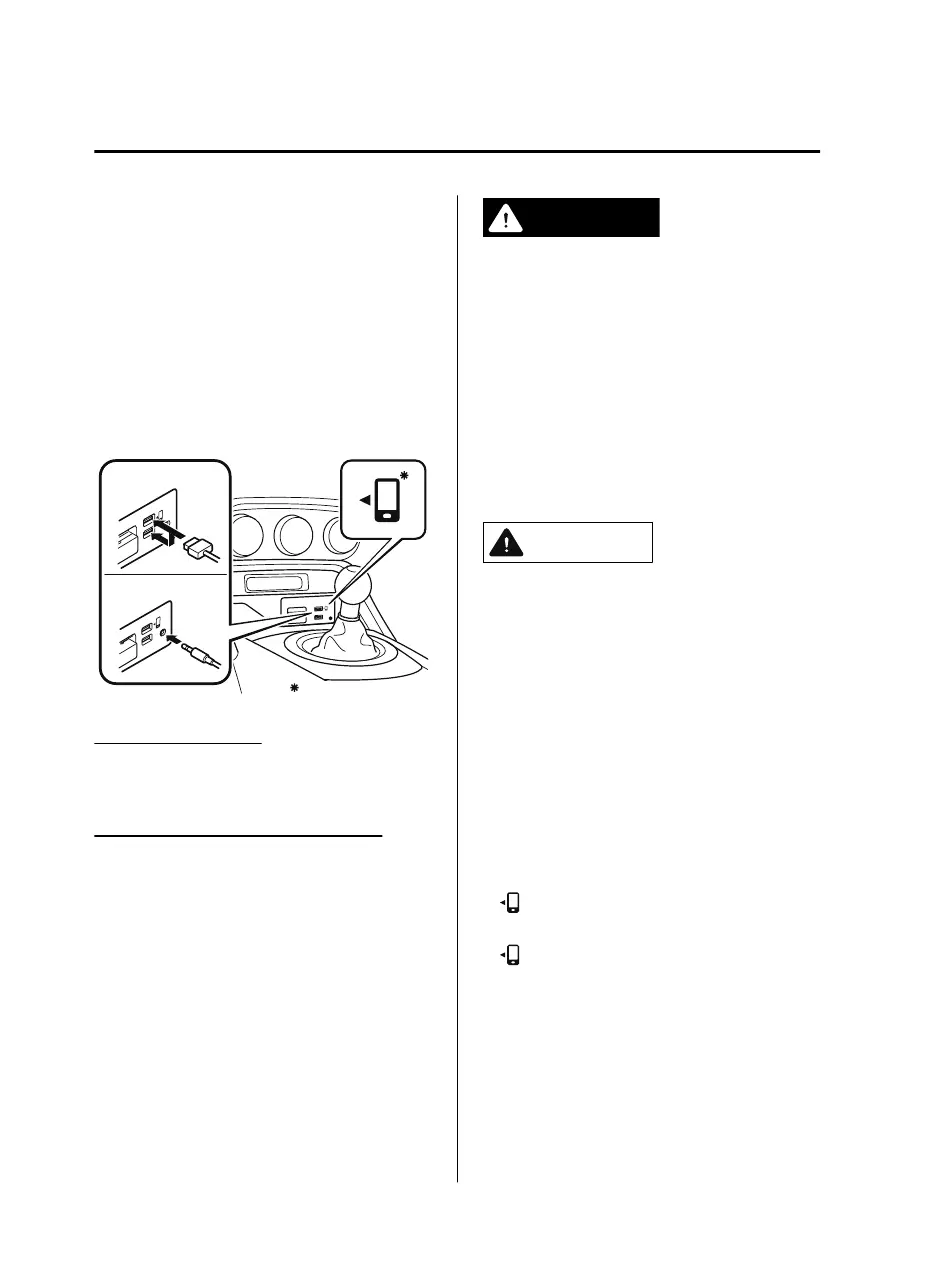
How to connect USB port/Auxiliary
jack
USB port
Auxiliary jack
Some models.
Connecting a device
1. Connect the connector on the device to
the USB port.
Connecting with a connector cable
1. Connect the device plug/connector
cable to the auxiliary jack/USB port.
WARNING
Do not allow the connection plug cord to
get tangled with the parking brake or the
shift lever (manual transmission)/selector
lever (automatic transmission):
Allowing the plug cord to become tangled
with the parking brake or the shift lever
(manual transmission)/selector lever
(automatic transmission) is dangerous as it
could interfere with driving, resulting in an
accident.
CAUTION
Do not place objects or apply force to the
auxiliary jack/USB port with the plug
connected.
NOTE
Insert the plug into the auxiliary
jack/USB port securely.
Insert or pull out the plug with the plug
perpendicular to the auxiliary jack/USB
port hole.
Insert or remove the plug by holding its
base.
(Vehicles with USB port indicated with
)
Use the USB terminal indicated by the
mark when using Apple CarPlay™
and Android Auto™.
Interior Features
Before Using the Audio System
5-16
MX-5_8JA4-EA-19K_Edition1_old 2019-8-29 16:18:06












 To Next Page