Troubleshooting
SiriusXM
®
use-related issues
Symptom Cause Solution method
SiriusXM
®
loads slowly.
Since SiriusXM Travel Link
®
re‐
ceives data from geo-synchronous
satellites and the data is transmitted
at preset intervals. When the system
is loading the SiriusXM
®
data in the
background, There may be occa‐
sions when the SiriusXM
®
function
is waiting on data before it can be
accessed.
Allow time for SiriusXM Travel
Link
®
to complete the loading of
the SiriusXM
®
data.
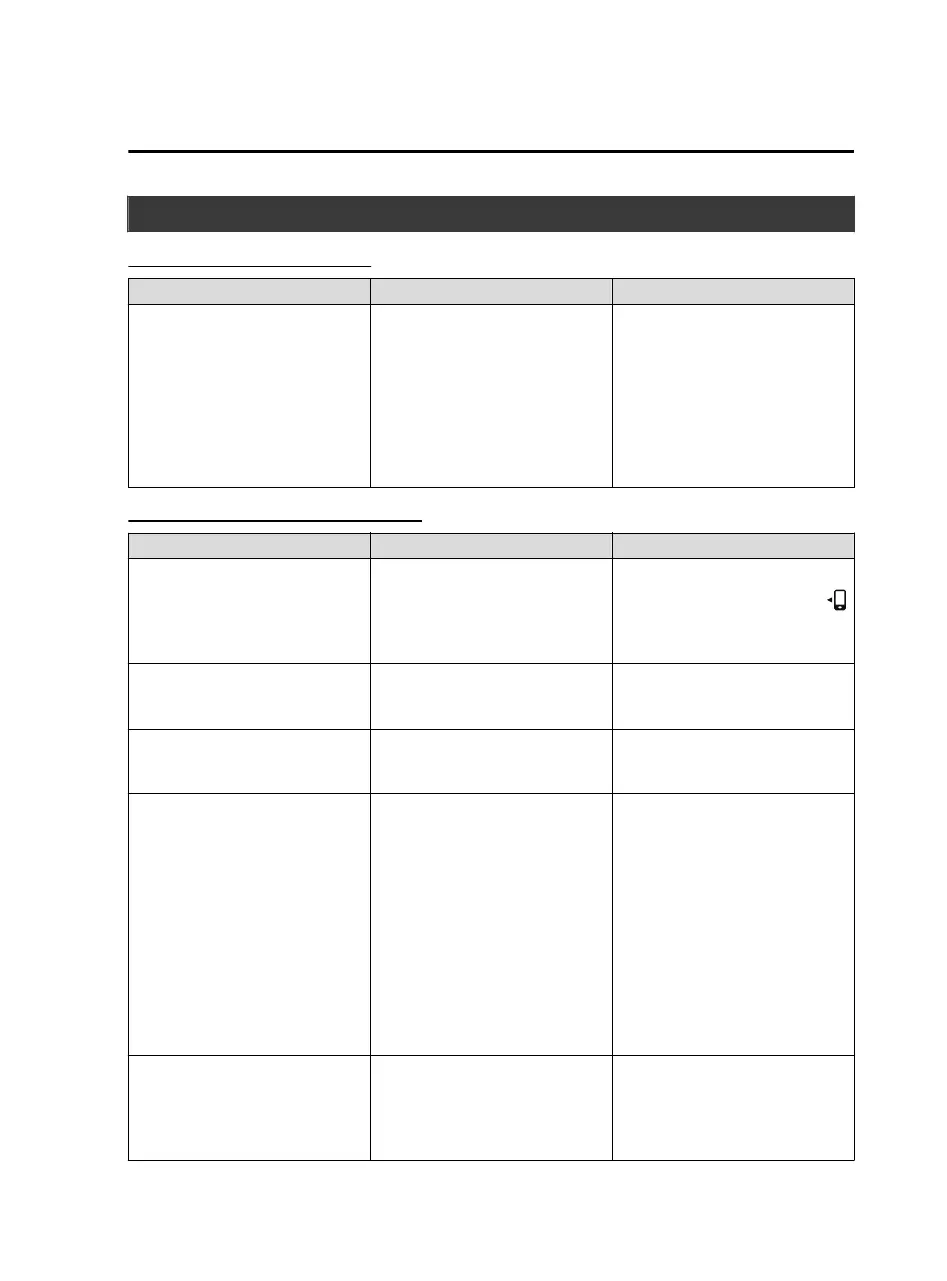
Apple CarPlay™ use-related issues
Symptom Cause Solution method
Apple CarPlay™ cannot launch
even though an Apple
®
-genuine
connector cord is inserted into the
USB port and it is connected to my
iPhone
®
.
You used the wrong USB port.
Use the USB port displaying the
mark to start Apple CarPlay™.
The error message, “Mobile device
error” is displayed after connecting
my iPhone
®
to the USB port.
There is mis-communication be‐
tween the vehicle's audio system
and your iPhone
®
.
Disconnect the connector cord from
the USB port once and then recon‐
nect it.
The icon of the application I want to
use is not displayed on the home
screen of Apple CarPlay™.
Only applications compatible with
Apple CarPlay™ are displayed on
the screen.
Contact the application's supplier.
Voice recognition using Siri
®
is
poor or incorrect for commands or
contact names.
There are many possible reasons for
this such as:
1. Poor network connectivity
2. Road noise/sound of air blow‐
ing from air conditioner
3. Incorrect iPhone
®
language set‐
ting
1. Use the commander switch to
complete the task or wait until
there is sufficient network con‐
nectivity before using Siri
®
again.
2. For better voice recognition,
speak loud and clear.
3. Make sure that the iPhone
®
lan‐
guage is set correctly (Example:
US English vs UK English).
If you are still having difficulty us‐
ing Siri
®
, visit the Apple
®
support
site or contact Apple
®
.
There is a difference in the audio
volume between Bluetooth
®
audio
and Apple CarPlay™.
―
Check the volume of the audio on
the device connected via Blue‐
tooth
®
. The volume on some devi‐
ces connected via Bluetooth
®
can be
adjusted.
Interior Features
Audio Set
5-79
MX-5_8JA4-EA-19K_Edition1_old 2019-8-29 16:18:06












 To Next Page