3
–
12
Before Driving
Doors and Locks
*Some models.
NOTE
The vehicle lock-out prevention
feature prevents you from locking
yourself out of the vehicle.
Both doors and the boot lid, fuel-
fi ller fl ap will automatically unlock if
they are locked using the power door
locks with any door open.
If both the doors are closed even
though the boot lid is open, both
the doors and the fuel-fi ller fl ap will
lock.
(Door unlock (control) system with
collision detection)
*
This system automatically unlocks
the doors and the boot lid, fuel-
fi ller fl ap in the event the vehicle
is involved in an accident to allow
passengers to get out of the vehicle
immediately and prevent being
trapped inside. While the ignition
is switched ON and in the event the
vehicle receives an impact strong
enough to infl ate the air bags, both
the doors and the boot lid, fuel-fi ller
fl ap are automatically unlocked after
about 6 seconds have elapsed from
the time of the accident.
The doors and the boot lid, fuel-fi ller
fl ap may not unlock depending on
how an impact is applied, the force
of the impact, and other conditions of
the accident.
If door-related systems or the battery
is malfunctioning, the doors and
the boot lid, fuel-fi ller fl ap will not
unlock.
NOTE
When opening a door, the power
windows open a little automatically.
When closing the door, the power
windows close automatically. This
is a function for improving the
sealability, and it does not mean there
is a problem.
If the vehicle battery is disconnected
for vehicle maintenance or other
reasons, the power windows will not
open or close automatically. If the
power windows do not open or close,
the automatic open/close mechanism
for the windows must be reset.
Refer to Operating the Power
Windows on page 3-32 .
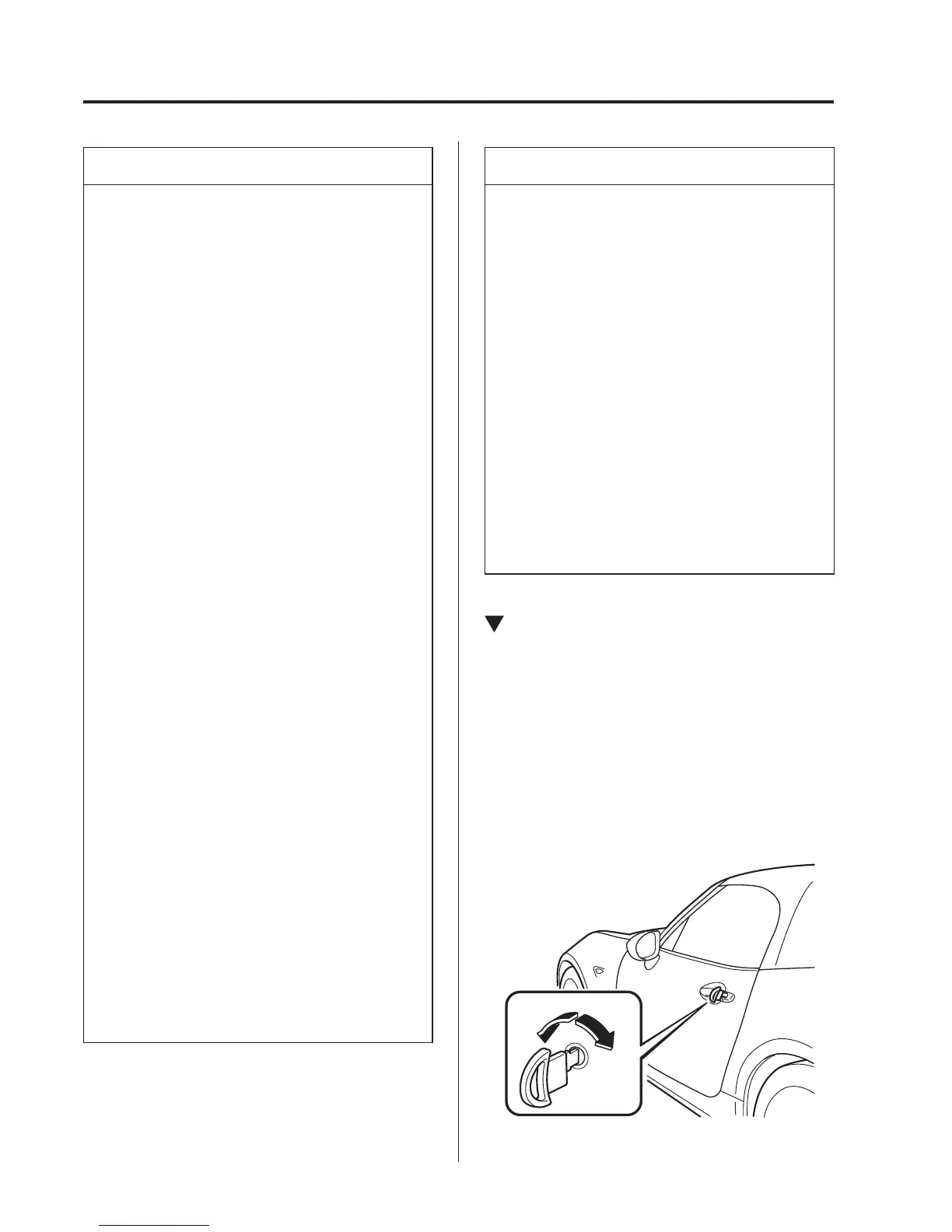
Locking, Unlocking with Auxiliary
Key
Both doors and the boot lid, fuel-fi ller
fl ap lock automatically when the driver's
door is locked using the auxiliary key.
They both unlock when the driver's door is
unlocked using the auxiliary key.
Turn the auxiliary key toward the front to
lock, toward the back to unlock.
Lock
Unlock



 To Next Page