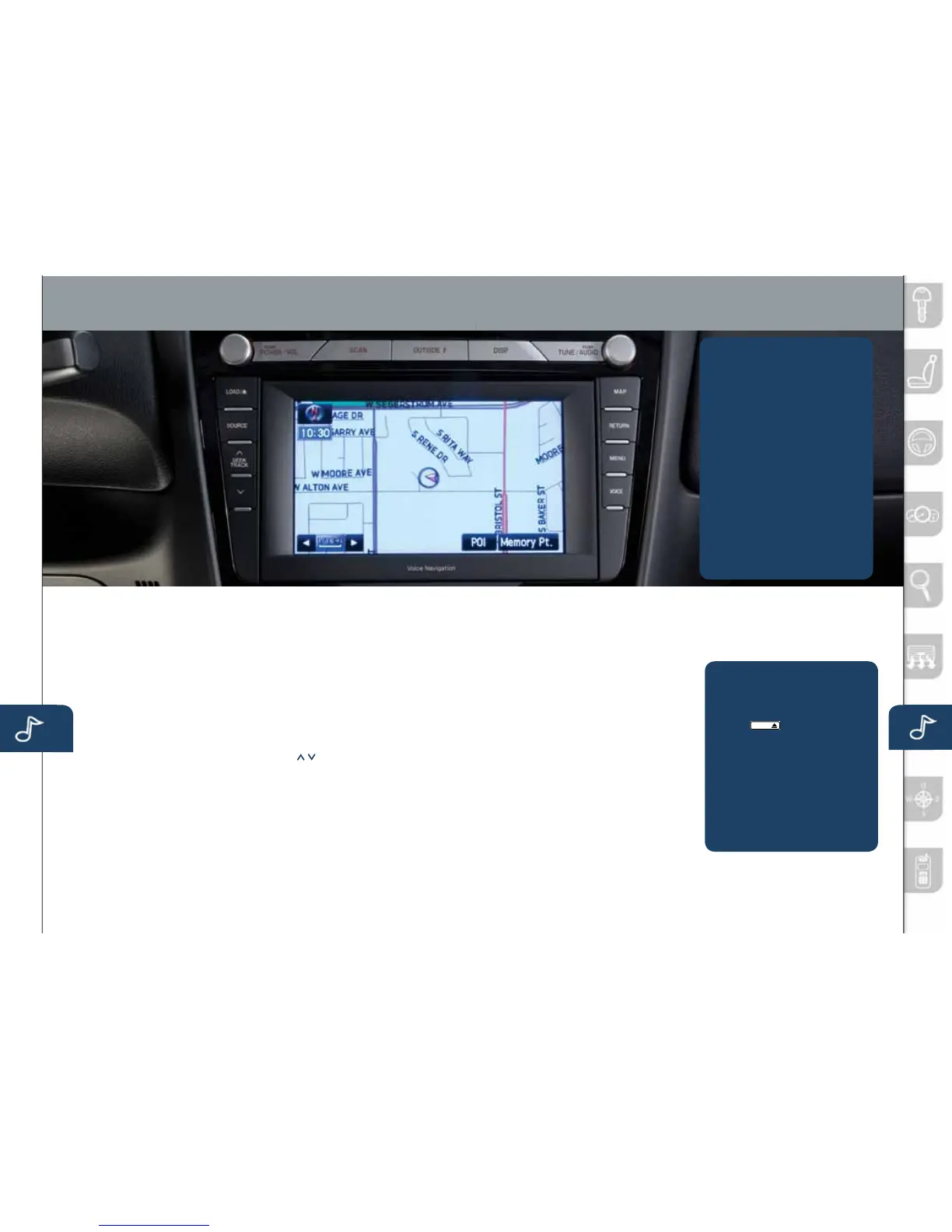
Audio Controls With Navigation
21 22
AUDIO SYSTEM ON
PushthePower/Volumebuttonto
turntheradioon.
MEDIA SELECTION
PushtheSOURCEbuttontoselect
theappropriateon-screenbutton:
Radio:SelectFMorAMbutton
forFM1,FM2,orAMband.The
selectedbandwillbeindicatedinthe
InformationDisplay.
DISC:SelectforCDplayer.
Satellite Radio:SelectSATfor
SIRIUSXMRadio
®
.Ifyourvehicle
isequippedwithSIRIUSXMRadio
®
(satelliteradioantennaonroofor
trunklid),yournewMazdaincludes
afreeintroductorysubscription
withalimitedtermtrialoffer.Call
888-539-7474toactivate!Seethe
Owner’sManualand/ordealerfor
details.ContactyourMazdadealer
aboutaddingSIRIUSXMRadio
®
ifyourMAZDARX-8isnotalready
equippedwithit.
AUX1:Selecttoswitchto
auxiliaryjack.
AUX2:Notused.
TUNING
Theradiohasthefollowing
tuningcontrols:
• Manual:Turnthe
TUNE/AUDIOdialtomanually
changethefrequency.
• Seek/Track:Pushandhold
theSEEK/TRACKbuttons
toautomaticallyseeka
higherorlowerfrequency
ortrack,dependingon
mediaselected.
• Scan:PushtheSCANbutton
toautomaticallysamplestrong
stationsforsecondseach.Push
againtocancel.
• Preset Channel:Canbeused
tostore8AM,16FMand18
SIRIUS
®
Satellitestations.
1 PushtheSOURCEbutton.
2 SelectAM/FMorSAT.
3 SelectAM,FM1,FM2,SAT1,
SAT2orSAT3.
4 Tunetothedesiredstation
usingtheSEEK/TRACK
buttonorbyturningthe
TUNE/AUDIOdial.
5 Selectandholdanychannel
preseton-screenbuttonfor
abouttwosecondsuntila
beepsoundisheard.
•
Repeattostoreotherstations.
• Auto Memory Tuning:
SelectandholdtheAUTO-M
on-screenbuttonuntilbeepis
heardtostoreanadditional
8stationsoneachFMandAM
bandwithoutdisturbingthe
previouslystoredstations.This
isusefulwhendrivinginanarea
wherethelocalstationsarenot
known.RefertotheOwner’s
Manualforcompletedetails.
Outside Temperature Display
PushOUTSIDEbuttontodisplay
outsidetemperatureinthe
informationdisplay.
NOTE: GPSautomaticallysets
theclock,however,itmaybe
necessarytoadjusthoursin
differenttimezonesordaylight
savingtime.
1. PushtheMENUbutton.
2.SelecttheSetClocktab.
3.Choosea24-hourdisplayor
a12-hourdisplay.
4.Usethe+hourand-hour
tabstoenterthecorrecthour.
5.Usethe+30min(minutes)and
-30mintomoveminutesahead
orbackby30minutes.
6.PushtheOKtabtoexit.
SETTING YOUR CLOCK
1.PlacetheignitionintheACC
orONposition.
2.Push
LOAD /
3.PushtheLOADon-screen
buttonlightly.
4.Waitforthescreentolower.
5. InserttheCDafter“IN”
isdisplayedonthe
InformationDisplay.
TheCDwillbeginplaying
afterthescreencloses.
TO LOAD/PLAY A CD
www.MazdaUSA.com
280340_11a_RX-8_SSG_081010.indd 22-23 8/10/10 3:12 PM



 To Next Page