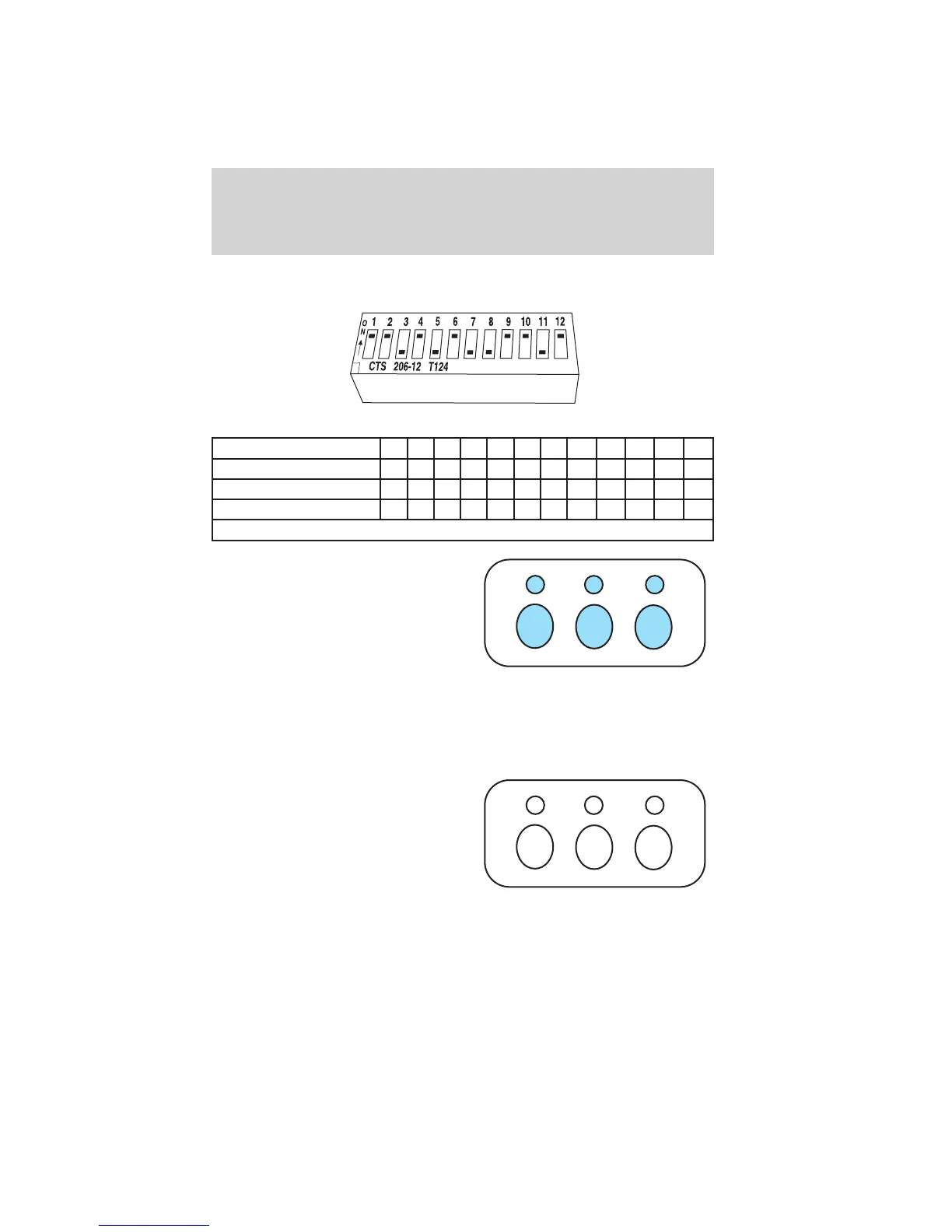
When a switch is in the down, off, or – position, circle “R.”
Switch position 12345678 9101112
Up,onor+ LLLLLLLLLLLL
Middle, neutral or 0 MMMMMMMMMMMM
Down, off or – RRRRRRRRRRRR
L=left; M=middle; R=right
3. To input these positions into the
Car2U威 system, simultaneously
press all three Car2U威 system
buttons for a few seconds and
then release to put the device
into programming mode. The
indicator lights will blink slowly.
Within 2.5 minutes enter your
corresponding DIP switch
settings from left to right into your Car2U威 system by pressing and
releasing the buttons corresponding to the settings you circled.
4. After inputting switch settings, simultaneously press and release all
three Car2U威 system buttons. The indicator lights will turn on.
5. Press and hold the Car2U威
system button you would like to
use to control the garage door.
Immediately (within 1 second)
release the button once the
garage door moves. During this
time the selected button
indicator light will blink slowly.
Do not release the button until you see the garage door move. Most
garage doors open quickly. You may need to hold the button from
5–55 seconds before observing movement of the garage door.
Driver Controls
67
2011 Tribute (j14)
Owners Guide, 1st Printing
USA (fus)















 To Next Page