Operating Manual
Operation instructions Page 5-3
5.3 Initial interface
Dia. 2
:
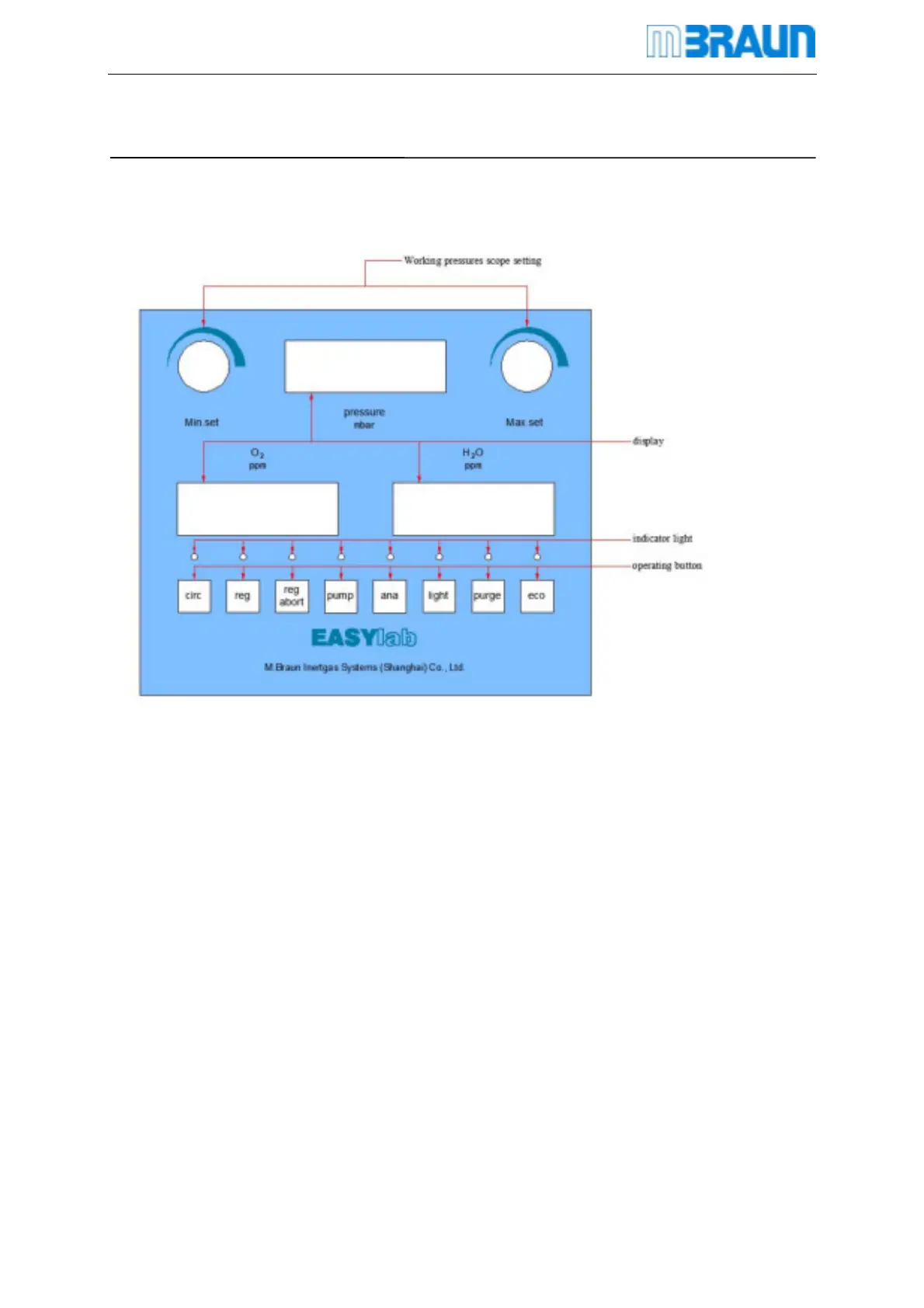
Initial interface
Above graph is operation interface of Easylab system
Above-mentioned system contains:
1 RKM
1 Circulation blower
Contents on the display screen reflect basic function and indicator for
box pressure, moisture and oxygen condition .
Function is controlled by function key
When system is on, display screen and indicate light reflect current situation of the system
MBRAUN standard glovebox is equipped with touch-tone operation panel
After startup, system will run self-inspection


 To Next Page