Operating Manual
Operation instructions Page 6-3
6
.3 Function key
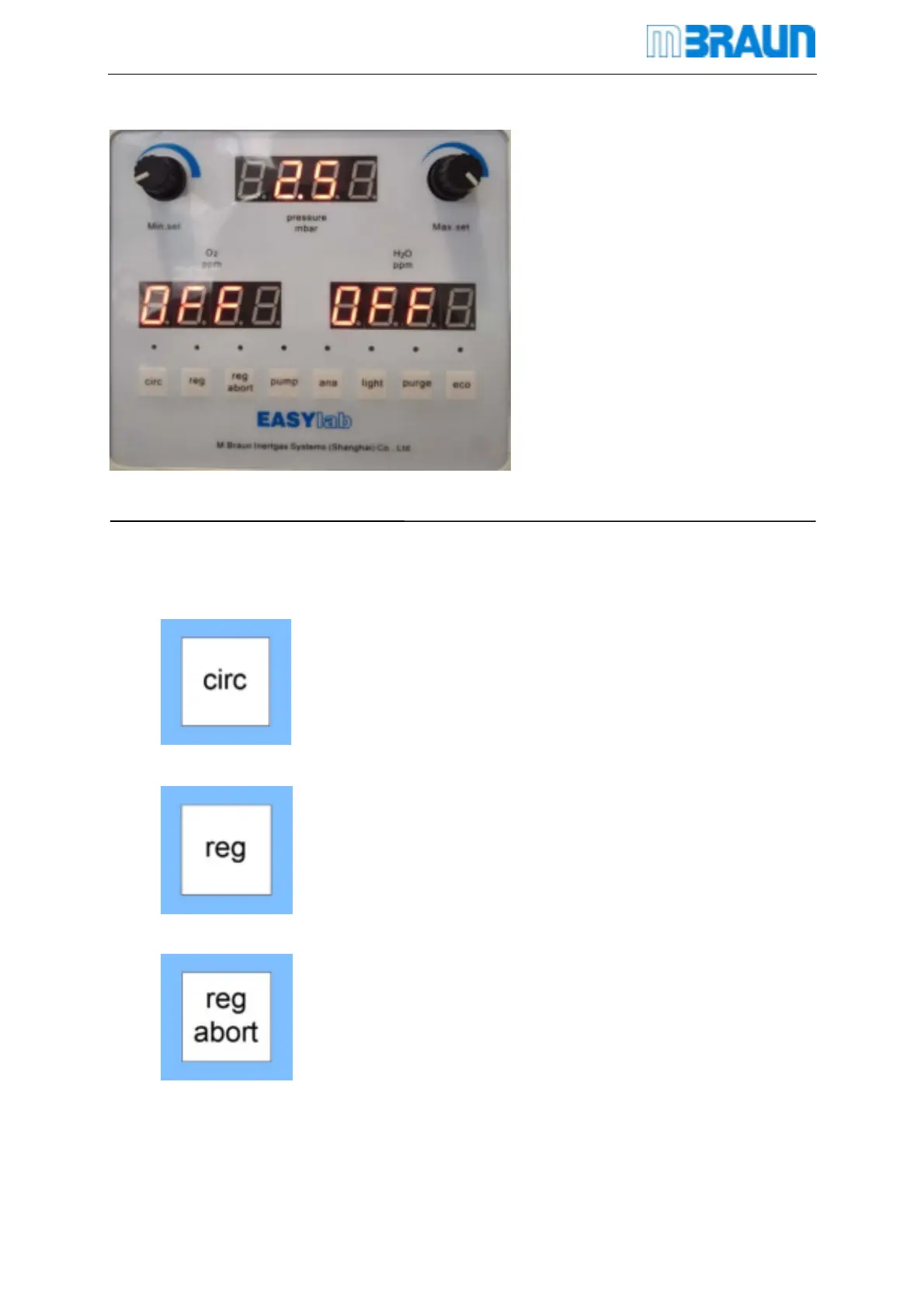
Glovebox function is controlled by function keypad
On the screen, corresponding location marks function name of function keypad
Circulation- press this button to open box circulation, the
corresponds indicator light will be always on .
Regeneration- press this button, the corresponding light
flashed, this moment the system do regeneration test,
press key, ensure regeneration gas is ok, the
corresponding light is on, that means regeneration process
starts.
Regeneration cancel- click this button. After first click,
indicator light flashes, If you want to cancel this button,
system skiped to step 8.you can skip the step of heating
and ventilating, regeneration will be finished in 30mins


 To Next Page