20
Preparation
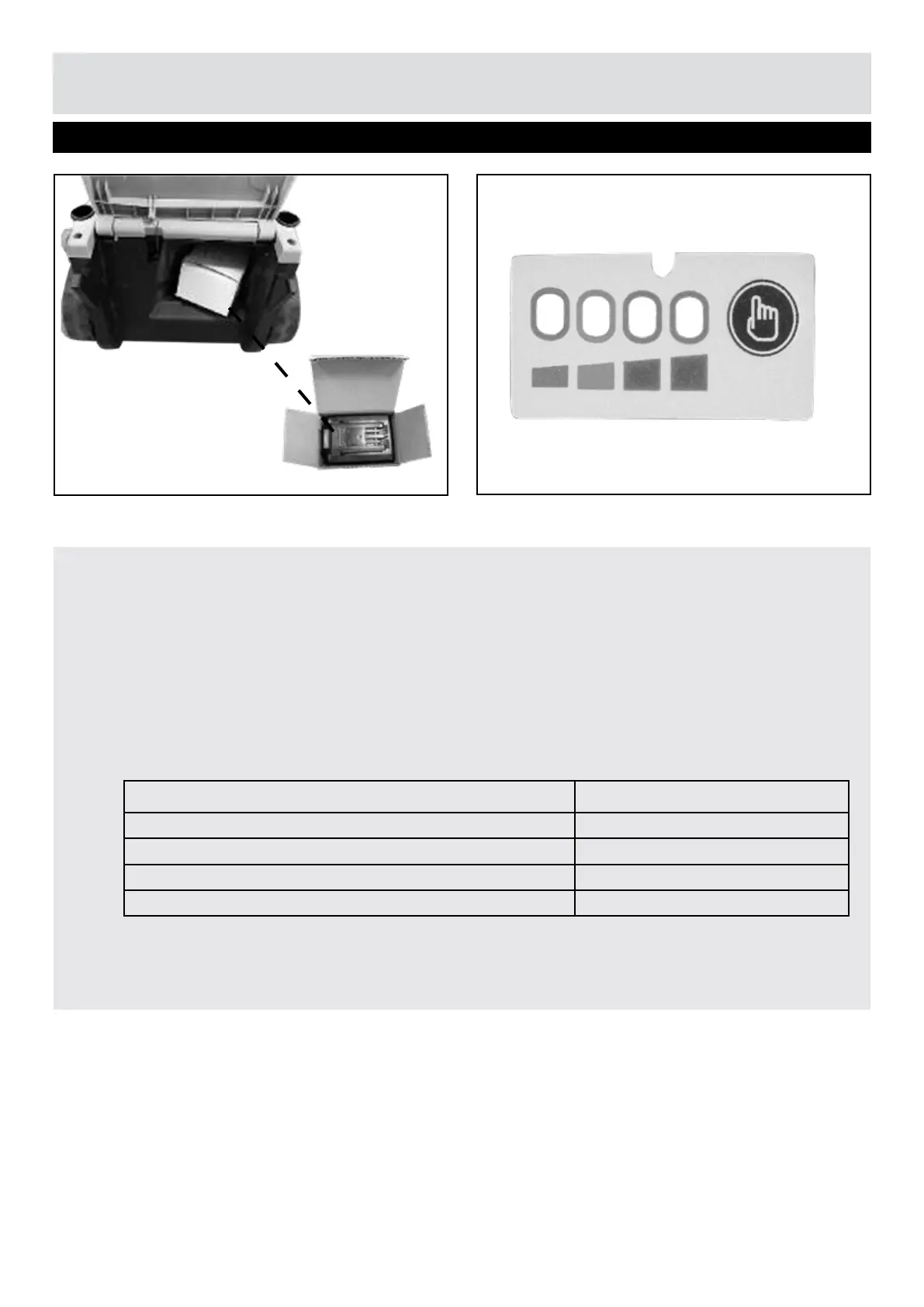
NOTE! The battery is stored under the safety ap during delivery. Take out the battery
before tting it.
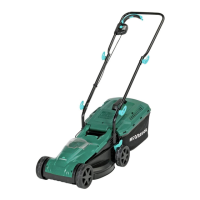
Push the power indicator to show the remaining battery capacity. The battery is equipped
with a charge-level indicator panel which indicates its charge condition. This charge-level
indicator panel consists of 4 LEDs on the battery. Press and hold the charge indicator
button on the battery to view the charge level indicator. The charge level indicator LEDs go
out when the button is released. The battery charge level can be checked either when the
battery is tted on the machine or removed from the machine.
Battery LED Panel
Step 1 - Check Battery Capacity
LED indicators on Battery Battery Capacity
Continuous lighting of 4 LEDs (inc 2 green) Fully charged
Continuous lighting of 3 LEDs (inc 1 green) ≥ 50%
Continuous lighting of 2 LEDs (orange & red) ≥ 25%
Continuous lighting of 1 LED (red only) ≤ 25%. Recharge required.


 To Next Page