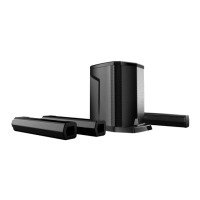
Connection of two E-208LA(B) column systems
It is possible to connect two McGrey E-208LA or E-208LAB column systems via TWS stereo
link or with a simple XLR cable, using one speaker as the "master" and the other speaker as
the "slave".
XLR variant:
1.
Connect the female end of the XLR cable to the male Line out on the back of a column
system.
2.
Connect the other end of the XLR cable to the female MIC/LINE input of the second
column system.
TWS stereo variant:
1.
Press the Mode button on both column systems to switch on the Bluetooth function of both
systems.
2.
Now press the pair button of one of the column systems. The screen shows "bt:bt" and the
Bluetooth symbol appears in the bottom right of the display.
3.
When the screen of the second column system also shows "bt:bt" and the Bluetooth
symbol disappears from the display, you can hear a connection tone.
This signals that the systems have connected to each other.
4.
Connect your Bluetooth-enabled device to one of the column systems. Songs which
played on the first system are also played on the second system.
5.
Press the PAIR button again if you want to disconnect the two units.
Bluetooth connection
1.
The first time you connect a device to the McGrey Columns system, press the MODE
button on the MP3 player to activate Bluetooth mode.
2.
Next, activate the Bluetooth connection on the device of your choice (e.g. mobile phone or
tablet) and connect it to the E-208LA or E-208LAB unit.
3.
The next time you want to use the Bluetooth connection with your mobile phone, tablet,
etc., simply switch to Bluetooth mode on the column system and your previously paired
device will automatically connect to the product.



 To Next Page