19
9.7 Fully disabling an E3
In the unlikely event that your E3 refuses to turn off then it may have a fault.
Procedures for dealing with a faulty E3 are covered in section 5 on false alarms and
in simple terms you should do the following…
• De-activate the EPIRB as per section 5.2
• Suppress its signal by wrapping the E3 in metal foil as per section 5.3
• Leave for 3 days until the battery is used up.
We do not recommend any other course of action. However, if it is absolutely
necessary to fully disable an E3 (by unplugging its battery) proceed as follows. This
is a dangerous task and should only be performed by a qualified technician.
WARNING
Risk of electric shock
Proceed at your own risk, no liability accepted
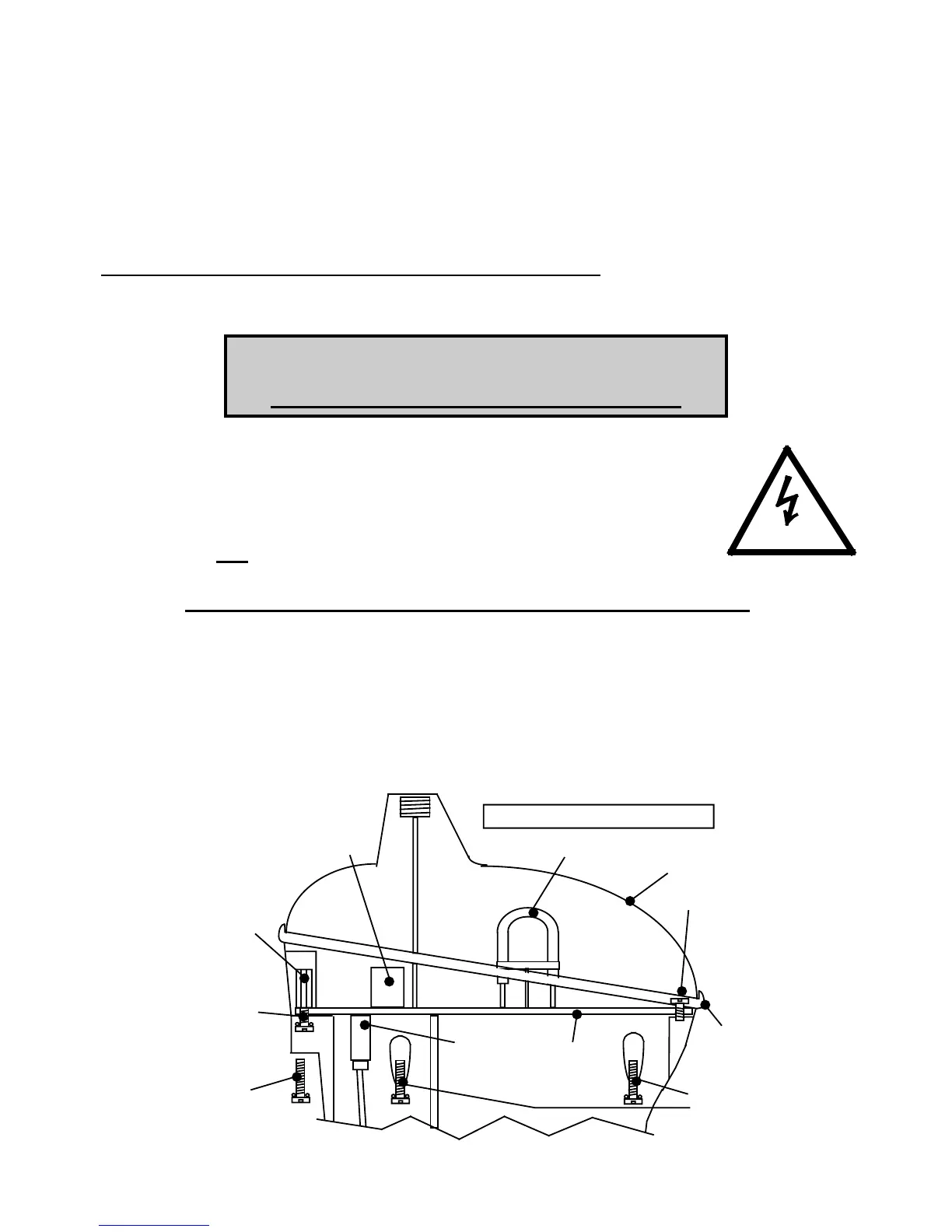
• Take the E3 below decks into the dry.
• Locate a flat bladed screwdriver with a long reach.
• Unscrew and retain the front 4 sealing screws.
• Pull the lanyard out and remove the 2 hidden rear screws.
• Do not as yet remove the sea contact screws.
• Lift the lens dome off. Remove and retain the grey gasket.
• Avoid touching the circuit board and the glass strobe tube.
• Hold the hexagon shaped pillars and remove the sea screws.
• Use a cross-headed screwdriver to remove the front screw.
• Grip the white plastic coil former and lift the circuit board up 3cm (1”).
• Using fingers, unplug the white 4-way battery connector.
• The flashing will now cease.
• Collect up all the parts and return them to your nearest service agent.
270V dc
Strobe
Front screw
Gasket
Hidden
screws
Sea
screws
Battery
connector
DANGER - HIGH VOLTAGE
sealing
screws
Front
pillar
Hex
Pull up on
coil former
Lens dome
Circuit
board


 To Next Page