- 10 -
capacitors. Remove the meter and restore the circuit to normal operation. Pull out the test lead from “mA”
terminal.
Press
Primary display Secondary display
Press 2nd VIEW
DCmA DCmA
ACmA ACmA
DCmA+ ACmA DCmA+ ACmA ACmA
AcmA+Hz ACmA Hz
4.5 AC/DC Current Measurement (ACA, DCA)
The measurement of AC/DC current has four modes: DCA, ACA, DCA+ACA, and ACA +Hz
Set the function key to “A ” position.
Press SELECT button to select measurement mode.
According to poetical demands, press REL
△
, MAX/MIN and 2nd VIEW buttons to have relative
measuring or record.
The meter is in auto range mode and will automatically select a most suitable range. To select a range
manually for the measurement, press RANGE button to select a proper range. There are two ranges to
choose from: 8.0000A/20.000A
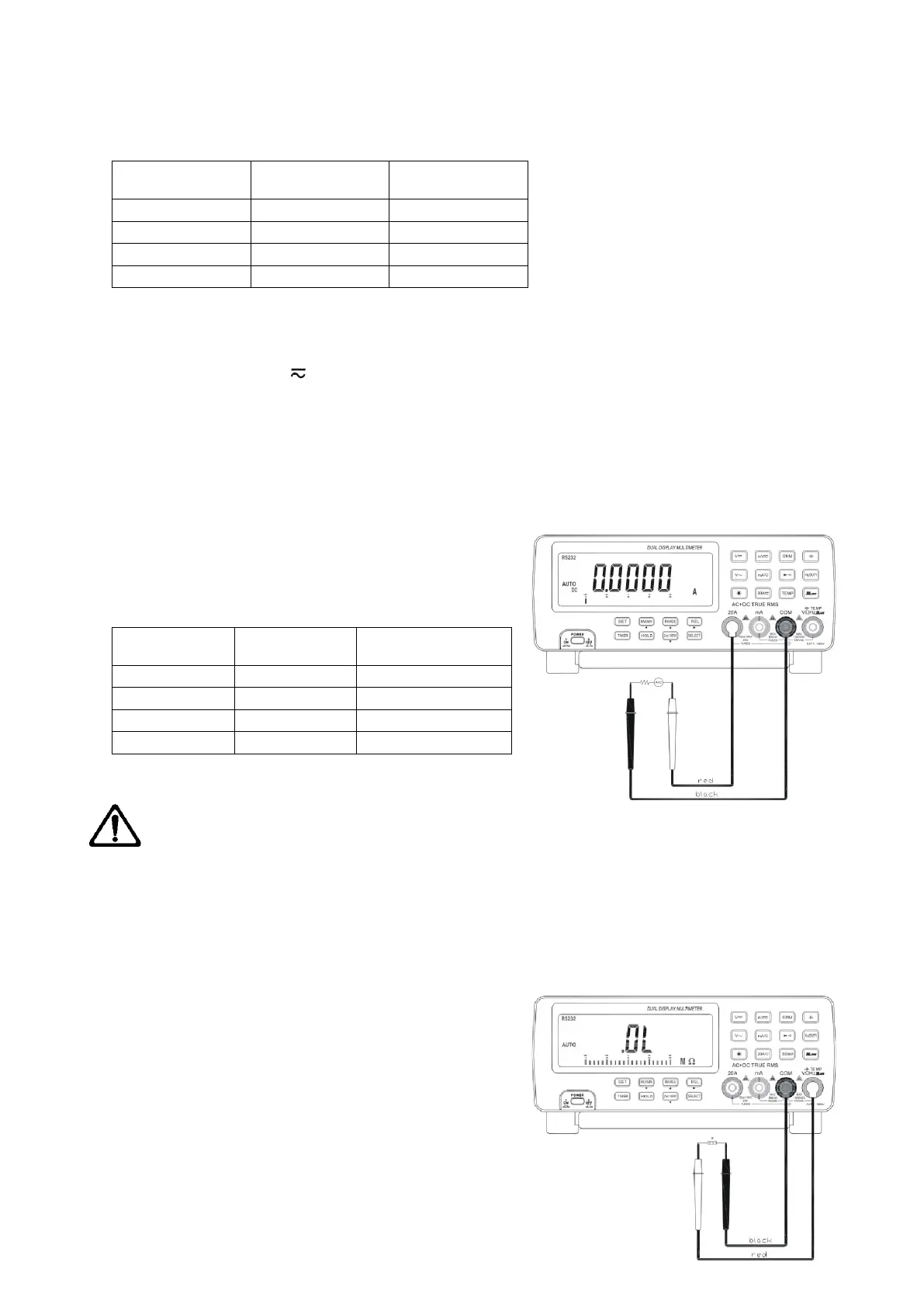
Connect the black test lead to “COM” terminal and the read
test lead to “20A” terminal.
Other operations apply the same as explained in section 4.4
Press
Primary display Secondary display
Press 2nd VIEW
DCA DCA
ACA ACA
DCA+ACA (DC+AC)A ACA
ACA+Hz ACA Hz
4.6 Resistance Measurement (Ω)
WANRNING: To avoid damage to the meter or the testing equipments disconnect circuit power and
discharge all high voltage capacitors before measuring resistance. Use the DC function to confirm that the
capacitor is discharged.
NOTE: In measuring low resistance, the resistance of the test leads may cause an error of 0.1Ω~0.5Ω in the test
results. To avoid this error, first short the test leads, next press REL
△
button. The primary display will be null and
the secondary display displays the resistance of test lead.
Measure the to-be tested resistance and the result will be
displayed on the primary display.
The measurement of resistance has three modes: normal,
continuity and Hi resistance. Press SELECT button to choose
from these modes.
Normal mode
Set the function key to “Ω” position
According to practical demands, press REL
△
, MAX/MIN
and 2nd VIEW buttons to have relative measuring or


 To Next Page
 Loading...