- 8 -
NOTE:
1. In dBm measurement mode, the decimal point of dBm is fixed between the second and third digits.
2. When in dBm measurement, the impedance is default at 600Ω. To change the impedance, press RANGE
button to select proper impedance. The impedance can be chosen from:
4/8/16/32/50/75/93/110/125/135/150/200/250/300/500/600/800/900/1000/1200Ω.
4.2 AC Voltage Measurements (ACV)
WANRNING: The testing AC voltage must not exceed AC750V!
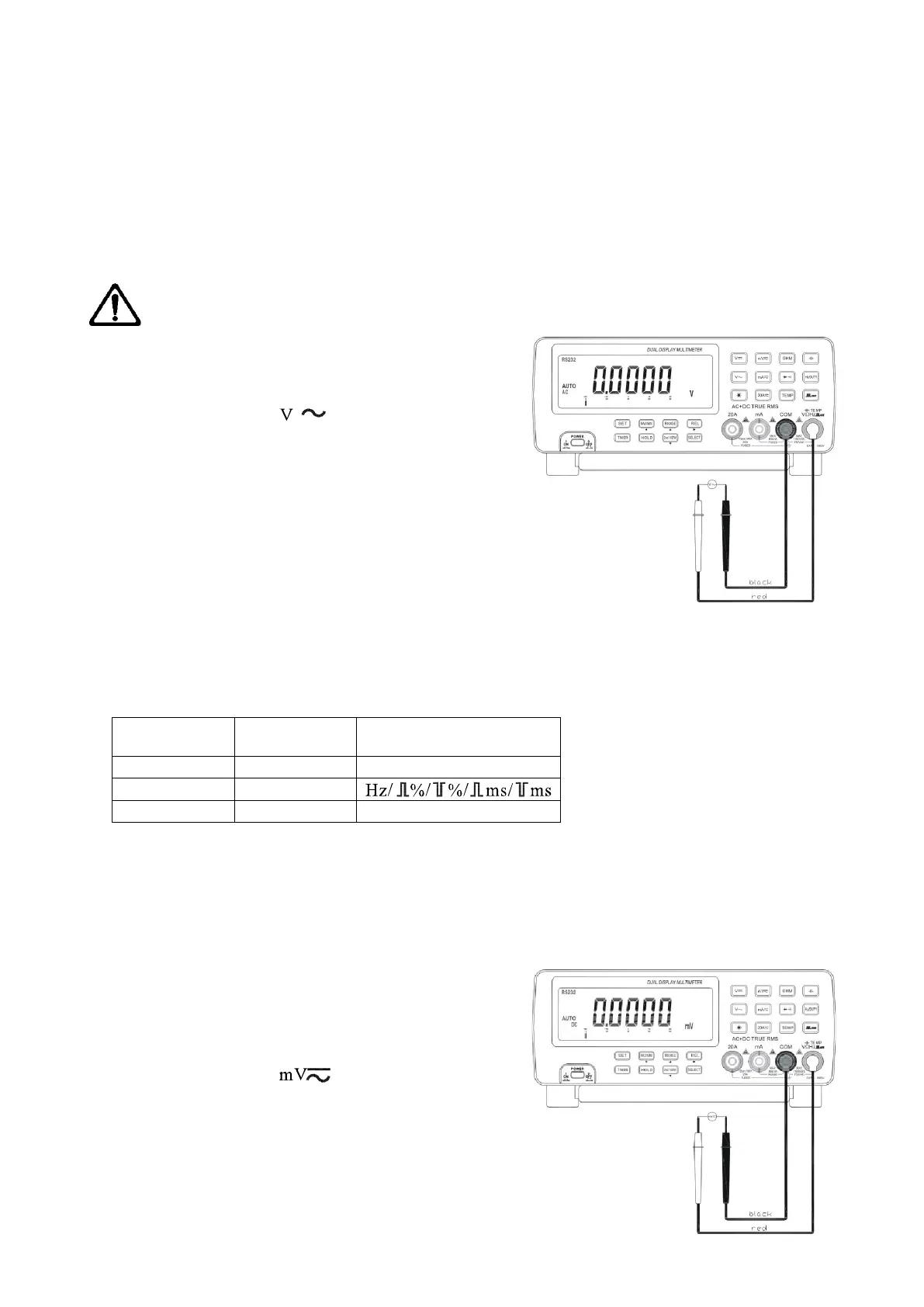
The measurement of AC voltage has three modes: ACV,
ACV+Hz and dBm.
Set the function key to “ ” position.
Press SELECT button to select measurement mode.
According to practical demands, press REL
△
, MAX/MIN
and 2nd VIEW buttons to have relative measuring or
record.
The meter is in auto range mode and will automatically
select a most suitable range. To select a range manually for
ACV measurement, press RANGE button to select a proper
range. There are three ranges to choose from:
8.0000V/80.000V/750.00V
Connect the black test lead to “COM” terminal and the read test lead to “V Ω Hz” terminal.
Touch the test leads to the test points and read the display on both the primary and secondary display.
Press SELECT Primary display Secondary display
Press 2nd VIEW
ACV ACV
ACV+Hz ACV
dBm dBm Hz/ACV
NOTE:
1. In dBm measurement mode, the decimal point of dBm is fixed between the second and third digits.
2. When in dBm measurement, the impedance is default at 600Ω. To change the impedance, press RANGE
button to select a proper impedance. The impedance can be chosen from:
4/8/16/32/50/75/93/110/125/135/150/200/250/300/500/600/800/900/1000/1200Ω.
4.3 AC/DC Milli Voltage Measurement (ACmV, DCmV)
The measurement of AC/DC milli voltage has three modes:
DCmV, ACmV+Hz and dBm.
Set the function key to “ ” position.
Press SELECT button to select measurement mode.
According to poetical demands, press REL
△
, MAX/MIN
and 2nd VIEW buttons to have relative measuring or
record.
The meter is in auto range mode and will automatically
select a most suitable range. To select a range manually for


 To Next Page
 Loading...