EasyManua.ls Logo

McQuay LIA265-1 - User Manual

McQuay LIA265-1
24 pages
Print Icon
To Next Page IconTo Next Page
Loading...
Installation, Operation & Application Guide
LIA265-1
Group: WSHP
Supercedes: LIA217
Date: 12-19-08
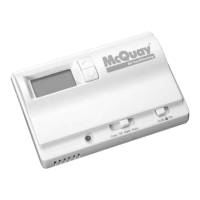
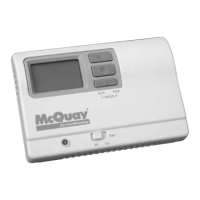
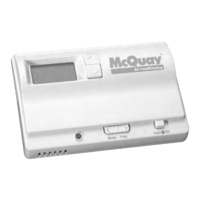
Programmable Electronic Thermostat
2 Heat/2 Cool, 7-Day Programmable, Hardwired
Part No. 668375301
For replacement parts call 1-800-377-2787
©2008 McQuay International • www.mcquay.com • 800-432-1342
• Programmable and Congurable
• Single/Dual Stage Heat/Cool Systems
• Backlit Display
• Auto Changeover
• Simpleset
®
7 Day Programming
• Title 24 Compliant/No Batteries Required
• Relay Outputs (minimum voltage drop in thermostat)
• Ideally Suited for:
– Light Commercial/Residential (New Construction/Replacement)

Questions and Answers

  • W
    William BurnsAug 16, 2025
    What to do if LOC displays on McQuay Thermostat?
    • R
      Ronnie SmithAug 16, 2025
      If the McQuay Thermostat displays 'LOC' when you press any button or the buttons don't work, it means the button lockout function is on. To disable it, refer to the “Lockout Feature” section on Page 17 of your manual.
  • A
    alexander94Aug 18, 2025
    Why does my McQuay Thermostat not follow program?
    • D
      David AlexanderAug 18, 2025
      If your McQuay Thermostat isn't following the programmed schedule, first, make sure it's in Program mode, which is indicated by 'PROG' on the display. Also, double-check that the time (AM/PM) is set correctly.
  • X
    xedwardsAug 22, 2025
    Why is there very limited setpoint adjustment on my McQuay Thermostat?
    • B
      Benjamin GreenAug 22, 2025
      If your McQuay Thermostat has very limited setpoint adjustment, it could be due to the button lockout function being activated. See “Lockout Feature,” Page 17. Also, check the configuration mode settings on Pages 7-10.
  • K
    kimberlysuarezAug 25, 2025
    Why is the room temperature not correct on my McQuay Thermostat?
    • W
      Wendy BennettAug 26, 2025
      If the room temperature displayed on your McQuay Thermostat is incorrect, ensure the wall hole behind the thermostat is sealed with putty or insulation. If you're using a remote sensor, check its wiring and location.
  • A
    April NewtonAug 27, 2025
    How to stop McQuay LIA265-1 Thermostat from turning on and off too frequently?
    • R
      robin78Aug 27, 2025
      If your McQuay Thermostat turns on and off too frequently, try adjusting the temperature differential. You can find this setting under “Differential,” Configuration Mode Setting 4, on Page 8.
  • T
    Tracey ParkerAug 30, 2025
    Why does system fan not come on properly on McQuay LIA265-1 Thermostat?
    • C
      Christine NicholsAug 30, 2025
      If the system fan in your McQuay Thermostat doesn't turn on correctly, ensure the wiring is correct. Also, check the electric heat setup in the configuration settings. Refer to “Configuration Mode” on Page 7 for guidance.
  • J
    Joseph ConradSep 3, 2025
    How to stop McQuay LIA265-1 fan from running continuously?
    • M
      Michael LeonardSep 3, 2025
      If the fan runs continuously on your McQuay Thermostat, check the fan On/Auto switch. Also, verify the programmable fan setting in the program and the fan settings in configuration. Refer to “Configuration Mode” on Pages 7-10.
  • S
    Stephanie ThomasSep 5, 2025
    Why does program schedule activate at the wrong time on my McQuay LIA265-1 Thermostat?
    • K
      Karen ThompsonSep 5, 2025
      If the program schedule on your McQuay Thermostat activates at the wrong time, check the time (AM/PM) set on the thermostat. Refer to “Setting the Time” on Page 14.
  • U
    ustoutSep 8, 2025
    How to fix no display on McQuay Thermostat?
    • F
      ffernandezSep 9, 2025
      If your McQuay Thermostat has no display, check for 24 VAC/VDC at the thermostat. The display will be blank if 24 VAC/VDC is not present.
  • P
    Paul JohnsonSep 12, 2025
    What to do if there is a problem not listed for McQuay Thermostat?
    • V
      Virginia ReidSep 12, 2025
      If you're experiencing a problem with your McQuay Thermostat that isn't listed, press the Reset button once.

Summary

Important Safety Information

To Remove Existing Thermostat

To Install Thermostat

Terminal Designator Descriptions

Wiring Diagrams

Configuration Mode

Configuration Mode Settings

Guides through thermostat settings for heating/cooling system configuration.

Testing the Thermostat

Cool Test

Procedure to test the thermostat's cooling function.

Heat Test

Procedure to test the thermostat's heating function.

Operating Modes

Setting the Time and Day of the Week

Programming

Simpleset Programming

Lockout Feature

Personal Program Schedule

Troubleshooting

McQuay LIA265-1 Specifications

General IconGeneral
BrandMcQuay
ModelLIA265-1
CategoryThermostat
LanguageEnglish

Related product manuals