MCQUAY Service Guide Book Handset Operating Guide
6
4.0 HANDSET OPERATING GUIDE
4.1 G6
Operation Guide
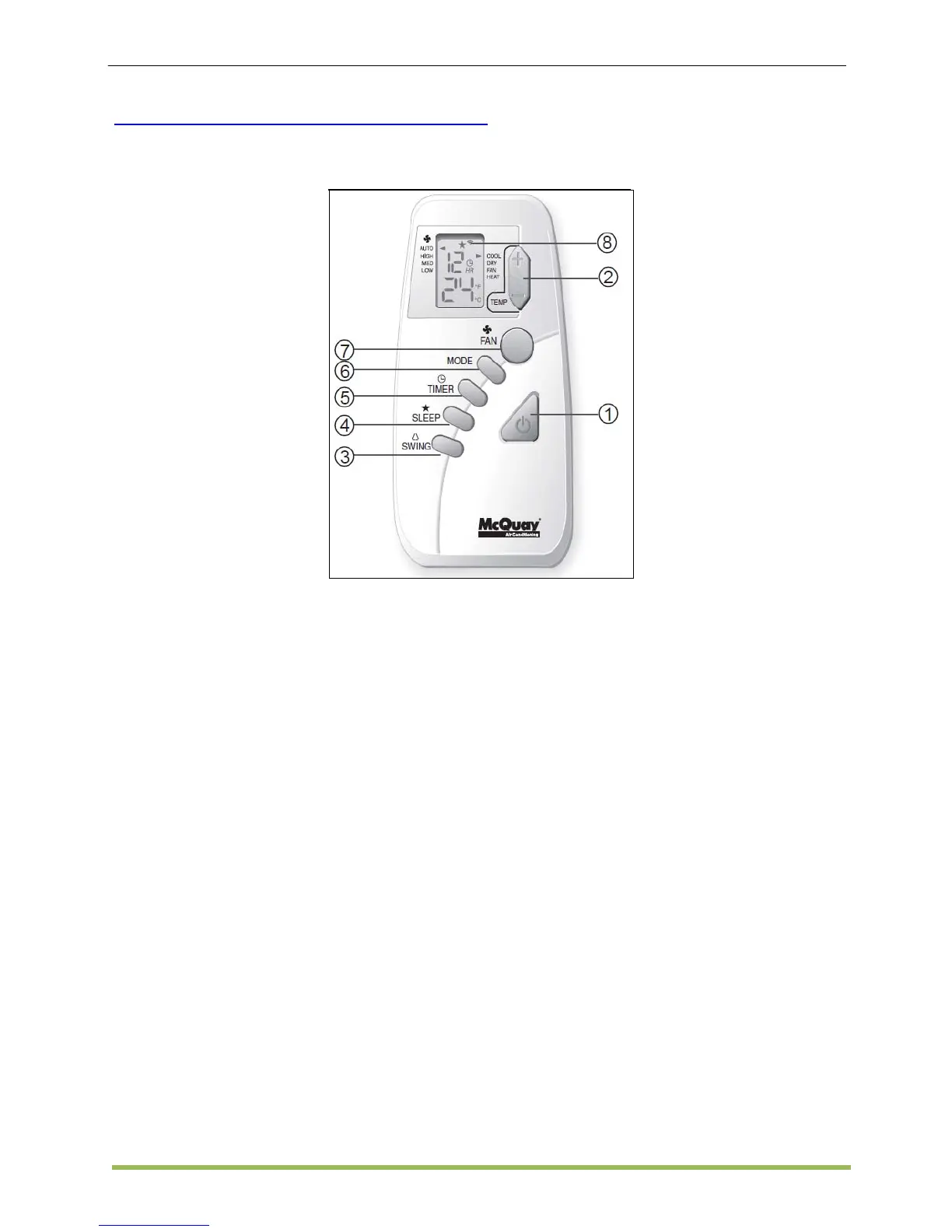
1. “ON/OFF” Switch
2. Temperature Setting
• Press button to increase or decrease
the set temperature. Setting range are
between 16°C to 30°C setting (60°F to
80°F) (Optional setting from 20°C to
30°C).
• Press ▲ or ▼ button simultaneously will
toggle the temperature setting between
°C and °F.
3. Automatic Air Swing
• The swing angle ranging from
horizontal to 25° to bottom.
4. “SLEEP” MODE
• This function can be activated in COOL,
HEAT & AUTO mode operation. If it is
activated in “COOL” mode, the set
temperature will be increase 0.5°C after
30 minutes, 1°C after 1 hour and 2°C
after 2 hours. Whereas in “HEAT” mode,
the set temperature will decrease by
1°C after 30mins, 2°C after 1 hour and
3°C after 2 hours.
5. Timer Setting
Press button to activate the timer setting
(from 1 hour to 15 hour) of the air
conditioning unit. To cancel the timer
setting, press the button continuously
until the timer display goes off.
6. Operation Modes
• Cooling only unit : Cool → Dry
→ Fan
• Heatpump unit : Auto → Cool
→ Dry → Fan → Heat
7. Fan Speed and Ventilation Mode Selection
8. Signal Transmission Indication
• Blink to confirm the last setting has been
send to the unit.



 To Next Page