STEP 1
1minute
STEP 1
:
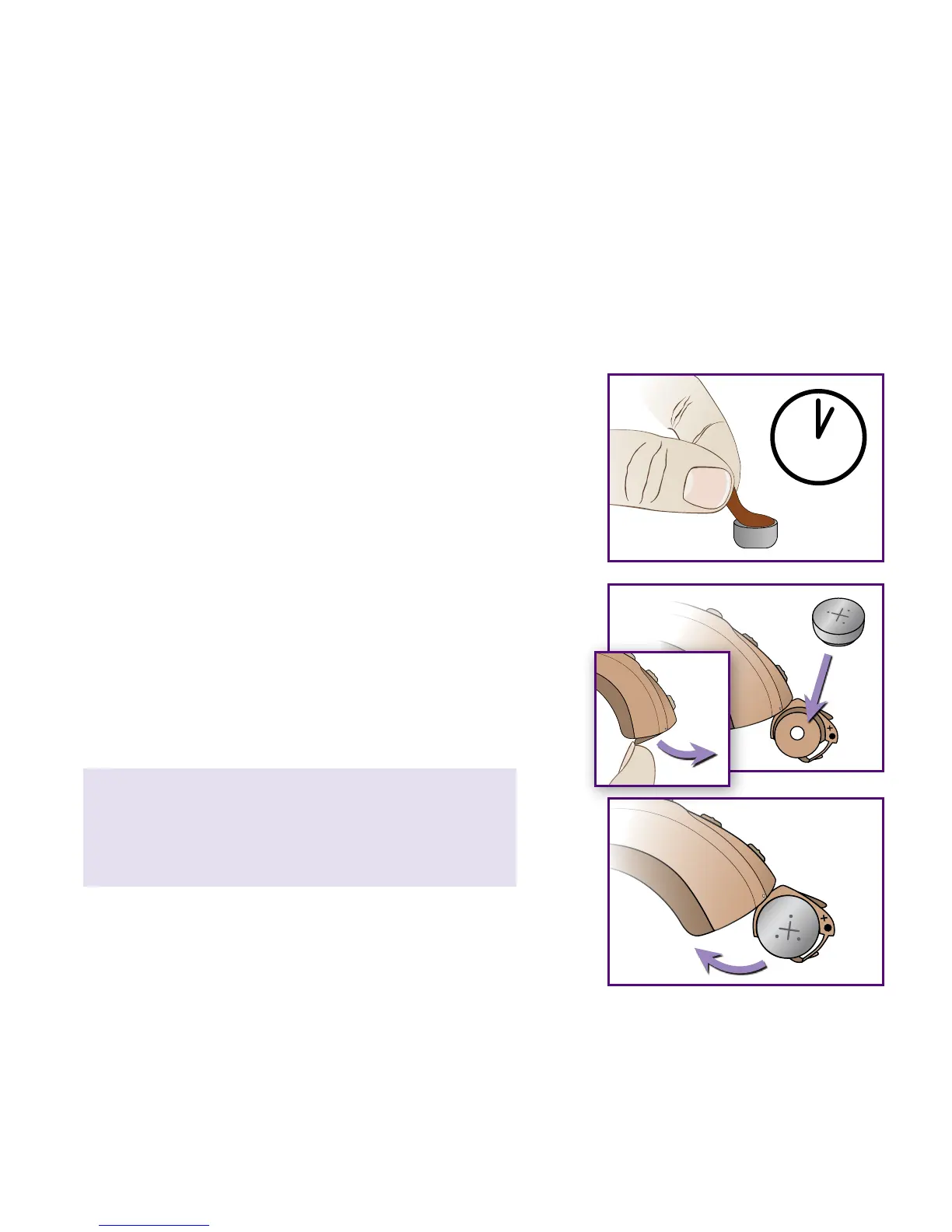
INSERT BATTERY
Positive (
+
)
side up
b)
a)
c)
Battery Type: Size 312 zinc-air (brown tab)
a) Remove brown adhesive tab to activate
battery. Wait one (1) FULL minute for battery
to become fully operational.
b) Push Nail Grip downward to open Battery
Compartment. With the “
+
” side of Battery
Compartment facing up, use Cleaning Tool
Magnet (or your ngers) to insert battery.
c) Close Battery Compartment to turn LUX ON.
(To turn OFF, open Battery Compartment.)
Please note: If Battery Compartment does
not close easily, battery may be inserted
upside down.
13



 To Next Page