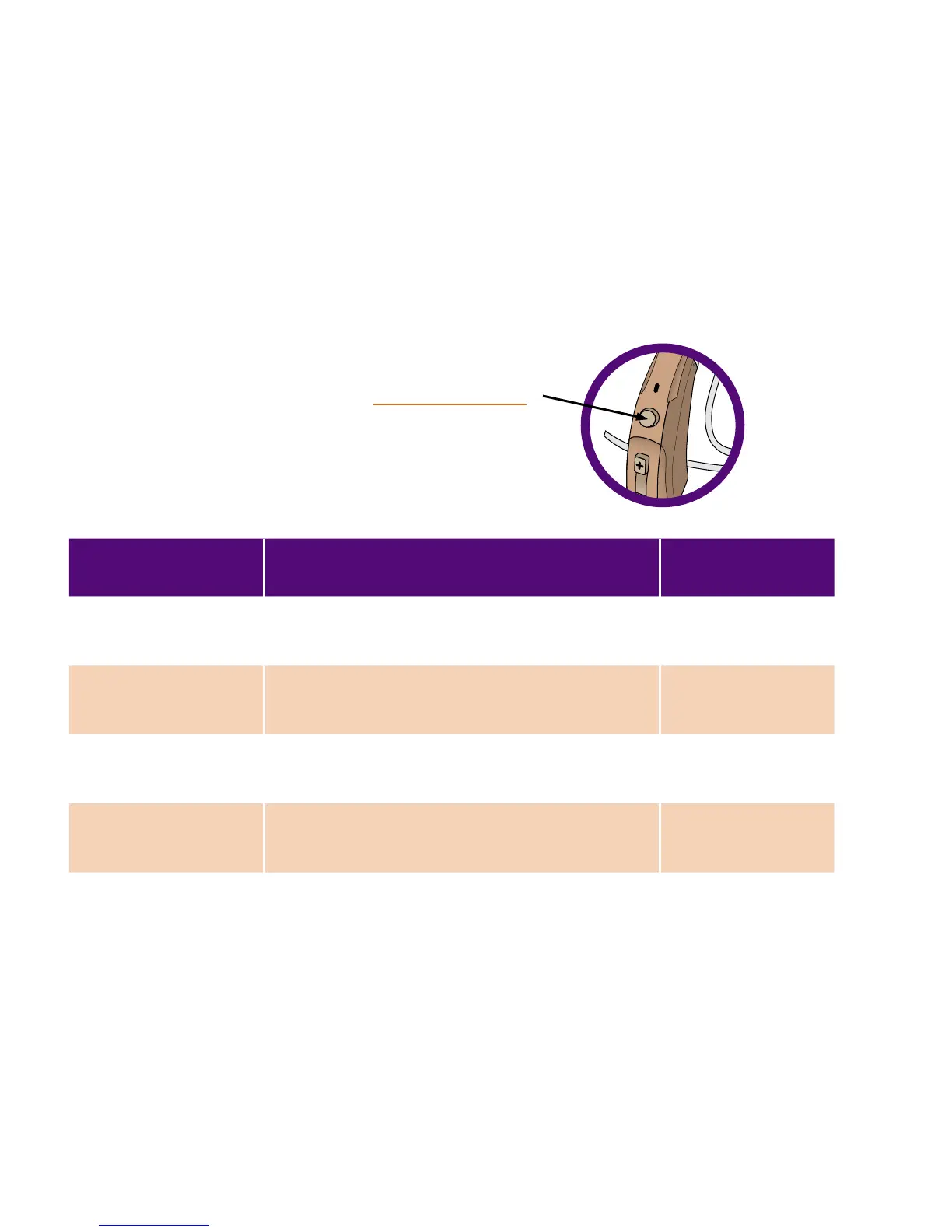
To change programs, press the Program Button.
A voice prompt will indicate the program change.
Experiment with these programs to nd which
works best for you.
PROGRAM BEST FOR INDICATOR
1. Adaptive* Everyday use. This program changes
with your environment.
“Program one”
2. Quiet Hearing high and low pitched sounds.
“Program two”
3. High Frequency High pitched sounds: nature sounds
or high octave music.
“Program three”
4. Restaurant One-on-one conversations or reducing
background noise in restaurants.
“Program four”
PROGRAM SELECTION
*Program 1 is the default setting. When LUX is turned OFF, it will reset to Program 1.
24



 To Next Page