Need help?
Do you have a question about the Meaco MeacoCool Pro Series and is the answer not in the manual?
Instructions for keeping children away from the air conditioner to prevent injury.
Importance of using a grounded plug and outlet for electrical safety.
Warning against using a damaged power cord to avoid electrical hazards.
Guidance on handling the unit to prevent damage and hazards.
Advice on placing the unit on a stable surface to prevent falls and injury.
Details on R290 refrigerant properties, flammability, and handling precautions.
Guidance on environmentally responsible disposal of the product as WEEE.
Detailed diagram and instructions for wiring a standard British plug.
Instructions on locating the serial number on the unit's rating label.
Options for registering the warranty online or by phone.
Step-by-step guide to connect the air conditioner to the Meaco app via Wi-Fi.
Explains how to optimize cooling by sealing rooms and managing heat gain.
Connects the duct machine adaptor to the duct using a twisting motion.
Connects the duct window adaptor to the other end of the duct using a twisting motion.
Attaches the duct to the window kit using the duct window adaptor and screws.
Closes the window to secure the window kit in place for maximum efficiency.
Closes the window to secure the window kit in place, noting water reservoir.
Extends the duct to the required length, avoiding bends or kinks.
Connects the drainage hose for Dry or Heat Mode operation.
Plugs the unit into the mains and turns it on via the power button.
Describes the buttons and indicators on the air conditioner's control panel.
Explains the operation of the Power and Sleep buttons, including mode effects.
Details the functions of the Timer, Fan Speed, and Swing buttons.
Explains how to select modes and adjust temperature using buttons.
Details the operational characteristics of Cool, Dry, Fan, and Heat modes.
Covers remote control usage, automatic defrost, and overload protection features.
Explains how to drain collected water using the drainage hose, with visual aids.
Instructions for cleaning the outer casing of the air conditioner.
Guide on how to remove and clean the air conditioner's dust filters.
Provides contact information including website, email, phone, and address.
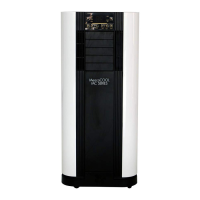
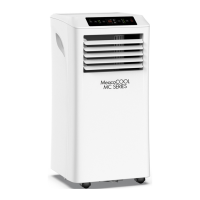
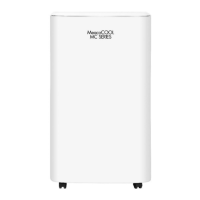
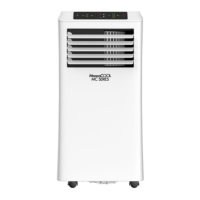
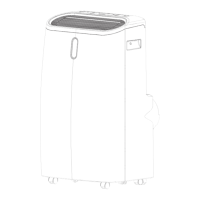
The MeacoCool Pro Series 12,000 - 16,000 Air Conditioner is a powerful, self-contained cooling solution designed for single rooms in homes or offices. Beyond its primary cooling function, it also offers fan and dehumidifying capabilities, making it a versatile appliance for creating a comfortable indoor atmosphere. Its portable design means it does not require permanent installation, allowing users to easily move it to where it's most needed.
The MeacoCool Pro Series operates across several modes: Cool, Dry, Fan, and Heat (available on CH models).
In Cool Mode, the air conditioner cools the room by running its compressor until a desired temperature, settable between 16°C and 32°C, is reached. Once the target temperature is achieved, the compressor turns off, but the fan continues to run. If the room temperature rises above the target, the unit automatically reactivates cooling. This mode requires the exhaust duct to be vented to the outside to remove hot air.
The Dry Mode functions as a dehumidifier, removing excess moisture from the air. The compressor runs intermittently based on ambient temperature: for 15 minutes at >25°C, 10 minutes at 20-25°C, and 6 minutes at 15-20°C, each followed by a 3-minute stop, while the fan runs continuously. Below 15°C, the compressor stops, and drying ceases until the temperature rises to 17°C. In this mode, the fan speed defaults to low and cannot be adjusted, and temperature selection is not available. Continuous drainage via the central drainage port and hose is recommended for optimal performance in Dry Mode.
Fan Mode circulates room air without cooling or heating. Users can select between Low, Medium, or High fan speeds. This mode is useful for general air circulation and is disabled in Dry and Sleep Modes.
For CH (Cooling and Heating) models, a Heat Mode is also available. Similar to Cool Mode, users can set a desired temperature between 16°C and 32°C. The unit will run until this temperature is reached. If the room temperature drops below the target, the air conditioner will automatically resume heating. The compressor stops immediately once the target is met, though the fan may continue if the coil pipe temperature is above 34°C, stopping once it drops to 34°C or below. The supply air fan runs continuously, blowing hot air, while the exhaust air fan operates periodically or continuously depending on temperature and humidity. Continuous drainage via the lower drainage port and hose is recommended for Heat Mode.
The air conditioner features a Sleep Mode, which can be activated in Cool or Heat Mode. In this mode, the unit runs on a low fan speed to minimize noise, and the LED display dims. In Cool Mode, the pre-set temperature increases by 1°C after the first hour, and by another 1°C after the second hour, maintaining this new temperature for 10 hours. In Heat Mode, the pre-set temperature decreases by 1°C after the first hour, and by another 1°C after the second hour, also maintaining this for 10 hours.
An Automatic Defrost function is integrated to prevent frost buildup on the evaporator at low room temperatures. When the evaporator coil temperature drops below -1°C in Cool or Dry Mode, the compressor pauses for ten minutes or until the coil reaches 7°C, after which the unit restarts in Cool Mode. This is a normal operational process.
The device also includes an Overload Protection feature. In the event of a power cut, the air conditioner's memory function ensures it resumes its previous settings once power is restored, with a 3-minute delay before the compressor restarts to protect it.
The MeacoCool Pro Series is designed for ease of use with a comprehensive control panel and a remote control.
Control Panel and Remote Control: Both allow users to:
The air conditioner requires venting to the outside, typically through a window, to expel hot air. It comes with a 1.8-meter duct, which can be extended with an optional 2-meter duct. Two window kits are provided: a Standard window kit for sliding windows and doors, and a Flexible window kit for other window types.
The MeacoCool Pro Series can be controlled via the Meaco app, available on the App Store or Google Play.
The air conditioner has two drainage ports: a central drainage port for Dry Mode and a lower drainage port for Heat Mode.
Regular cleaning is crucial for maintaining the air conditioner's performance and validating its warranty.
The MeacoCool Pro Series uses life-long dust filters, located at the top and bottom of the unit. These filters are built into their cases and cannot be removed from them.
For long-term storage:
The MeacoCool Pro Series is designed to be a reliable and efficient solution for climate control, offering user-friendly operation and straightforward maintenance to ensure long-lasting performance.
 General
| Type | Portable Air Conditioner |
|---|---|
| Refrigerant | R290 |
| Fan Speeds | 3 |
| Remote Control | Yes |
| Energy Efficiency Class | A |
| Timer | Yes |
| Power Supply | 230V, 50Hz |

 To Next Page