EasyManua.ls Logo

Meaco 7000 - User Manual

Meaco 7000
22 pages
Print Icon
To Next Page IconTo Next Page
Loading...
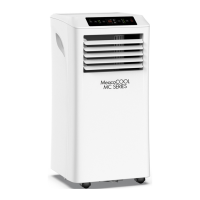
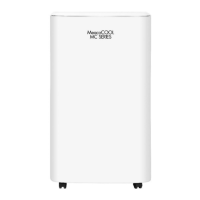
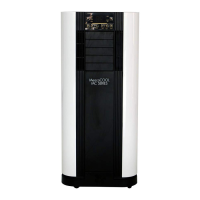
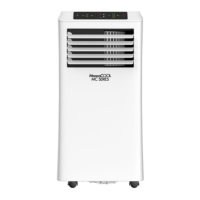
MeacoCool MC Series Portable Air
Conditioner Instruction Manual
MeacoCool MC Series 7000 BTU, 8000 BTU, 9000 BTU, 10000 BTU
and 10000CH BTU Portable Air Conditioners
Please read this instruction manual before using the portable air conditioner and
keep safe for future reference.
Thank you for choosing Meaco, we really appreciate it.

Questions and Answers

Summary

Safety Information

Keep Children Away

Ensures children are kept away from the appliance to prevent injury.

Keep Unit Grounded

Always operate the unit with a grounded plug and outlet for safety.

Protect Power Cord from Damage

Never operate the unit with a damaged power cord due to electrical/fire hazards.

Extension Cords

Extension cords must be grounded and able to deliver appropriate voltage.

Handle with Care

Avoid dropping or rough handling to prevent damage to components or wiring.

Run on Stable Surface

Always operate the unit on a stable, level surface to prevent falls.

Keep Out of Water

Never operate the unit in water to avoid electrical shock risks.

Keep Air Intakes Clear

Do not block air intakes to prevent overheating and fire hazards.

Keep Electrical Components Dry

Keep electrical components dry to prevent electrical shock or damage.

Wiring Instructions

Product Identification

General Advice

Portable Air Conditioner Principles

Explains how cooling works best in a well-sealed room with minimal heat gain.

Set Up

Control Panel

Power Button

Controls the unit's power, entering standby or active mode.

Mode Button

Allows cycling through operational modes like Cool, Dry, Fan, and Heat.

Up and Down Buttons

Used for adjusting temperature or timer settings.

Timer Button

Sets the On or Off timer for the unit, between 1 and 24 hours.

Fan Speed Button

Selects between High and Low fan speeds, disabled in certain modes.

The Modes

Cool Mode

Operates to cool the room to a set temperature with adjustable fan speed.

Dry Mode

Removes moisture from the air; fan speed is fixed to low.

Fan Mode

Circulates room air without cooling; direction can be manually adjusted.

Heat Mode

Provides heating functionality (CH models only) with adjustable temperature and fan speed.

Sleep Mode

Reduces noise by using low fan speed and adjusting temperature gradually.

Other Functions

Timer

Allows setting an On or Off timer for the unit between 1 and 24 hours.

Automatic Defrost

The unit automatically defrosts the evaporator when low temperatures are detected.

Overload Protection

Protects the compressor by delaying its restart after a power interruption.

Remote Control

Drainage

Cleaning and Storage

Specifications

Trouble Shooting

No power to the machine

Troubleshoots unit power issues, checking power source and connections.

Power button does not work

Addresses problems with the unit's power button functionality.

Machine turned on but compressor does not work

Explains compressor delay and checks operation after initial startup.

Remote control does not work

Covers remote control range issues or the need for battery replacement.

Increased noise level

Identifies potential causes of noise, such as dirty filters or blocked air inlets.

Too noisy to use in a bedroom

Recommends pre-cooling the room to minimize noise during sleep periods.

Fan speed does not change

Checks operation modes like Sleep or Dehum where fan speed is fixed.

Cooling is not effective

Addresses factors like room size, sunlight, and airflow blockages impacting cooling.

Heating is not effective

Assesses room size and outbound air temperature for heating performance issues.

Machine turns itself off

Checks if the target set point has been reached or suggests adjusting it.

Machine leaks water when moved

Advises draining the unit before relocation to prevent water leakage.

Display shows Ft

Indicates the internal water container is full and requires draining.

Error Codes (E0, E1, E2)

Provides guidance for display errors indicating board, sensor, or coil faults.

Warranty

Meaco 7000 Specifications

General IconGeneral
BrandMeaco
Model7000
CategoryAir Conditioner
LanguageEnglish

Related product manuals