18
Use the Mode and Shutter Buttons
Note: If you do not perform an
operation for 60 seconds, the camera
automatically switches off.
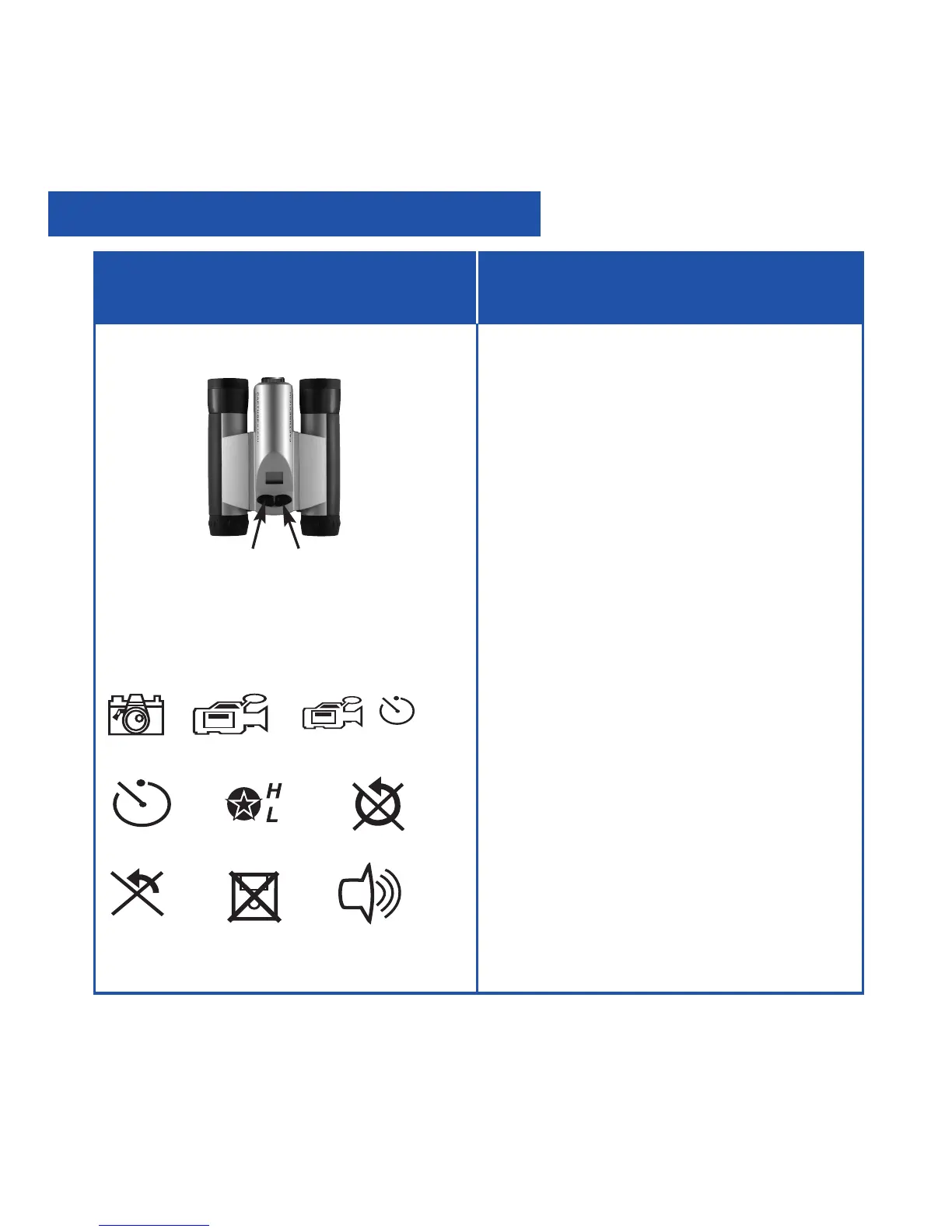
• Press and hold the Mode button for 3
to 5 seconds to turn the camera on
or off.
• Use the Mode button to cycle
through the operation icons.
As you press the Mode button, the
operation icons display on-screen in
the following order:
Camera
Video
Flashback (when SD card present)
Self-timer
Quality/Resolution
Erase Last Image
Erase All Images
Format Storage
Beeper On/Off
The next press returns you to the
Camera icon.
• Press the Shutter button when the
desired icon is displayed to select an
operation.
• Use the Shutter button to take a
picture, and to begin or end the
recording of a movie.
If you want to... Do this...
Camera Video Flashback
Operation Icons
Self-Timer Resolution Erase All
Erase Last Format Storage Beeper
Mode
Shutter
Operations


 To Next Page