EasyManua.ls Logo

Meade ETX-AT - User Manual

Meade ETX-AT
2 pages
Print Icon
To Next Page IconTo Next Page
Loading...
Meade ETX-AT Quickstart Guide
STEP
1
Open the tripod, extend the legs, and adjust
height as needed. Aer adjustments, tripod
head should be approximately level.
Looking at or near the Sun will cause irreversible damage to your eye. Do not point this telescope at or near the Sun without a proper solar filter attached.
Loosen the latude control knob and lt the
tripod lt plate. Lock it in place so you have
access to the two mounng thumbscrews.
STEP
3
Install baeries if needed. See above image of the
baery compartment. Then aach the mount to the
tripod using the two lt plate thumbscrews.
Lower the lt plate and lock into the level posion.
STEP
4
Insert the eyepiece into the eyepiece holder and
ghten the aachment thumbscrew.
Do not overghten.
STEP
7
Roughly level the OTA and lock the vercal and
horizontal lock knobs. Tighten the locks to a rm
feel only.
STEP
5
With the power o, connect the coil cord to the
AudioStar and Control Panel of the mount.
If using external 12v 5A power, connect it now.
STEP
6
Before assembling your telescope, visit the Meade ETX-AT resources page to access the full instruconal manual, electronic quick
start guide and download our AutoStar Suite Planetarium Soware. hps://www.meade.com/content/etx-at-support-resources
Aach the spreader bar with the spreader sha
unl the telescope legs are held snuggly.
STEP
2
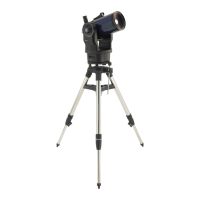
ETX-AT Tripod
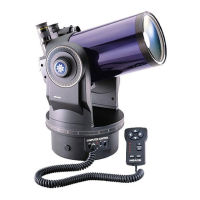
ETX-AT Mount Overview
1. Focus Knob (not visible)
2. Rear photo port
3. Eyepiece holder
4. Eyepiece
5. Red-dot viewnder
6. Eyepiece holder thumbscrew (not visible)
7. 90 Degree Flip-Mirror Control Knobs
8. Optical tube
9. Dust cover (not visible)
10. Vertical (Dec.) lock knob
11. Fork arm
12. Computer control panel
13. Vertical (Dec.) Setting Circle
14. Front lens
15. Horizontal (R.A.) lock knob
16. Battery Compartment (8 x AA)
17. Battery cover
18. Horizontal (RA) Setting Circle
19. Tripod mounting holes (2)
20. Leg Lock Knob
21. Spreader Shaft
22. Spreader Bar
23. End Nut
24. Latitude Control Knob
25. Tripod Mounting Screws (2)
26. Latitude Control Rod
2
5
3
1
4
8
12
10
7
11
9
6
(not visible)
(not visible)
(not visible)
13
15
18
17
16
Baery Compartment
19
20
21
22
23
24
25
Lock Knob
Spreader Shaft
Spreader Bar
End Nut
Thumb-Screws
Align
Align
Vertical Lock
Horizontal Lock
Connect the
coil cord to
AudioStar
Connect
the coil
cord to
the mount
Remove the front dust cover.
STEP
8
Flip the power switch to ON. AudioStar will
prompt you with several quesons then dis-
play “Press 0 for Align or MODE for Menu.
STEP
9
Thumb-Screws
26
Latitude
control
knob
Tilt plate
Thumbscrews
Question and Answer IconNeed help?

Do you have a question about the Meade ETX-AT and is the answer not in the manual?

Summary

ETX-AT Mount Overview and Components

Telescope Setup and Alignment

Starting Home Position

Position the telescope pointing North, ensuring the tube is level and locked for initial setup.

Alignment Procedure

Align the telescope with celestial objects using the red-dot finder and AudioStar handbox for accurate pointing.

Meade Instruments Warranty Information

Summary

ETX-AT Mount Overview and Components

Telescope Setup and Alignment

Starting Home Position

Position the telescope pointing North, ensuring the tube is level and locked for initial setup.

Alignment Procedure

Align the telescope with celestial objects using the red-dot finder and AudioStar handbox for accurate pointing.

Meade Instruments Warranty Information

Overview

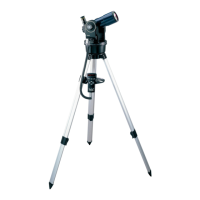
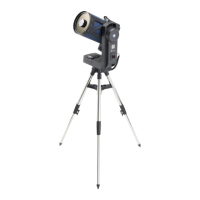
The Meade ETX-AT is a compact, computerized Go-To telescope designed for astronomical observation. It features a Maksutov-Cassegrain optical tube assembly (OTA) known for its sharp, high-contrast views and portability. The telescope is mounted on a dual-fork arm alt-azimuth mount, which can be configured for either alt-azimuth or equatorial alignment, making it versatile for both terrestrial and celestial viewing.

Function Description:

The ETX-AT's primary function is to provide automated tracking and location of celestial objects. It achieves this through its integrated AudioStar computer control system, which contains a database of thousands of astronomical objects. Users can select an object from the database, and the telescope will automatically slew to its position and track it as it moves across the night sky. The red-dot viewfinder assists in initial alignment and manual targeting, while the focus knob allows for precise image sharpness adjustment. The 90-degree flip-mirror control knobs enable switching between a straight-through view (for photography) and a 90-degree angled view (for comfortable visual observation with an eyepiece). The mount includes horizontal (R.A.) and vertical (Dec.) lock knobs to secure the telescope's position, as well as setting circles for manual celestial coordinate input.
Important Technical Specifications (Inferred from manual):

  • Optical Design: Maksutov-Cassegrain (implied by the compact tube and typical ETX series design). This design offers a long focal length in a short tube, minimizing chromatic aberration and providing excellent planetary and lunar views.
  • Mount Type: Dual-fork arm alt-azimuth, motorized with Go-To capabilities.
  • Power Source: 8 x AA batteries (located in the battery compartment) or external 12V 5A power supply. Battery operation provides portability, while an external power source is recommended for extended use.
  • Control System: AudioStar computer control panel with a 2-line LCD display, keypad, and various function buttons (ENTER, MODE, GO TO, Arrow Keys, Scroll Keys).
  • Connectivity: Coil cord port for AudioStar handbox, serial port (likely for PC connection and software updates), AUX ports (for additional accessories).
  • Finder Scope: Red-dot viewfinder with on/off and brightness adjustment.
  • Eyepiece Holder: Standard eyepiece holder, likely 1.25" for common astronomical eyepieces.
  • Tripod: Adjustable height tripod with a spreader bar for stability. Includes a tilt plate for latitude adjustment, crucial for equatorial alignment.

Usage Features:

  • Easy Alignment: The AudioStar system supports "Easy Alignment" procedures, guiding the user through selecting True North or Magnetic North and centering two alignment stars. This simplifies the initial setup process for automated Go-To functionality.
  • Go-To Functionality: Once aligned, the telescope can automatically point to and track celestial objects selected from the AudioStar database.
  • Slew Speeds: Multiple slew speeds (e.g., Speed 1: Slow, Speed 5: Medium, Speed 9: Fast) allow for precise centering of objects and rapid movement across the sky.
  • Home Position: A defined "Home Position" (OTA level, pointing North, left fork-arm over the control panel) ensures consistent starting points for alignment procedures and prevents the telescope from hitting its hard stops.
  • Flip-Mirror: The 90-degree flip-mirror allows for quick switching between visual observation and astrophotography setups without changing eyepieces or accessories.
  • Adjustable Tripod: The tripod's adjustable legs and tilt plate accommodate various viewing heights and allow for latitude adjustment, which is essential for polar alignment in equatorial mode.
  • Portability: The compact design and battery power option make the ETX-AT suitable for field observations away from power outlets.
  • AudioStar Features: The AudioStar handbox provides access to guided tours, "Tonight's Best" recommendations, and menus for setting date, time, daylight savings, and location information, enhancing the user experience.

Maintenance Features:

  • Dust Covers: The telescope includes a front dust cover for the main lens and a dust cover for the optical tube (not visible in the diagram but implied), protecting the optics from dust and debris when not in use.
  • Battery Compartment: Easily accessible battery compartment for convenient battery replacement.
  • Software Updates: The serial port on the AudioStar handbox likely allows for firmware updates, ensuring the system remains current with new features or bug fixes.
  • Cleaning: While not explicitly detailed, standard telescope cleaning practices (e.g., using a blower brush for dust, lens cleaning solution for smudges) would apply to maintain optical performance.
  • Lock Knobs: The horizontal and vertical lock knobs are designed for firm tightening, ensuring the telescope's stability during observation and transport, which contributes to the longevity of the mount's gears.
  • Warning Labels: Prominent warnings regarding sun observation and button battery safety are included, emphasizing user safety and proper handling.

Meade ETX-AT Specifications

General IconGeneral
BrandMeade
ModelETX-AT
CategoryTelescope
LanguageEnglish

Related product manuals