This document describes the Meauro Mini Projector, model APT01, a compact full HD 1080P projector designed for home entertainment and various projection needs.
Function Description
The Meauro Mini Projector is a versatile device capable of projecting images and videos from various sources onto a screen or wall. It features a dual-channel speaker for audio output and multiple input options for connecting external devices. The projector runs on an Android interface, providing access to preinstalled apps and allowing users to download additional applications. It supports screen mirroring from Android phones via Miracast and can play local media files from a USB drive. The device is equipped with automatic vertical keystone correction for image adjustment and a manual focus wheel for fine-tuning clarity.
Important Technical Specifications
- Power Supply: 19V3A adapter
- Power Consumption: 55W (max), 1W (standby)
- Display Technology: Monolithic LCD
- Light Source: LED
- Projected Image Size: 35-200 inches
- Resolution: 1920x1080P (Full HD)
- Throw Ratio: 1.35
- Projection Distance: 1.2-3.5 meters
- CPU: Mali-400MP2
- RAM: 1GB
- ROM: 8GB
- Speaker: 3W*2
- Wi-Fi: Single frequency Wi-Fi
- Bluetooth Version: 4.0
- USB File System: FAT32
- Built-in Battery (Advanced Version): Lithium battery, 3200mAh capacity
- Recommended Ambient Temperature: 5-35°C
- Relative Humidity: 30%
- Storage Temperature and Humidity: 25°C; 30%
- Dimensions: 137 x 107 x 146 mm
- Weight: 0.95KG (1.1KG with battery included)
Usage Features
The projector offers a user-friendly experience with various features:
- Power On/Off: Press and hold the On/Off button to power on the projector. The indicator light turns red when connected to power and green when operating.
- Signal Source Selection: Use the Signal Selection button on the remote controller to choose input channels such as HDMI or AV.
- Connectivity:
- USB Drive: Connect a USB drive to play videos, audios, documents, and images.
- HDMI Device: Connect to computers, HD players, or DVD players using an HDMI cable (not included).
- AV Output Device: Connect to AV devices using a 3-in-1 3.5mm AV cable (not included) for video and audio output. A 3.5mm audio cable can also be used to connect to external speakers.
- Android Interface: The projector boots into an Android interface with a main screen featuring "All Apps," "Miracast," "Source," "Browser," and "Add App" options.
- All Apps: Access preinstalled and user-downloaded applications.
- Miracast: Screen mirroring from Android phones.
- Browser: Play local media files from a USB drive.
- Add App: Customize the main interface with frequently used apps.
- Android Settings: Navigate through various settings including:
- Wifi Settings: Connect to available Wi-Fi networks.
- Bluetooth Settings: Connect to Bluetooth speakers for audio output.
- Application Settings: Manage installed applications (open or uninstall).
- Language Settings: Adjust the system language and input method settings.
- Date Settings: Set the date and time, either automatically via network or manually.
- Other Settings: Configure boot source options (AV, HDMI, Off) and power-on behavior (Standby/Direct).
- Projection Image Setting:
- Projection Mode: Choose from Front-Desktop, Rear-Desktop, Front-Ceiling, or Rear-Ceiling.
- Keystone Advanced: Utilize 4-point keystone correction for adjusting image distortion when projecting upward, downward, leftward, or rightward.
- Manual Keystone: Fine-tune image geometry by adjusting specific points.
- Infrared Remote Controller: Provides comprehensive control over the projector, including power, navigation, volume, mute, play/pause, signal selection, and menu access.
- Installation Methods: Can be placed on a stable desktop or mounted to the ceiling using a bracket. Ensure proper ventilation and avoid blocking air vents. The projection surface should be white and even for optimal results.
- Safety Instructions:
- Use in a darker room with curtains closed for best effects.
- Handle with caution to prevent damage from dropping or collision.
- Read the user manual carefully and keep it for future reference.
- Use a grounded power outlet and the specified power source.
- Avoid looking directly into the lens during operation.
- Do not block air vents with objects like cloths or blankets.
- The product is not waterproof; prevent water drenching or splashing.
- Unplug the power cord if not used for a long time.
- Use original foam for transportation.
- Do not dismantle the projector; contact customer service for faults.
- Safe for use below 2000m altitude; higher altitudes may pose safety hazards.
Maintenance Features
- System Update: Access "System Update" in settings to perform a local update via USB drive or restore factory settings.
- Troubleshooting: The manual provides a troubleshooting guide for common issues such as power indicator not lighting up, remote controller not working, unclear image, white screen, keystone correction not working, no sound with Dolby effects, Eshare connection problems, and issues with Netflix/Amazon Prime video.
- Customer Service: Contact information (phone numbers and email) is provided for after-sales support in US/CA, UK, and DE, with specified business hours.
- Software Optimization: The product undergoes continuous software optimization, which may lead to minor differences in the OSD interface and pictures in the manual. These changes do not affect the core functions and operations.

 Need help?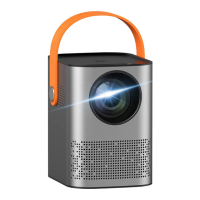

 To Next Page
 General