EasyManua.ls Logo

MECHEN M3 - Music Playback Features; Music Control; Playback Modes; Supported Music Formats

MECHEN M3
9 pages
Print Icon
To Next Page IconTo Next Page
To Previous Page IconTo Previous Page
Loading...
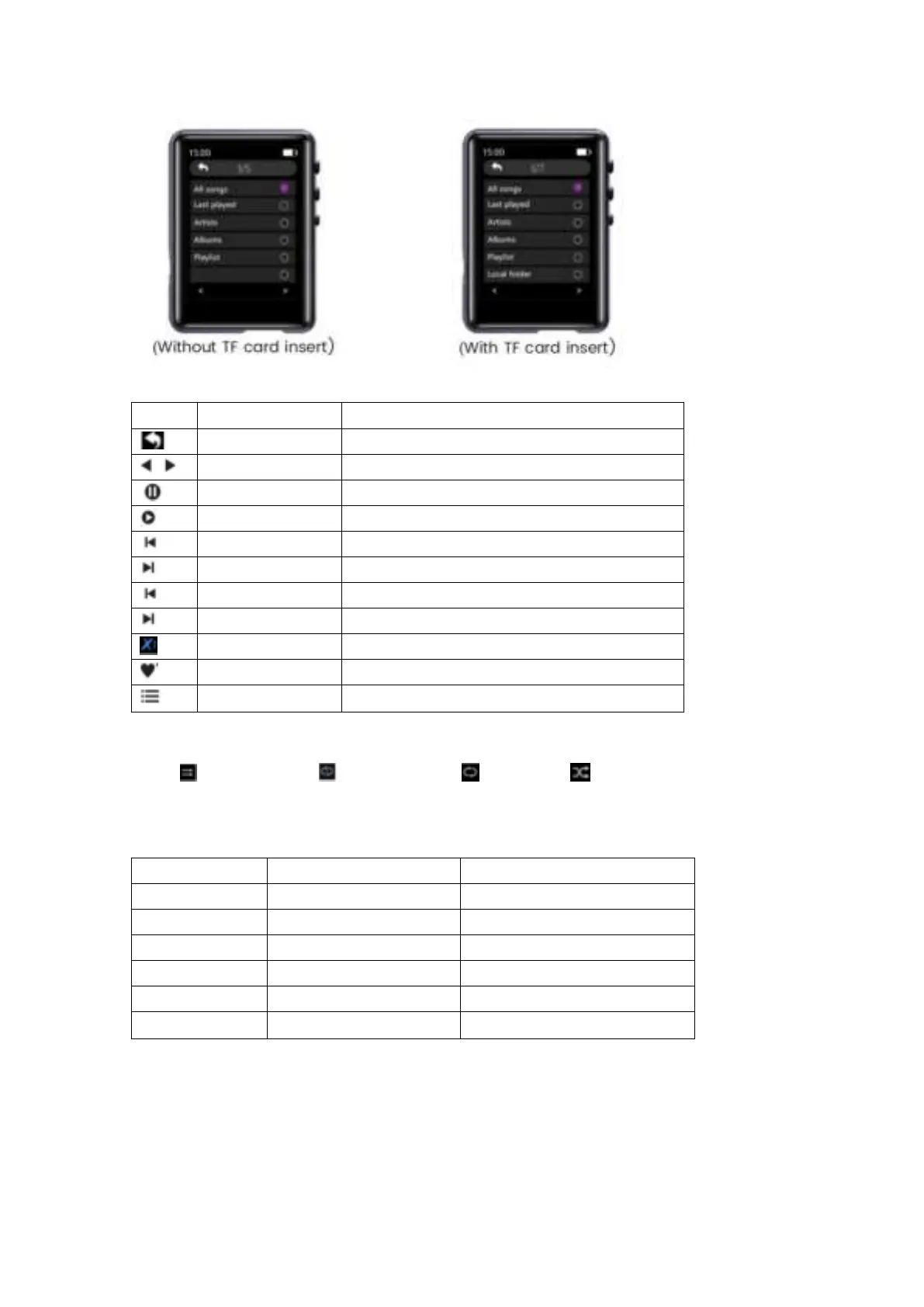
1) Music Control
Icon
Operation
Function
Tap on the button
Exit
Tap on the button
Select each option from menu list
Tap on the button
Play the Music
Tap on the button
Pause the Music
Tap on the button
Play the Previous Song
Tap on the button
Play the Next Song
Hold the button
Rewind the currently playing song
Hold the button
Fast forward the currently playing song
Tap on the button
Change the play speed from -7~+7
Tap on the button
Add the song to the list of your favorite song
Tap on the button
Enter the settings menu of the song
2) Playback Mode
Sequential Play Single Cycle All Repeat Shuffle
3) Music Formats
Bitrate
Sampling Rate
8Kbps~320Kbps
8MHz~48MHz
5Kbps~384Kbps
8MHz~48MHz
800Kbps~1000Kbps
8MHz~48MHz
32Kbps~384Kbps
8MHz~48MHz
1000Kbps~1200Kbps
8MHz~48MHz
8Kbps~320Kbps
8MHz~48MHz
Video
Tap on the icon of Video and the lists pop up:

Related product manuals