EasyManua.ls Logo

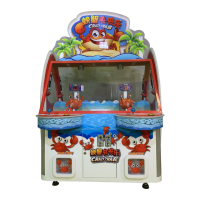
MecPower Tecway Crazy Crab - User Manual

MecPower Tecway Crazy Crab
33 pages
Print Icon
To Next Page IconTo Next Page
Loading...
Crazy Crab Operation Manual

Questions and Answers

  • A
    amanda58Aug 18, 2025
    What to do if MecPower Tecway Arcade Game Machines shows E1 error?
    • R
      Randy RussellAug 18, 2025
      If your MecPower Tecway Arcade Game Machine displays error E1 (left moving limit sensor or motor error), it could be due to several reasons. First, check if the sensor wire is blocked and connect it if necessary. If the sensor is damaged, replace it. Also, ensure the mechanism is correctly in place and not loose; connect the motor wire. If the motor drive board is damaged, set or repair it. Finally, the motor itself or the main board might be damaged, in which case you should replace them.
  • J
    James RaymondAug 20, 2025
    What to do if MecPower Tecway Arcade Game Machines shows E2 error?
    • T
      Tracy Perez MDAug 20, 2025
      If your MecPower Tecway Arcade Game Machine displays error E2 (right moving limit sensor or motor error), it could be due to several reasons. First, check if the sensor wire is blocked and connect it if necessary. If the sensor is damaged, replace it. Also, ensure the mechanism is correctly in place and not loose; connect the motor wire. If the motor drive board is damaged, set or repair it. Finally, the motor itself or the main board might be damaged, in which case you should replace them.
  • C
    comptonpennyAug 23, 2025
    What to do if MecPower Tecway Arcade Game Machines shows E5 error?
    • D
      Dr. Jacob CallahanAug 23, 2025
      If your MecPower Tecway Arcade Game Machine displays error E5 (Error in opening or closing electric eye or clamping motor), it could be due to several reasons. First, check if the sensor wire is blocked and connect it if necessary. If the sensor is damaged, replace it. Also, ensure the mechanism is correctly in place and not loose; connect the motor wire. If the motor drive board is damaged, set or repair drive board. Finally, the motor itself or the main board might be damaged, in which case you should replace them.
  • L
    lgoodAug 25, 2025
    What to do if MecPower Tecway Arcade Game Machines shows E4 error?
    • K
      Kim LeeAug 26, 2025
      If your MecPower Tecway Arcade Game Machine displays error E4 (Bent up and down eyes or bent down motor error), it could be due to several reasons. First, check if the sensor wire is blocked and connect it if necessary. If the sensor is damaged, replace it. Also, ensure the mechanism is correctly in place and not loose; connect the motor wire. If the motor drive board is damaged, set or repair drive board. Finally, the motor itself or the main board might be damaged, in which case you should replace them.
  • L
    lcarrollAug 28, 2025
    How to fix a MecPower Tecway Arcade Game Machines display board that is not displaying?
    • A
      Abigail MorganAug 28, 2025
      If the MecPower Tecway Arcade Game Machine's display board isn't showing anything, first ensure the display wire is properly connected. If the monitor is damaged, replace it. If the issue persists, the main board might be damaged and require replacement.
  • S
    saramosesAug 30, 2025
    Why is there no sound coming from my MecPower Tecway Arcade Game Machines?
    • C
      Colleen AguilarAug 30, 2025
      If you are not getting any sound from your MecPower Tecway Arcade Game Machine, check that the speaker wire is securely connected. If it is, make sure the volume isn't set too low by adjusting the volume potentiometer. If there's still no sound, the speaker might be damaged and need replacing.
  • M
    Misty WeberSep 2, 2025
    What to do if button lights do not light up on MecPower Tecway Arcade Game Machines?
    • E
      Elizabeth BarberSep 2, 2025
      If the buttons on your MecPower Tecway Arcade Game Machine are not lighting up, first ensure the button light wire is properly connected. If it is, and the light still doesn't work, the button light itself might be damaged and need replacing. If neither of these fixes the issue, the main board might be damaged and require repair or replacement.
  • T
    Taylor LewisSep 4, 2025
    What to do if MecPower Tecway Arcade Game Machines shows E3 error?
    • D
      Darlene LopezSep 4, 2025
      If the MecPower Tecway Arcade Game Machine is showing error E3 (Middle sensor error), start by checking the sensor wire and connect it if it's blocked. If the sensor is damaged, replace it. Also, verify that the mechanism is correctly in place and check if the small motor is working. If problems persist, the main board might be damaged and require replacement.
  • A
    ashleygeorgeSep 6, 2025
    What to do if buttons are invalid on MecPower Tecway Arcade Game Machines?
    • R
      Rebecca OrtegaSep 7, 2025
      If the buttons on your MecPower Tecway Arcade Game Machine are not working, check that the switch wire is connected. If the switch is damaged, replace it. If problems persist, the main board might be damaged, and you should repair or replace it.
  • S
    sanchezcynthiaSep 9, 2025
    Why are the common lights not lighting up on my MecPower Tecway Arcade Game Machines?
    • A
      Alexis BeardSep 9, 2025
      If the common lights on your MecPower Tecway Arcade Game Machine are not lighting up, check the light wire connection. If the light is damaged, replace it.

Summary

Game Instruction

Game Characteristics

Details the unique appearance, music, and game content that make the machine popular with young players.

Game Playing Methods

Explains the operation for 4 players, automatic mode, and non-automatic mode gameplay.

Technical Parameters

Installation Guide

Site Selection

Provides guidelines for selecting an appropriate installation location, ensuring adequate space for operation and player comfort.

Machine Fixing and Assembly

Details the process of fixing the machine, including securing the light box assembly and acrylic components.

Test and Setting Procedures

Test and Setting Instruction

Guides on how to access and navigate the game's setup and testing menus using the control panel.

Setting Menu Options

Explains various settings like game times, coin count, volume, and auto mode configuration.

I;O Test Interface

Describes how to test input/output signals for sensors, motors, and displays within the game.

Machine Adjustment

Coin Acceptor Calibration

Provides step-by-step instructions for adjusting the coin acceptor to ensure accurate coin recognition and processing.

Volume Control

Details methods for adjusting the game's audio volume using both physical potentiometers and software settings.

Troubleshooting and Error Codes

Common Failure Troubleshooting

Lists common failures, their faults, and corresponding troubleshooting steps for game malfunctions.

Error Code Diagnosis

Explains how to interpret error codes related to sensors and motors for effective troubleshooting and repair.

Spare Part Drawings and Lists

Light Box Components

Lists specific parts and quantities for the light box assembly, including panels, plastic, light strips, and hardware.

Light Box Frame Parts

Details the components for the light box frame, such as outer frames and acrylic fixed codes, with their respective quantities.

Front Door Assembly Parts

Lists parts for the front repairing door, including the frame, tempered glass, pressure codes, and hinges.

Cabinet Assembly Parts

Details components for the main cabinet, such as monitors, hinges, gift mouth acrylic, casters, and lighting strips.

Control Cabinet and Main Board Parts

Lists components for the control cabinet and main board, including filters, control boards, amplifiers, and drive boards.

Power Supply and Prize Mouth Parts

Details parts for the power supply unit and the prize mouth assembly, including power supplies and light strips.

Coin Door and Cabinet Console Parts

Lists components for the coin door assembly and the cabinet's control console, including coin acceptors, speakers, and buttons.

Push Plate and Fruit Plate Parts

Details parts for the push plate and fruit plate assemblies, including motors, bearings, shafts, and plates.

Slide Rail Assembly Parts

Lists components for the slide rail assembly, such as motors, bearings, shafts, sensors, and hardware.

Crab Assembly Parts

Details parts for the crab mechanism, including clips, arms, motors, sensors, and shells.

Side Board Assembly Parts

Lists components for the side board assembly, including hardware, light transmitting edges, acrylic windows, and locks.

Schematic Diagram

Button Control & Interface Board

Illustrates connections for button controls, interface board, and related input/output signals.

Amplifier Board & Sensors

Shows wiring for the amplifier board, various sensors (moving, bend, prize), and their connections.

Main Board & LED Driver

Details the main board connections, LED driver board, and power supply interfaces.

Motor Drive Board & Time Digital Tubes

Depicts the motor drive board, connections for digital time tubes, and various motor outputs.

MecPower Tecway Crazy Crab Specifications

General IconGeneral
BrandMecPower Tecway
ModelCrazy Crab
CategoryArcade Game Machines
LanguageEnglish

Related product manuals