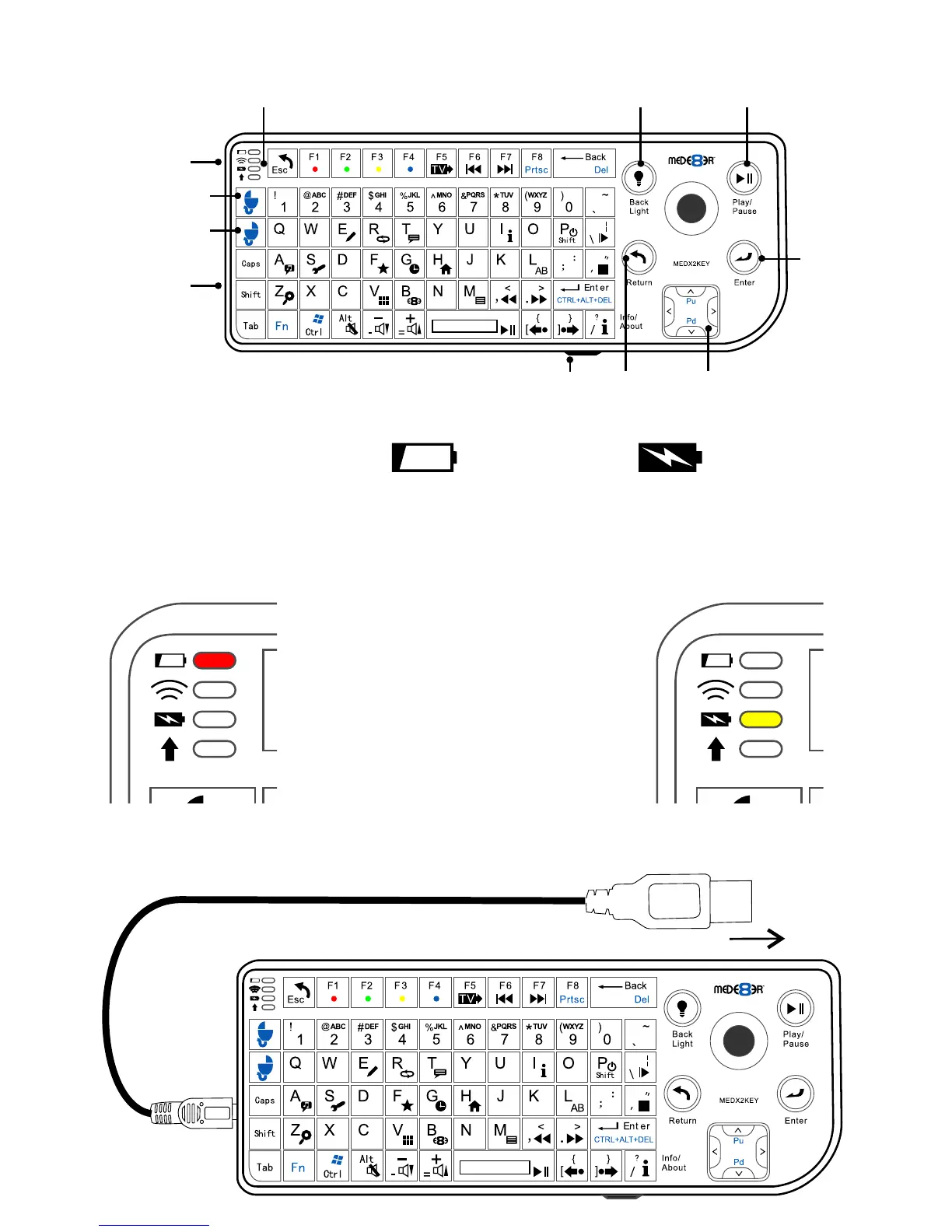
Red LED
‘off’ -- battery ok
‘flashing’ -- low battery
Yellow LED
‘on’ -- charging
‘off’ -- fully charged
Plug in the supplied USB Mini
connector into the side of the
keyboard unit and plug the USB
male into your Mede8er’s USB
host port or the USB port on
your PC.
USB Charge Cable
Charging the Battery
Curser Speed Return Arrow Keys
Left Mouse
Button
Right mouse
Button
On/Off
USB Mini
Charge
Connector
General Overview
Back Light
Play / Pause
Enter
LED Status Display
Plug into USB host port
pg 1



 To Next Page