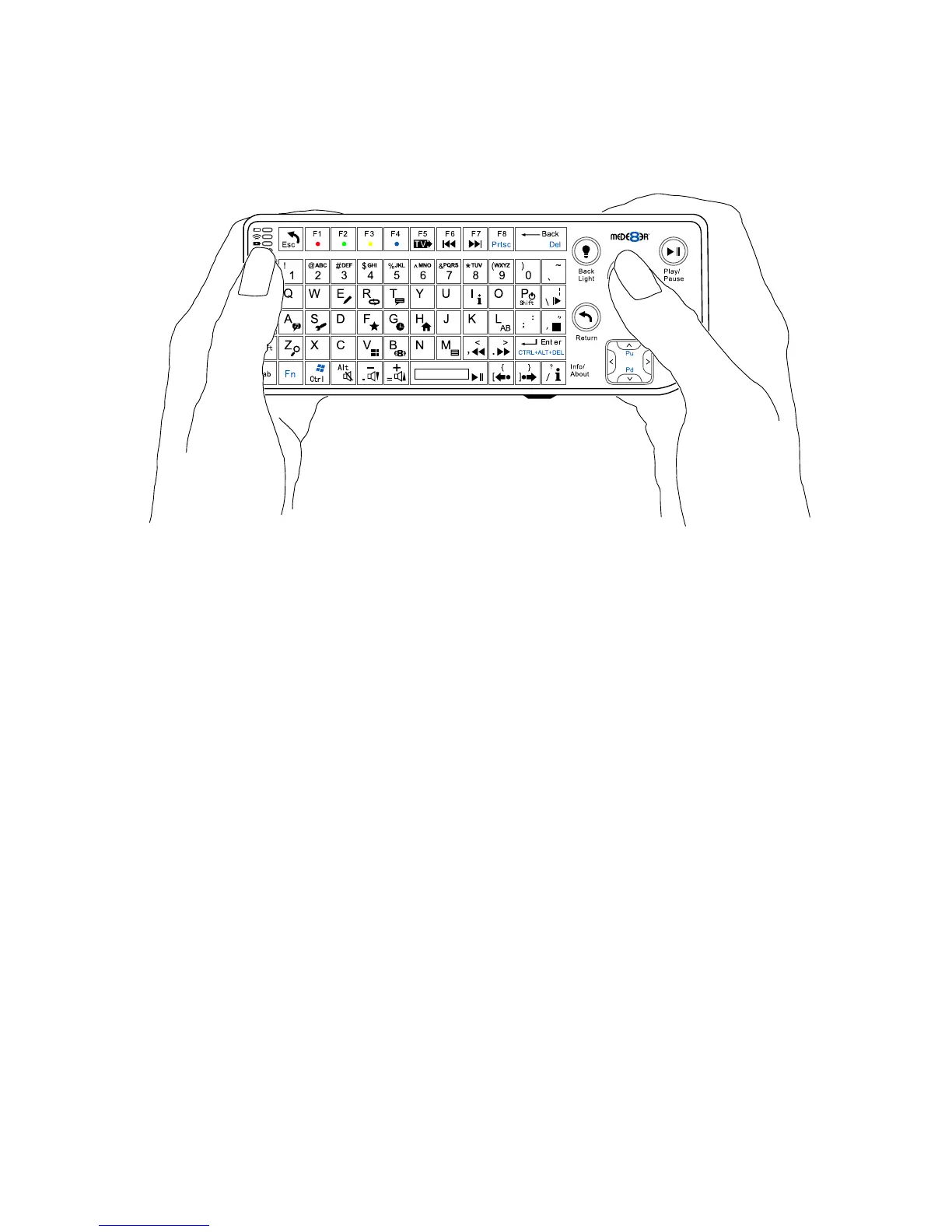
Using the Keyboard
The preferred way of using the MEDX2KEY for Internet Media
browsing is to hold the keyboard with both hands. Use your left thumb
to control the left/right mouse buttons and your right thumb to control
the trackball and the arrow buttons.
ESC: RETURN
SPACE: PLAY
ENTER: SELECT(ENTER)
'0': 0
'1': 1
'2': 2
'3': 3
'4': 4
'5': 5
'6': 6
'7': 7
'8': 8
'9': 9
'-': VOL_DOWN
'+': VOL_UP
'P': SHIFT + ‘P’ = POWER OFF
'R(r)': REPEAT
'T(t)': SUBTITLE
'I(i)': INFO
'A(a)': AUDIO
'G(g)': GOTO
'H(h)': HOME
'Z(z)': ZOOM - Media Library
'Ctrl': ZOOM - Internet Browser/YouTube
',(<)': FRWD
'.(>)': FFWD
'/(?)': Info / About
'F(f)': Favourite
'E(e)': EDIT
'M(m)': MENU
'S(s)': Setup
'V(v)': View
'L(l)': AB
'\(|)': SLOW
'’(”)': STOP
'/(?)': Info / About
'[({)': Back Skip
'](})': Forward Skip
'B(b)': Browser - Devices
'Alt': Mute
'FI': Red button
'F2': Green button
'F3': Yellow button
'F4': Blue button
'F5': TV Sys
'F6': Previous Chapter
'F7': Next Chapter
Keyboard Commands
pg 4



 To Next Page