EN
2.1.1 One time user
1) Prss [
] to turn on/off the unit.
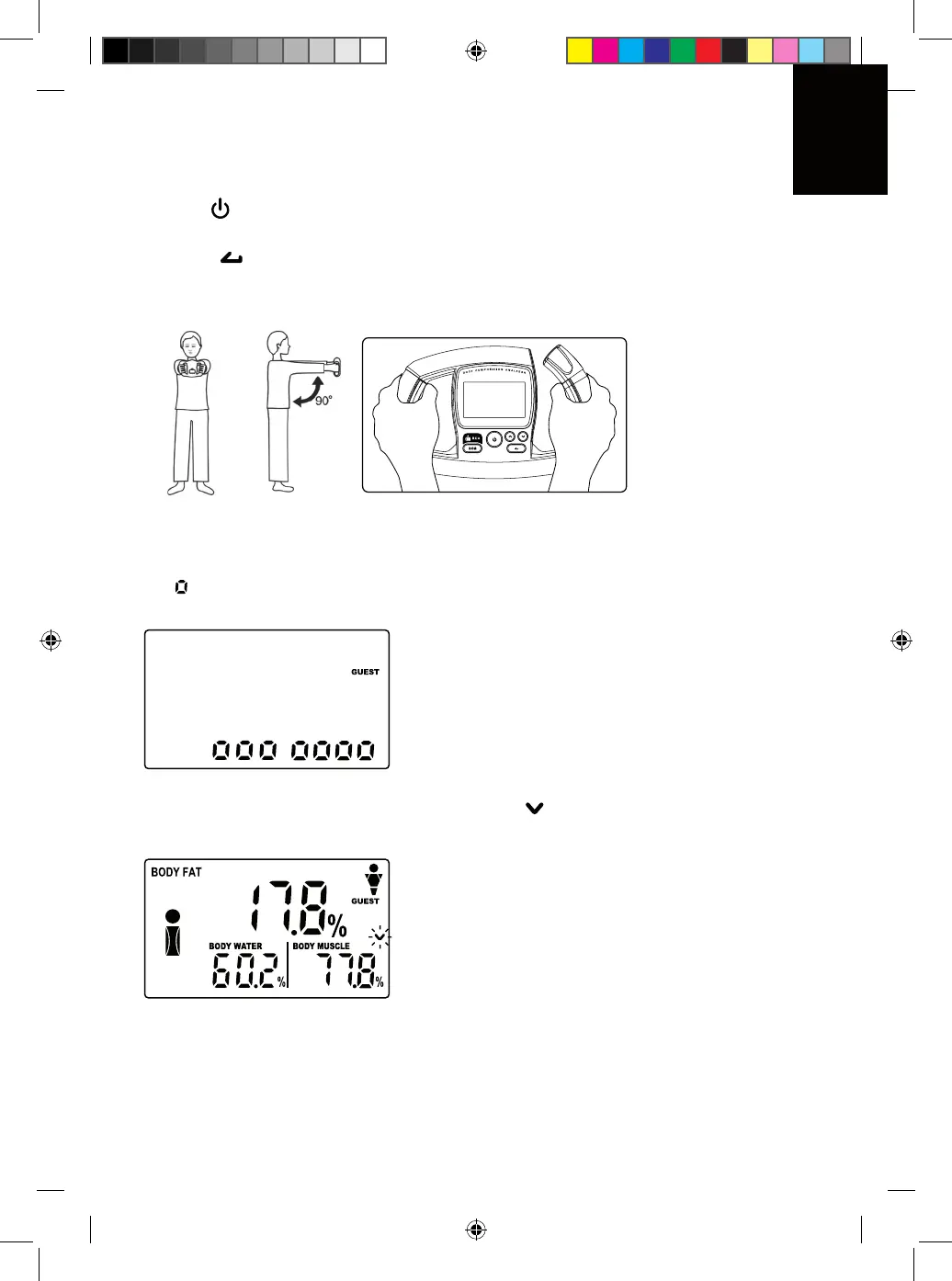
2) [ GUEST ] icon will flash on screen, value of height displays on screen.
3) Press [ ] to enter personal data setting procedure.
4) Follw instructions on Data Register Section key in your personal data.
5) Hold unit with both hand in a horizontal position (as shown on diagram).
6) Press [ BCA ] button to perform body composition test. Make sure both of your
hand lay on the metal sensor part of the unit.
7) During measurement, beep tone can be heard and screen will show a sequence
of [ ].
8) Results will then be dislayed on screen (icon [ ] flashing indicates more data
on next screen).
19
Manuale Body Tech_DEF.indd 19 22.03.2010 17:57:25


 To Next Page