EN
2.1.2 To view Body Composition Results
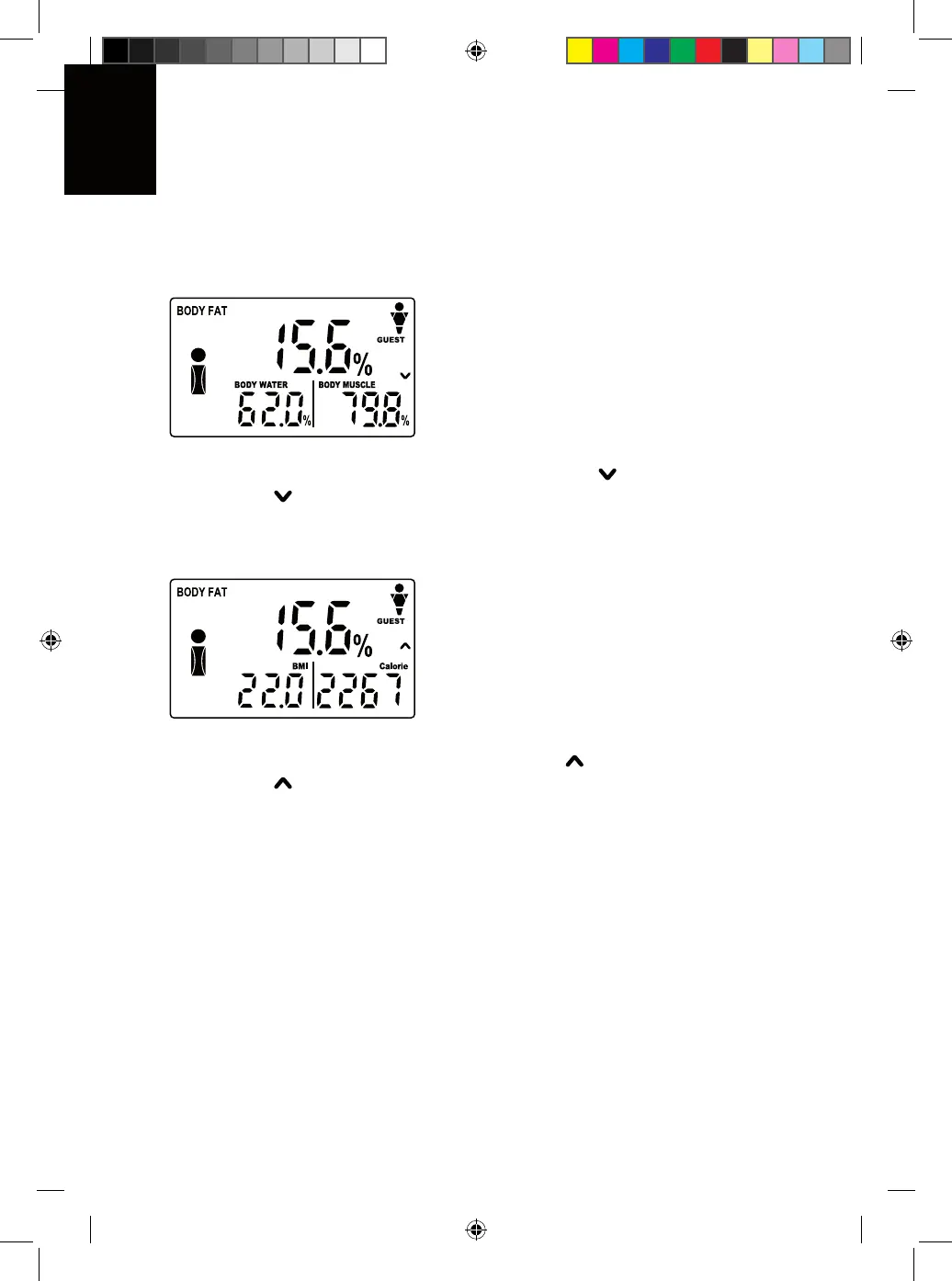
1) After measuring, display shows the first page results:
2) The display contains info of Body Fat (e.g 15.6%), Body Water (e.g 62.0%), Body
Muscle (e.g 79.8%).
3) On the screen, there is also a flashing down arrow [ ].
4) Press the [ ] key, it enters the second page as shown.
5) The display contains info of Body Fat (e.g 15.6%), BMI (e.g.22.0), Calorie - Total
Daily Energy Expenditure in calorie desired to be consumed (e.g 2267).
6) On the screen, there is also a flasing up arrow [ ].
7) Press the [ ] key, it returns to the first page.
2.1.3 Unit Selection
You may select to display or store data in metric, imperial or stone/lb. Use the slide
switch on the back of the unit to select.
20
Manuale Body Tech_DEF.indd 20 22.03.2010 17:57:26


 To Next Page