individual measured values are displayed in turn with the
date and time.
•
To switch off, press the START/STOP button
.
•
If you forget to switch off the device, it will switch itself off
automatically after 30 seconds.
•
If you want to delete the whole memory for a specific
user, press the memory button M. Press and hold down
the memory button M and the setting button SET simulta-
neously for 5 seconds.
8. Error messages/troubleshooting
In the event of errors, the error message _ appears on the
screen.
Error messages may appear if:
•
It was not possible to correctly record the pulse:
1
;
•
No measurement could be taken:
2
;
•
The cuff is fastened too tightly or loosely:
3;
•
Errors occur during the measurement:
4
;
•
The pump pressure is higher than 300 mmHg:
5
;
•
There is a system error. If this error message appears,
please contact Customer Services:
6
.
•
The batteries are almost empty: .
In such cases, repeat the measurement. Ensure that you do
not move or speak.
If necessary, reinsert or replace the batteries.
9. Cleaning and storing the unit
•
Clean your blood pressure monitor carefully using a
slightly damp cloth only.
•
Do not use any cleaning agents or solvents.
•
Under no circumstances should you hold the device
under water, as this can cause liquid to enter and damage
the device.
•
If you store the unit, no heavy objects should be placed
on top of it. Remove the batteries. The cuff line should not
be bent sharply.
10. Technical specifications
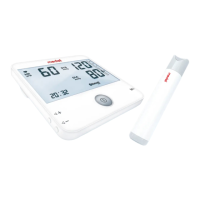
Model No. Medel Control
Measurement
method
Oscillometric, non-invasive blood pres-
sure measurement on the upper arm
Measurement
range
Cuff pressure 0-300 mmHg,
Systolic 50-280 mmHg,
Diastolic 30-200 mmHg,
Pulse 40-180 beats/minute
Display accuracy Systolic ± 3 mmHg,
Diastolic ± 3 mmHg,
Pulse ± 5% of the value shown
36
95142_MEDELcontrol_userMANUAL_REV.00_02.03.2016 TRAD.indd 36 18/05/2016 12:07:07


 To Next Page