SONNET 31
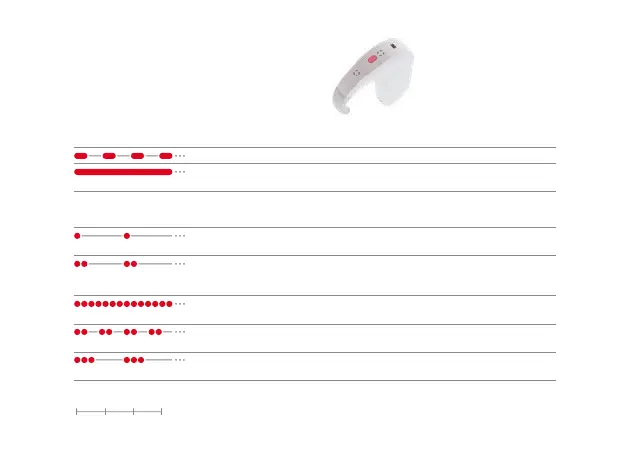
Warning Status Solution
Batteries are empty. Change the batteries.
Either minimum or maximum volume or
audio sensitivity has been reached.
Adjust volume or sensitivity
if necessary.
Error Pattern Problem Solution
Temporary error or
electronic malfunction
1. Switch SONNET off.
2. Switch SONNET on.
The setting you selected has not
yet been programmed, or there
has been a programming failure.
Select another setting.
Temporary error or
electronic malfunction
1. Switch SONNET off.
2. Switch SONNET on.
Electronic malfunction or
programming failure
1. Switch SONNET off.
2. Switch SONNET on.
Temporary error or
electronic malfunction
1. Switch SONNET off.
2. Switch SONNET on.
0 1 2 3 seconds


 To Next Page