SONNET38
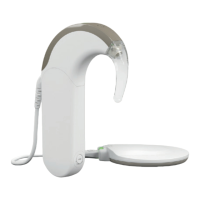
Alternatively, you can use the Speech Processor Test
Device (SPTD), a troubleshooting tool for detecting
the most common audio processor problems.
To troubleshoot with the SPTD, follow these steps:
1. Switch on your SONNET.
2. Place the at side of the DL-Coil under the Speech Processor Test Device.
3. Speak into the SONNET microphones. The indicator light should icker to
the rhythm of your voice. If it does not icker, go to 4.
4. Adjust the volume and speak into the microphones.
If the indicator light does not icker, go to 5.
5. Change the batteries and speak into the microphones.
If the indicator light does not icker, go to 6.
6. Replace the coil cable.
If your SONNET is still not working correctly, contact your CI center for assistance.


 To Next Page