Advanced Use
Effect Trails Mode
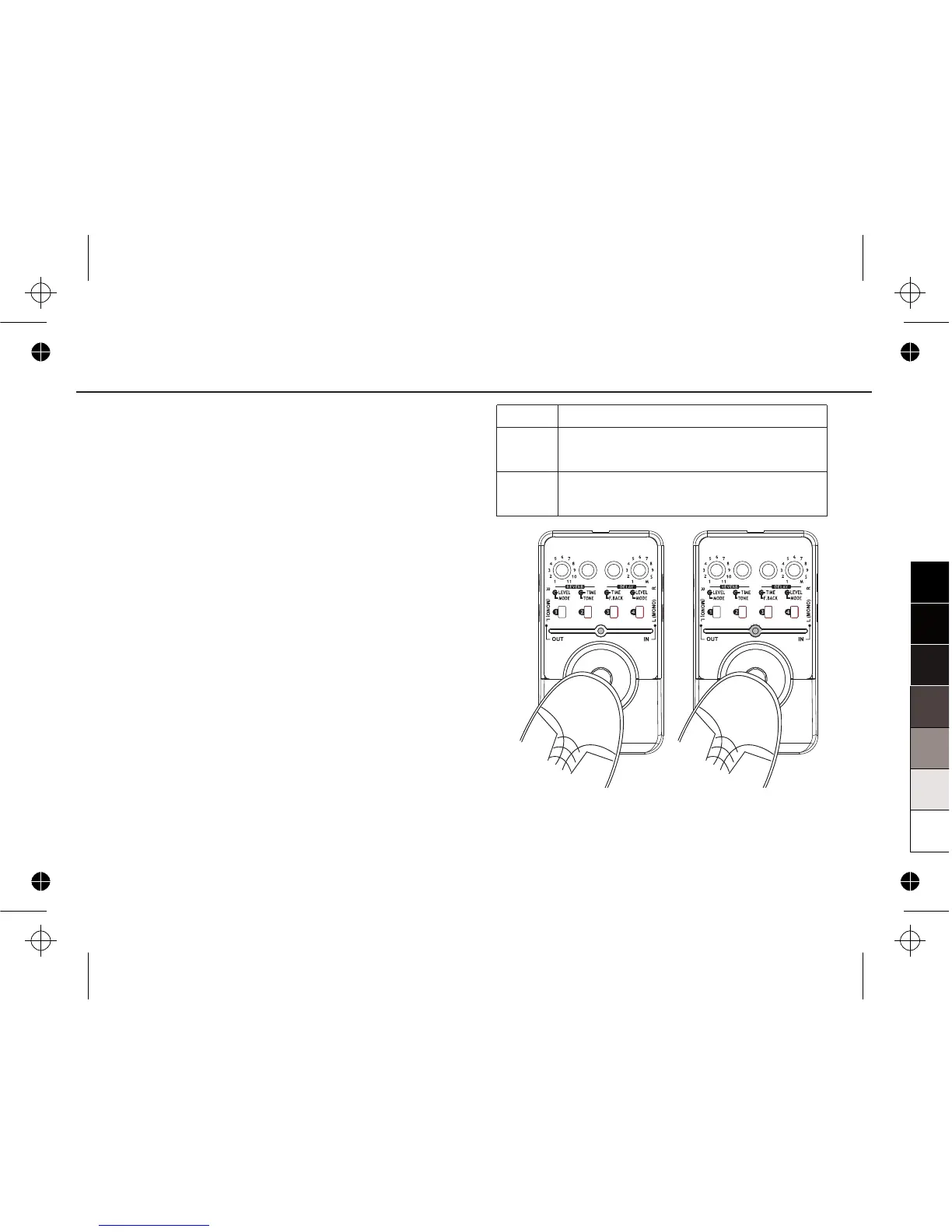
There are two function modes to enter BYPASS.
Users can choose whether keep the effect sound
persisting when entering BYPASS.
The default BYPASS entry mode is MODE 1,to
switch it to MODE 2, before making connection or
powers on the padel, turn the DELAY MODE knob to
the 1 position, then press and hold the FOOT
SWITCH firmly; then power up the unit and keep
holding the FOOT SWITCH until the ON/OFF LED
indicator flashes three times(When using a battery,
press and hold the FOOT SWITCH firmly, then plug
INPUT and keep holding the FOOT SWITCH until
the ON/OFF LED indicator flashes three times).
To set MODE 1 back, do the same operation.
Notice:
Effect Trails Mode setting will be saved after power
off.
18
MODE
MODE 1
MODE 2
FUNCTION
When pressing FOOT SWITCH to enter
BYPASS, the effect sound will be stopped.
When pressing FOOT SWITCH to enter
BYPASS, the effect sound will persist.


 To Next Page