Specification
Switch off both keyboard and PC.
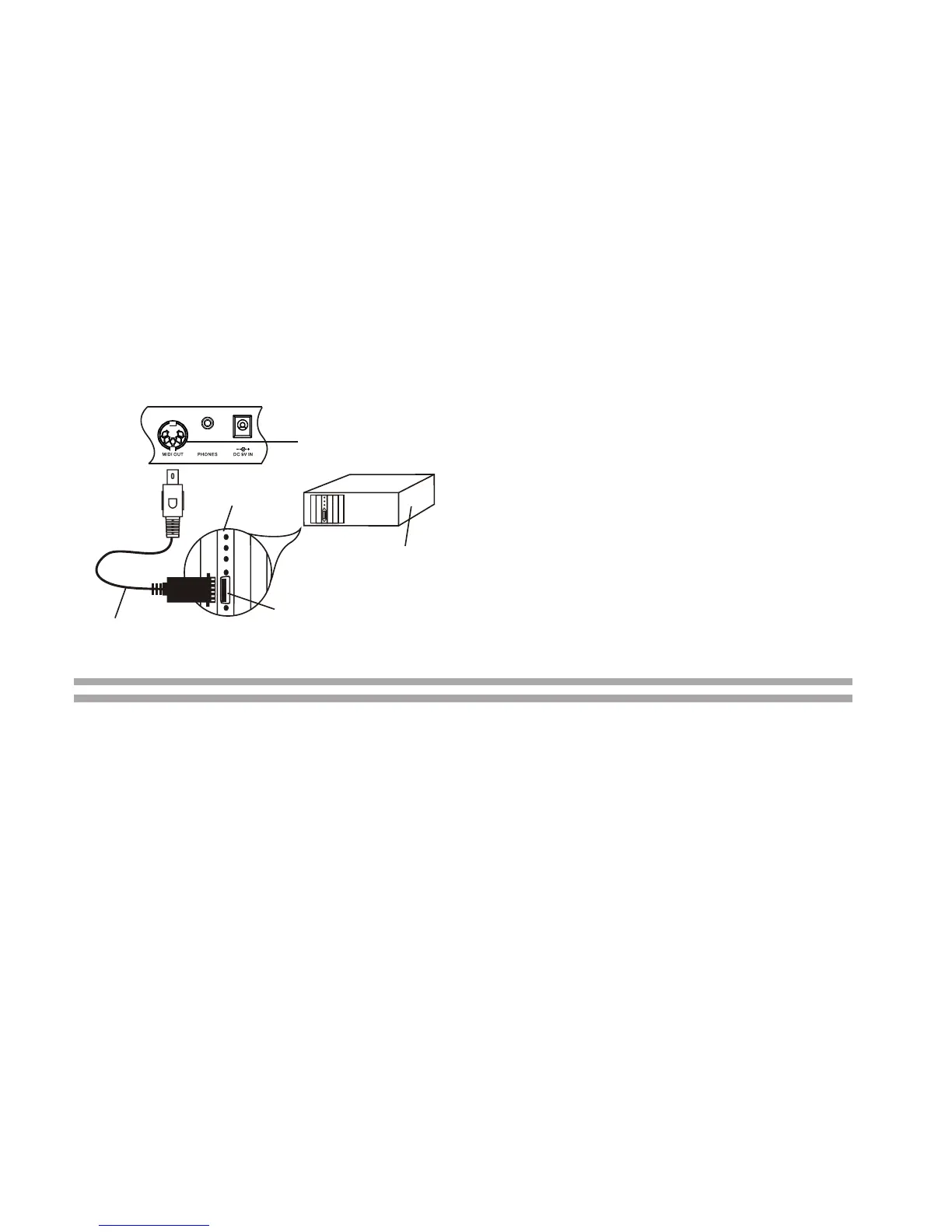
Connect the keyboard and PC with a
MIDI adaptor (one end with 5-pin plug
and the other end with 15-pin plug).
Switch on both keyboard and PC. Make
sure to minimize the volume setting by
pressing the VOLUME -.
To select your desired channel (01-
16)which shown on the LCD display,
press the MIDI button on keyboard.
You can play the keyboard by pressing
the black & white keys. Then, you can
hear the music you play from the
speakers of your PC.
Connecting with PC
(Personal Computer)
MIDI Cable
Sound Card
with MIDI port
Joy stick/MIDI port
Plug MIDI cable into this
port on the sound card
Computer
(rear view)
MIDI OUT port
Plug MIDI Cable
into this port
Your PC should be equipped with a
sound card, a pair of speakers & in-
stalled MIDI software.
No information of auto-style, pre-re-
corded songs, sustain and transpose
could be sent as MIDI data.
For two MIDI instruments to communicate,
they must be connected by MIDI cables. In
a basic example, the MIDI OUT terminals
of this keyboard could be connected to the
MIDI OUT and terminals of a sequencer,
allowing you to record and play back
performance data from this keyboard.
Note:
Connecting with
(External device)
2.
3.
4.
1.
5.
1.
2.
Number of keys.................................................................................................
Polyphonic Sound...............................................................................
Preset Voices....................................................................................................
Auto-Styles........................................................................................................
Prerecorded Songs............................................................................................
Effect.....................................................................................................
Style Controls.........................................................
Power Sources..................................................................
Dimensions (HxWxD).......................................................................
Weight (Without Batteries)..............................................................................
49
8-note(Max.)
50
30
50
Transpose
TEMPO, FILL-IN, START/STOP
DC 9V Adaptor
6 x 'C size' batteries
795x315x120(mm)
3.6kg
Specifications and designs are subject to change without notice.
8



 To Next Page