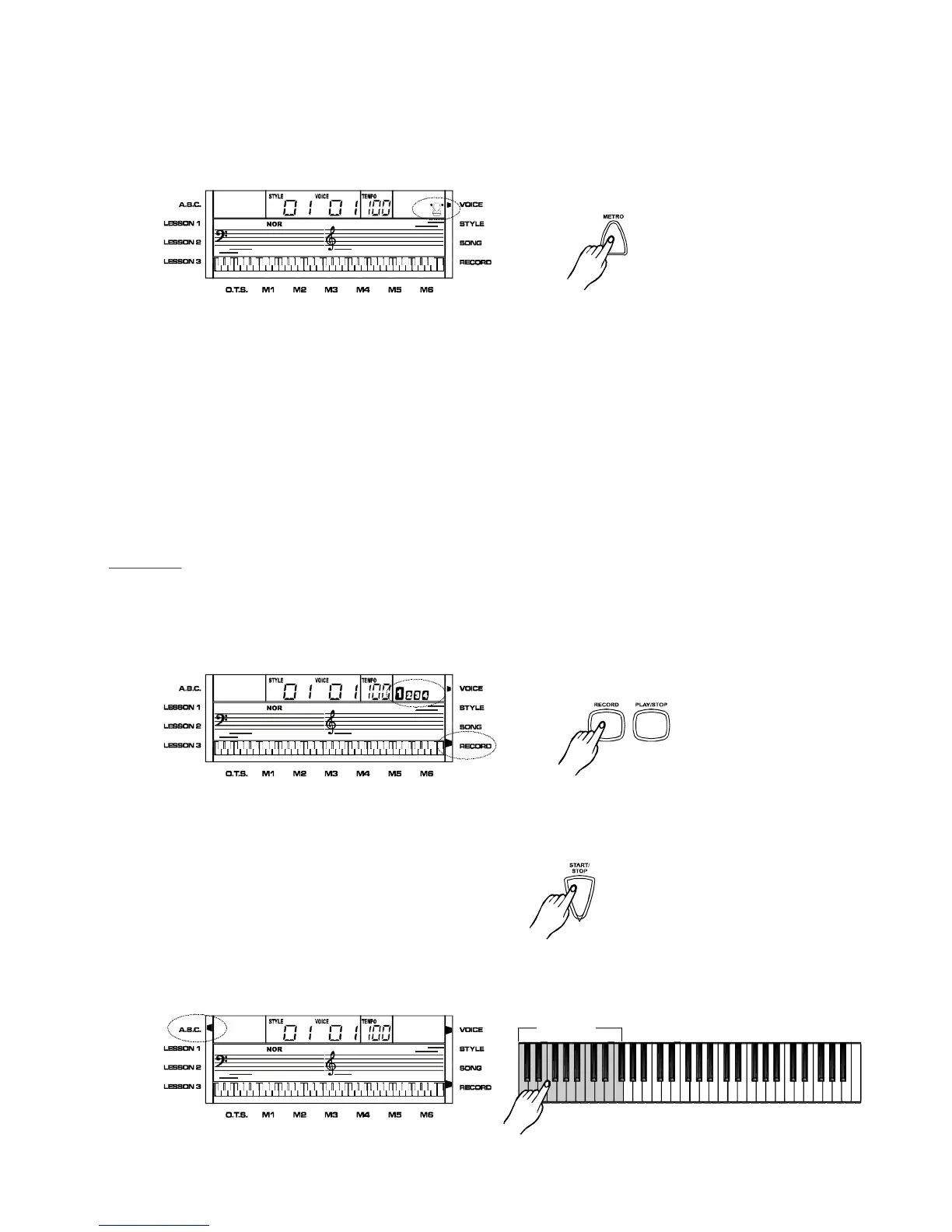
Metronome
Recordandplayback
Pressthe[METRO]button,thenthemetronomewillworkasthecurrenttempo,andthe
beatdotwillflashonebyone.Thetempocanbechanged.Pressthe[METRO]againto
turnthemetronomeoff.
Thebeatcountfollowsasthestylewhenstyleisplaying.Thevalueisinbeatwhenthe
stylestops.
ThemetroisinactiveinSONGmodeandDICTmode.
Note:Whenrecording,youcanturnthemetronomeonbutitisn'tbeingrecorded.
1.Readyrecord :
2. Startrecord:
Record
Press[RECORD],andtheRECORDindicatorontheLCDlightsup.Fourbeatdotsflash
togetherindicatingitisintherecordreadystatus.Youcanchangethevoice,styleandso
onbeforerecording.
Inrecordreadystatus,press[START/STOP]tostartthestyleandenterrecordingmode.
Youcanusethe[START/STOP]tostartorstopthestyleduringrecording.
Inrecordreadystatusyoucanentertherecordingmodebypressingthekeyboard.
MeanwhilewhenABCison,pressingthekeysonthelefthandareacanstartthestyledirectly.
(WhenABCisoff,youcanstartthestyleonlyby[START/STOP]button.)
Inrecordreadystatus,the[SYNC]buttonisinactive.
,
19
Auto-accopmaniment
PDF 文件使用 "pdfFactory Pro" 试用版本创建 www.fineprint.com.cn



 To Next Page